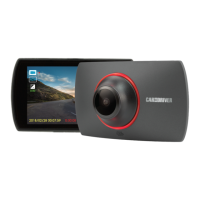
4-3 Playback Settings
Lock/Unlock
Lock or unlock recorded or captured file (Lock One, Lock All, Unlock One, Unlock All), press Execute
to take eect. When you lock a file, it is protected and cannot be replaced by new files.
Delete
Delete recorded or captured file (Delete One, Delete All), press Execute to take eect. When you
lock a file. it’s protected and cannot be recorded or replaced by new files until you delete the file or
reformat the memory card.
Thumbnail
Set thumbnail view, press Execute to take eect.
Volume
Adjust the video playback volume level.
In Playback mode, press the Menu button to enter playback settings.
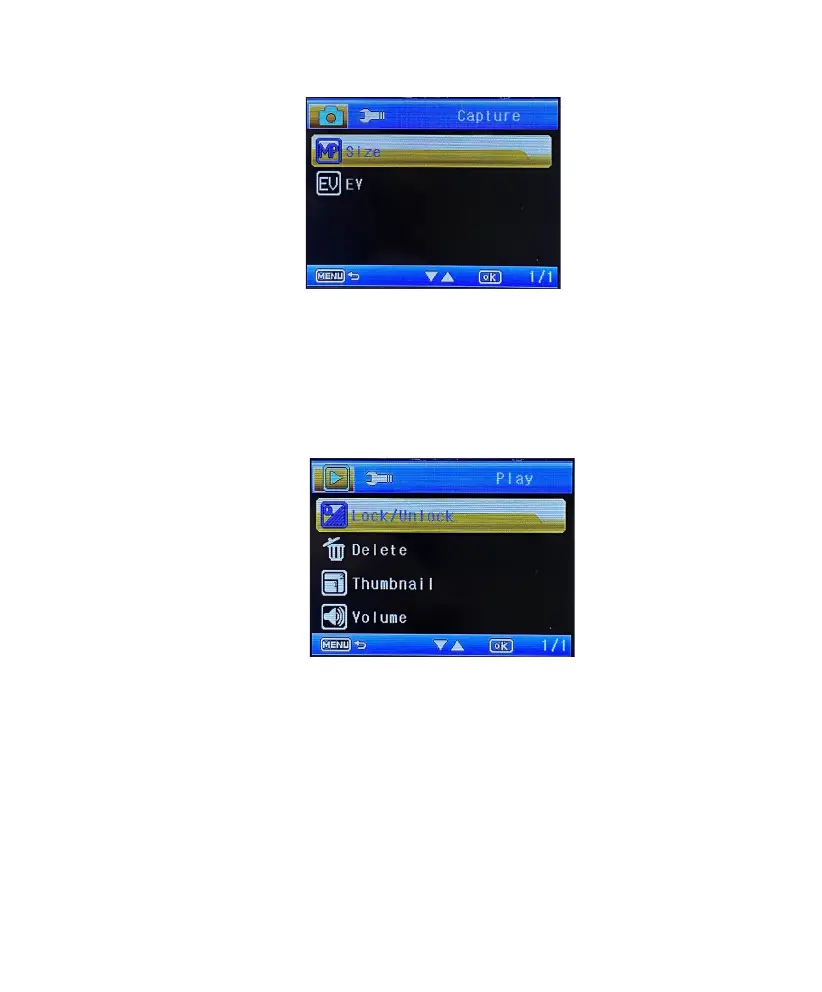
4-2 Capture Settings
Size
Set the camera pixel (1.3M, 2M, 3M or VGA).
EV
Set the exposure level to adjust the brightness of the image. The default settings are 0.
In Photo mode, press the Menu button to enter photo capture settings.
10 EN


 To Next Page