Switching the device on
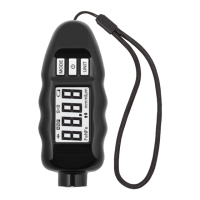
Press and hold “PWR” button for 2 seconds. Once on, you will
see “8888” on the screen and the device will begin the procedures
of auto-test and auto-calibration.
After 2-3 seconds, the display will show “----” which means that
the device is ready for use.
Switching the device off
To power off the device, press and hold “PWR” button for 2
seconds. There is also an auto power off feature. The device will
turn off automatically after 2 minutes of idle.
Backlight On/Off
The device comes with a backlight feature. To turn the backlight
on or off, press and quickly release the “PWR” button.
Operating modes
For your convenience, the device has 3 operating modes: “A”,
“M”, “P”. To switch between the modes press and quickly release
“MODE” button, this will let you circulate between the modes.
Current mode is displayed in the top part of the screen.
“A” - Adaptive mode. Normalizes the measurement results for
easier understanding (used in most cases)


 To Next Page