11
Cleaning
After each print, it is important to clean up and reset your workstation before printing again. This is for your safety as well as
ease of clean-up and future printing success.
Cleaning the printer
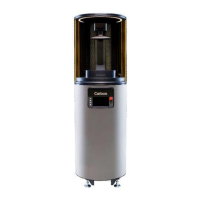
Wipe down printer after every printing session using IPA. Do not use acetone on the printer body; this will remove the paint.
Only use acetone to clean the platform, printer deck, deck glass, and frame of the cassette, and
for one final pass when cleaning the cassette window.
Do not spray acetone directly on the underside of the cassette window, or use it on the door,
compressed air cleaning cabinet, silicone spatulas, or plastic tool handles.
To clean the door, wipe with a microfiber cloth dampened with water or Brillianize. A diluted IPA solution may be used for
persistent resin residue. The yellow door is made of acrylic and you should never use chemical cleaners, acetone, or scouring
compounds.
Cleaning the workstation
Clean your tools after every use with IPA and acetone. Remember that acetone is a strong solvent and can damage some plastic
tools, so use sparingly. Also make sure to wipe down your workstation and industrial accessories after every shift to keep your
work surfaces free of resin drips and spills.
Cleaning the platform and cassette
You’ll need to clean the platform between every print, but you may be able to use the resin leftover in the cassette depending on
the remaining pot life and duration of the next print.
If you’re using one-part resin for multiple consecutive prints:
•
Clean the platform and deck.
•
Check the cassette for adhered pieces of cured resin.
•
Gently stir the remaining resin with a soft silicone spatula in the cassette and check for floating pieces of cured resin.
If you want to print in a different resin or are done printing, you should clean the build platform and cassette. If you are using
two-part resin, dispose of the resin properly as hazardous waste.
When not in use, the cassette should be covered or stored in its return packaging. You can also store the cassette in the printer
with the door closed.
12
Maintenance
Weekly
Monthly
•
Check your lab supplies inventory levels and preparedness of safety items.
•
Wipe down the inside and outside of the printer door with a damp (never dry) microfiber cloth to prevent build-up of
static charge.
•
Use an acetone wipe to clean the underside kinematic ball mounts of the platform where it contacts the platform
clamp to remove any residual resin.
•
Clean the platform latch mounting rail and apply grease to the three pin pairs.
•
Clean the cassette’s kinematic ball mounts (on the printer deck) and apply grease to the three pin pairs located on the
underside of the cassette.
Quarterly
•
Visually inspect fan filters and let your CTP know if they are significantly discolored.


 To Next Page