1
Introduction
In this guide, we’ll show you step-by-step how to use M2 printers to print parts from programmable liquid resins using Digital
Light Synthesis
TM
(DLS
TM
) technology.
How to contact us
If there’s anything we can help with, you can:
•
Email us at support@carbon3d.com
•
Call our Technical Support line at 1 (650) 285-6307, option #2
•
Contact your Carbon Technical Partner (CTP)
And don’t forget to keep up with us on social media!
2
Printer overview
This section gives a basic overview of the printer and names the main components so you can follow the instructions in this
guide.
The printer
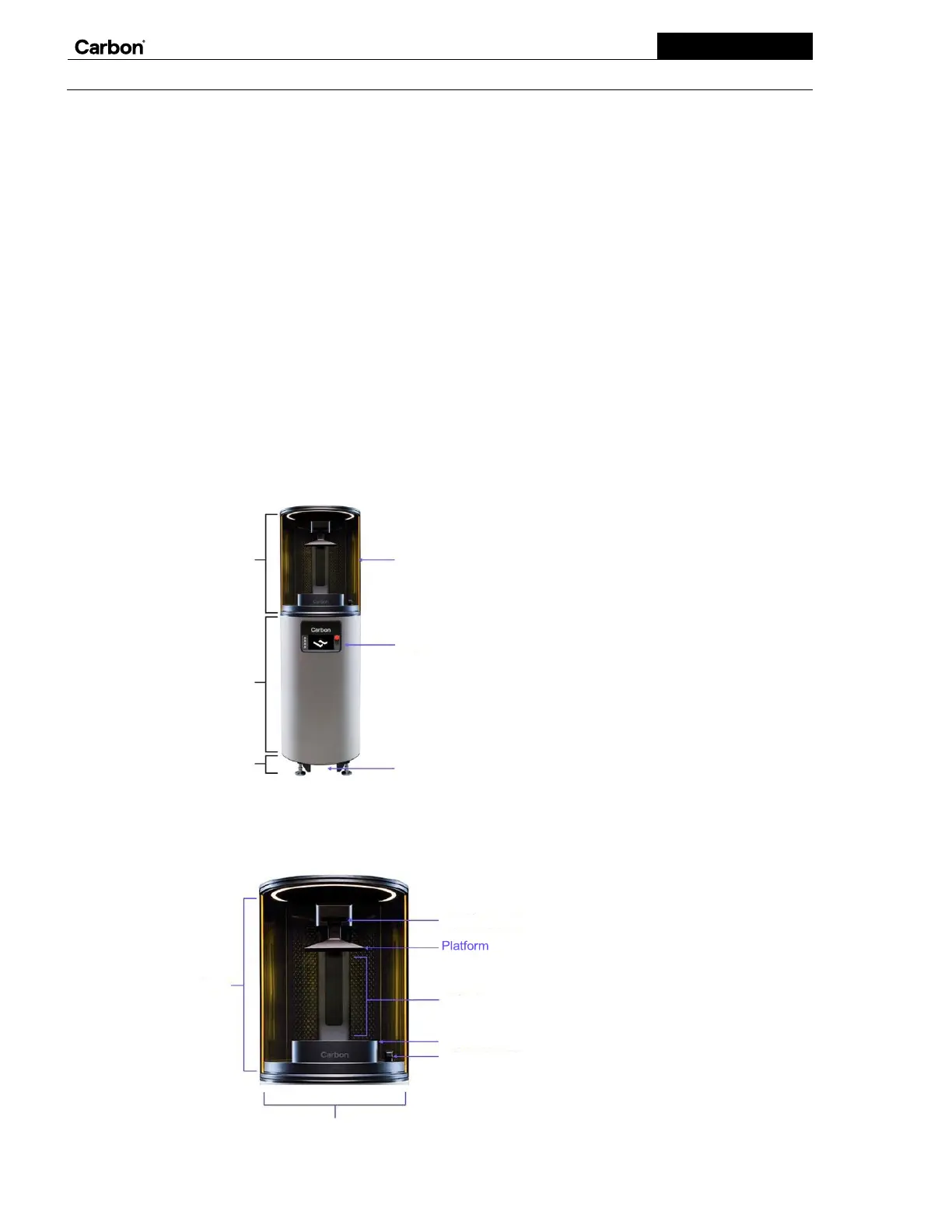
The main features of the printer are the build area, body, and foot. The secondary features include the door, display, and
foot-activated door switch.
The build area
The build area is where you print parts. It has integrated LED lighting that will be activated once printing has begun. This area
includes the deck, platform latch, elevator, and cassette latch, and houses two removable accessories, the cassette and platform.


 To Next Page