The deck
The deck is the build area floor. It supports the elevator, and includes the deck glass and cassette latch. Light reaches the resin
through the transparent deck window in the cassette. Two connectors are located near the back on either side of the elevator
and are reserved for future Carbon upgrades. These are not currently available for use.
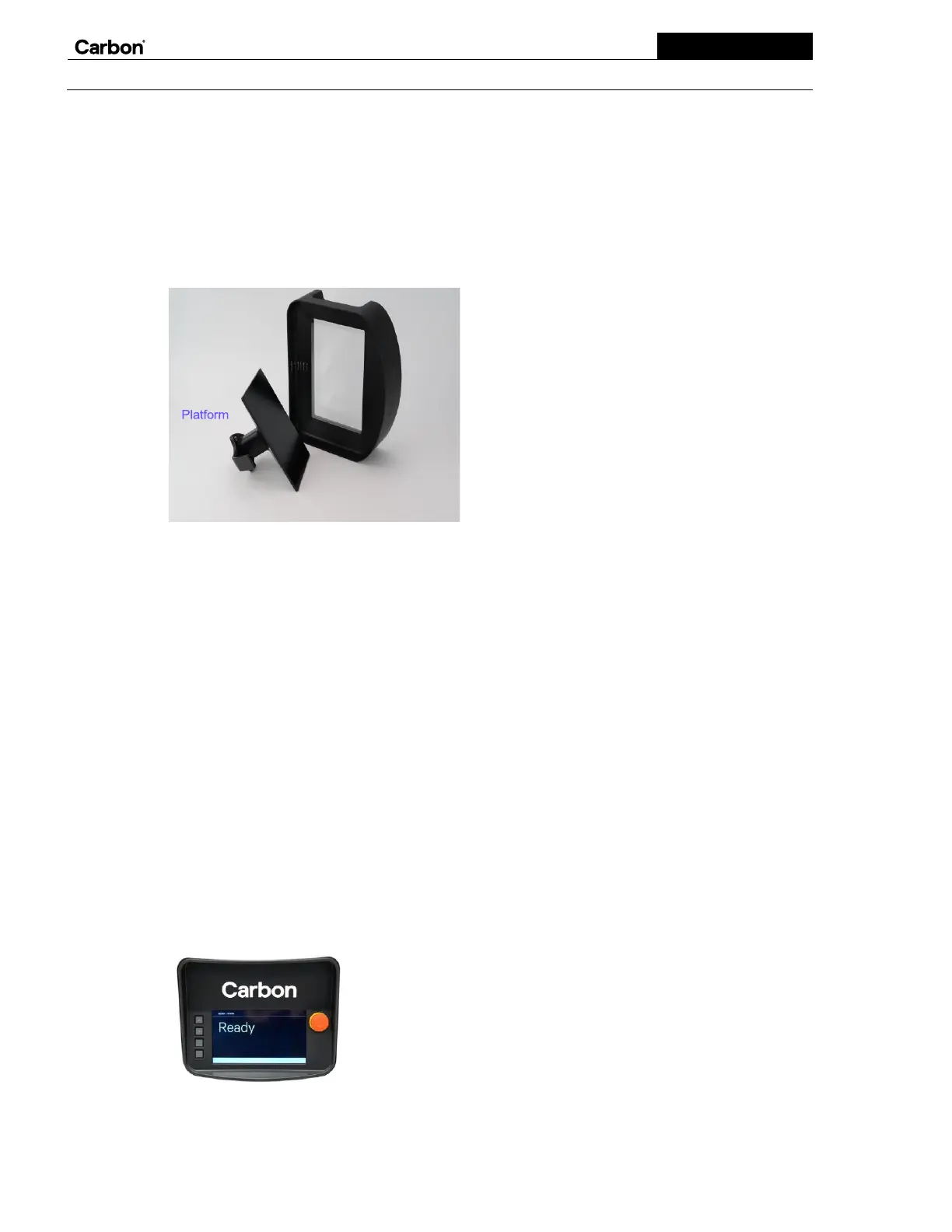
The platform
The platform has the flat surface that parts print on. It attaches to the elevator, which moves the platform up and down. The
platform latch automatically locks after you close the door and start a print. Each platform contains an NFC tag and is labeled
with a unique serial number.
The cassette
The cassette is the removable accessory that holds the programmable liquid resin used to make parts. It sits over the deck glass
and is held in place with the cassette latch. The window at the bottom of the cassette is an oxygen permeable optical device that
allows light and air to pass through into the resin during printing. You can use the white graduation lines on the frame to
estimate the resin volume. Each cassette contains an NFC (near field communication) tag and is labeled with a unique serial
number for part traceability.
The cassette is a critical part of DLS technology. It should be kept impeccably clean, inspected often, and treated with the utmost
care. In case you ever need to return a cassette, please keep the original packaging and shipping box.
The door and optional safety interlock
The UV-blocking door protects the build area from most ambient UV light, which can accelerate curing of the resin and
compromise part quality. During printing, the door should remain closed to contain odor and control the printing environment,
keeping it dust-free. To open and close the door, use your foot to cross the sensor beam at the base of the printer.
An optional safety interlock sensor may be located on the door. If the door opens while printing, power to the platform motor
stops immediately, likely resulting in a failed print.
The body
The body of the printer includes the display as well as features on the back used mostly by Carbon Service.
The display:
When the printer is printing, the display shows the UV image being projected into the resin and the remaining printing time.
When the printer isn’t printing, the display shows the current status.


 To Next Page