The Emergency Stop is the large red knob located on the display. Pressing the knob cuts power to most of the printer,
immediately stopping all printer motion. This is different from using the abort button, which stops printing and returns the
platform to the top of the elevator, referred to as the home position. Using the Emergency Stop knob may cause permanent data
loss, so only push it in an emergency. To restart the printer after using the Emergency Stop, see the Starting the printer section.
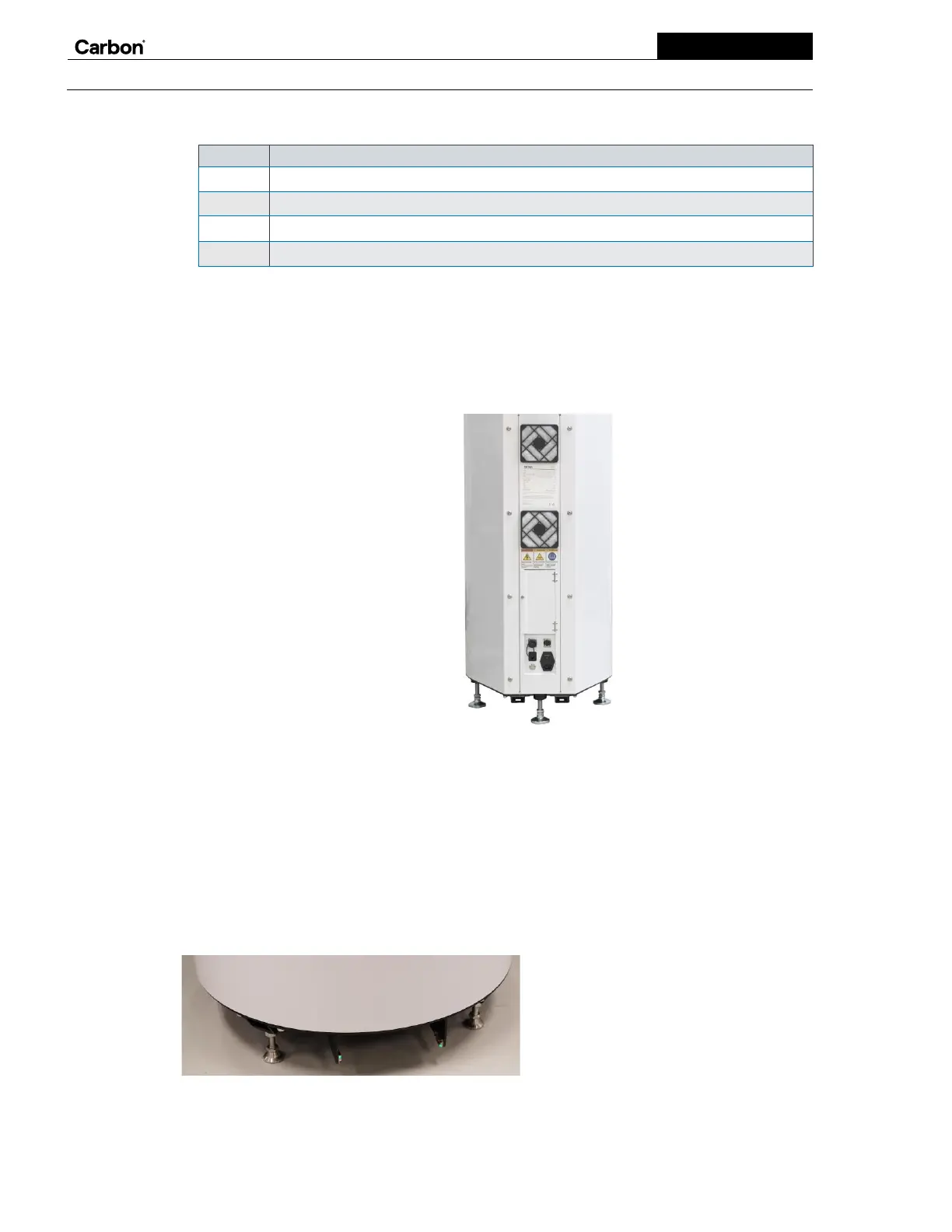
The back
During normal use, you shouldn’t need to touch the back of the printer, but you will need access to perform routine maintenance.
Starting at the top, the back includes:
•
A fan-driven exhaust vent
•
Air filters
•
Labels
•
A Carbon Connector
•
A USB port
•
An Ethernet port
•
A power switch
•
A fuse
•
A power on button
•
A power port
It also includes a service panel for Carbon service engineers that you should not attempt to open. See the back printer labels for
printer specification and important safety warnings.
The regionally specific power supply cable (and any applicable adapters) can be obtained separately from Carbon by contacting
your CTP. The printer must be grounded. In the event of a malfunction or breakdown, grounding will reduce the risk of electric
shock by providing a path of least resistance for electric current. The power supply cable is equipped with a cord having an
equipment-grounding conductor and a grounding plug. The plug must be plugged into an appropriate outlet that is installed and
grounded in accordance with all local codes and ordinances. To connect the printer to the mains supply, plug the power cable
into the appropriately installed and grounded outlet in your facility. No additional protective earthing methods are necessary.
The foot
The foot of the printer includes five leveling feet (for stability) and a door switch. The door opens or closes when your foot
crosses the sensor beam. As a safety precaution, the door is not operational during printing.


 To Next Page