Installation / removal of the SD Card is a
delicate process and to do so, use your
finger nail pressing down on the card until
it clicks (installation) or releases (removal).
Please view image attached for the
direction the SD card, as forcing it in the
wrong way will damage the camera & the
card. Carcam.ie has installed the Micro SD
Card
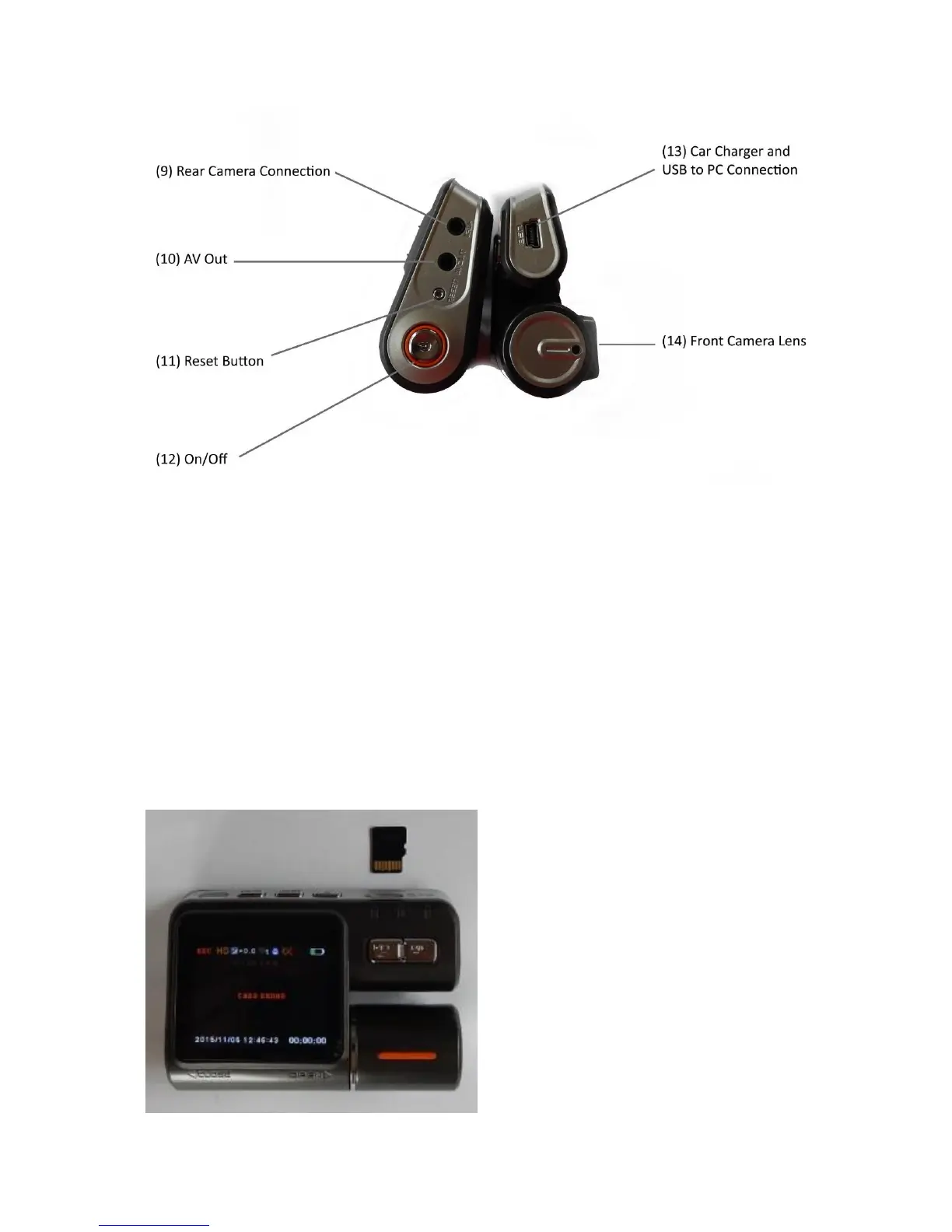
(9) Socket connection for rear camera.
(10) Socket for AV out
(11) Reset Button
(12) On / Off button
(13) Socket for 12V car charger
Also USB socket for connection to PC.
(14) Front Camera Lens


 To Next Page