8400-0145-2M Rev A 201 PC Connectivity Setup Guide
Assign a Static IP Address to the PC.
The IP address assigned must be different from the IP assigned to the 201. In this example
we will use address 192.168.1.23.
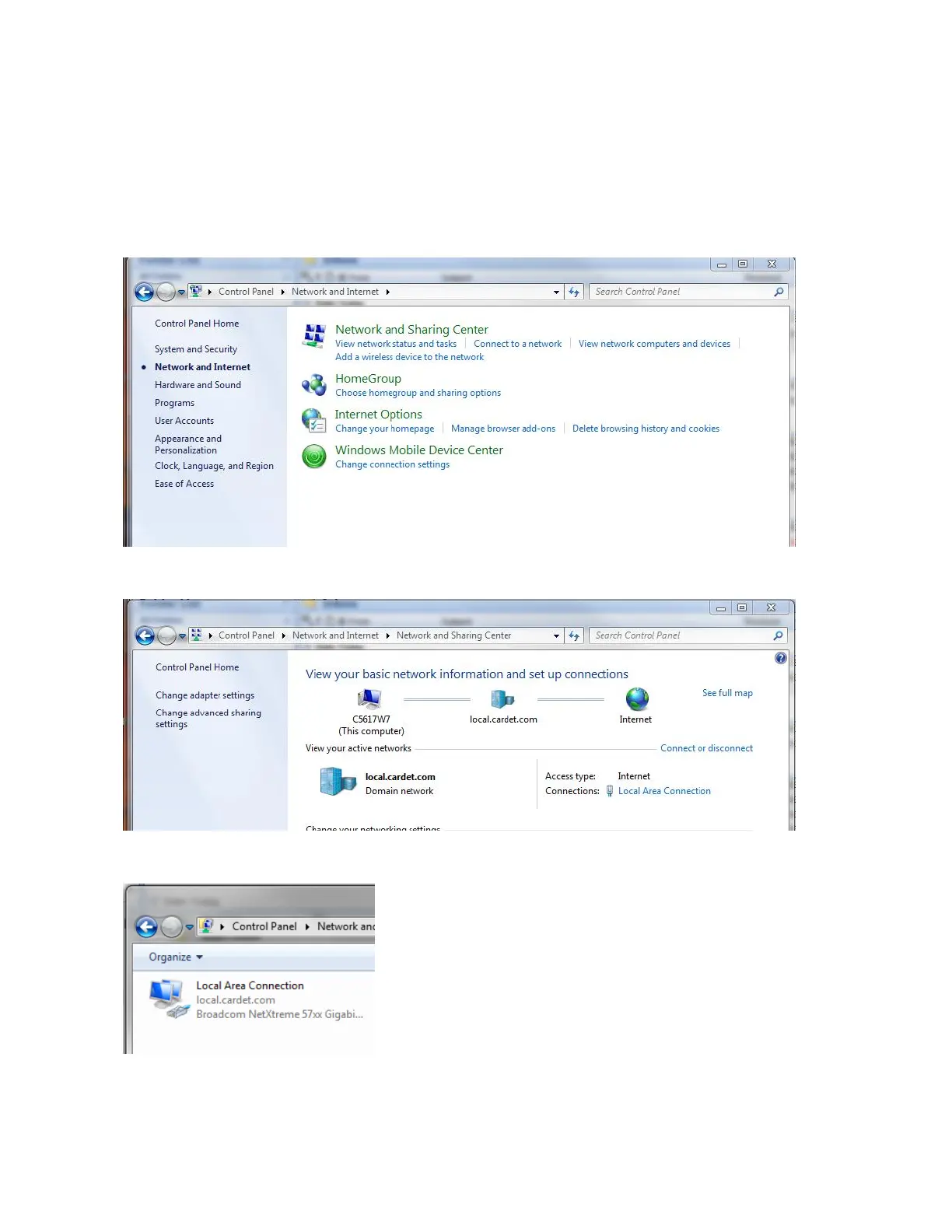
1. Click the Windows “Start” button and then “Control Panel”.
2. Click “Network and Internet”.
3. Click “View Network Status and Tasks”.
4. Click “Change adapter settings”.


 To Next Page