8400-0145-2M Rev A 201 PC Connectivity Setup Guide
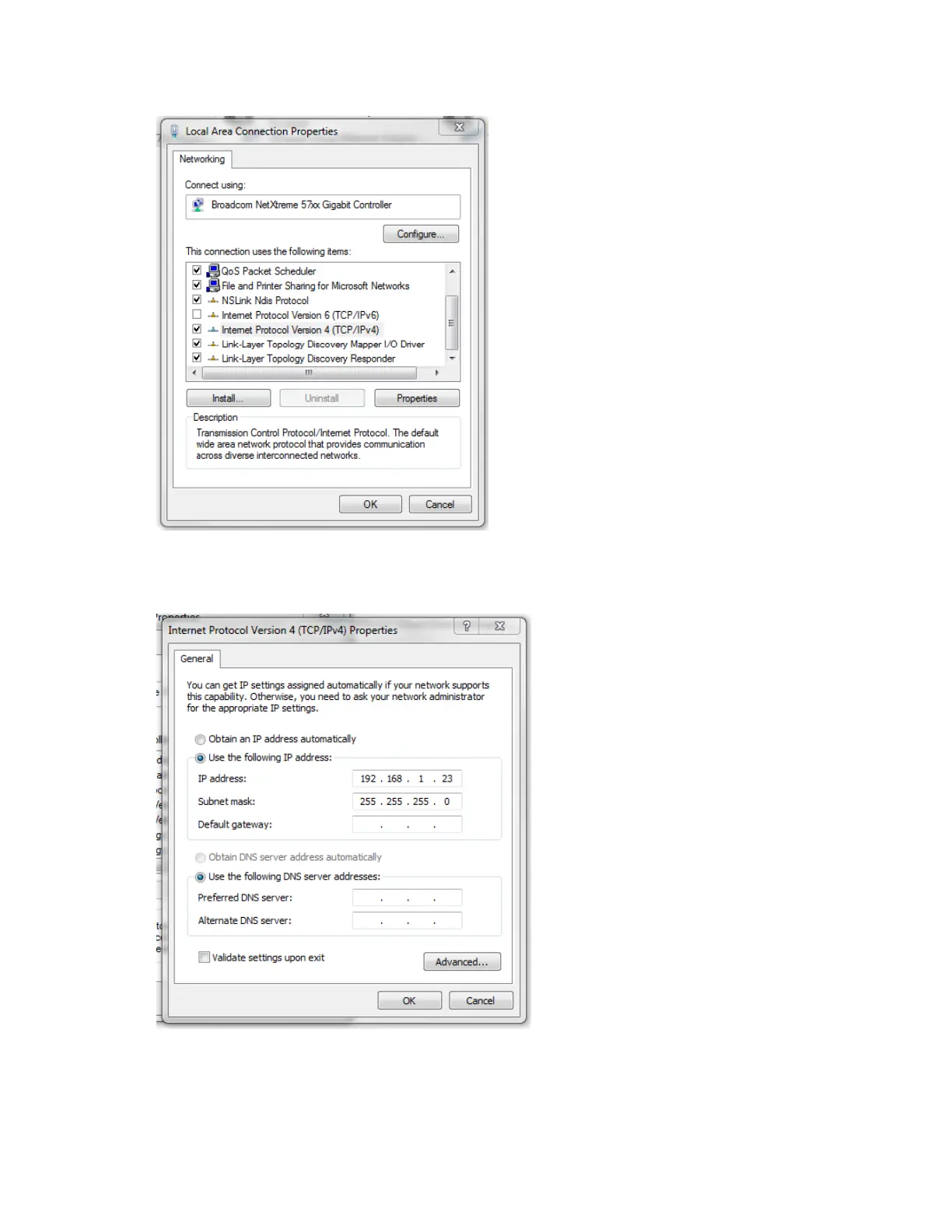
5. Right-click “Local Area Connection” and select “Properties”.
6. Select “Internet Protocol Version 4 (TCP/IPv4)” and click properties.
7. Click “Use the following IP address” and type the appropriate values as shown.
8. Click Ok and then “Close”.
9. Open “Internet Explorer” and type in the address bar 192.168.1.22


 To Next Page