EasyManua.ls Logo

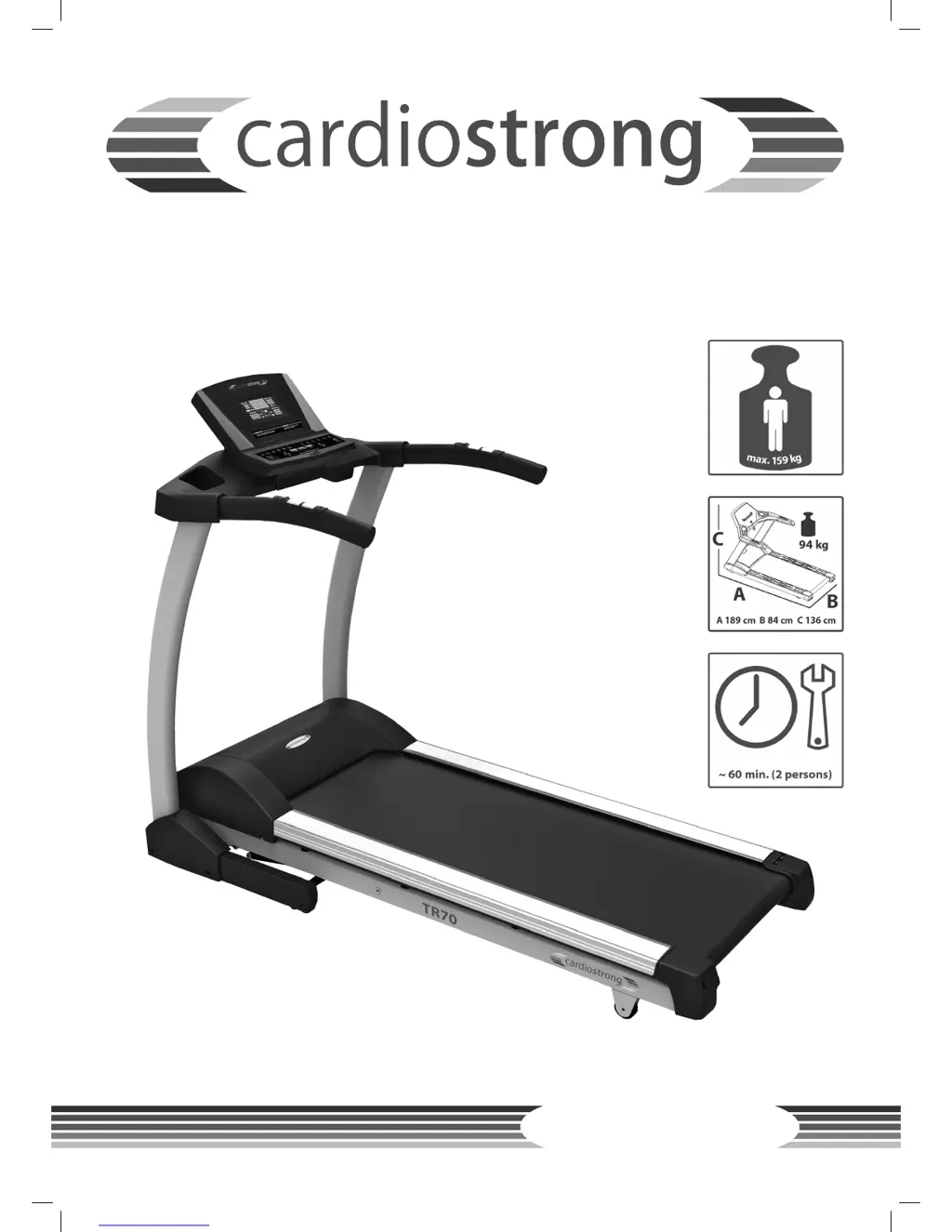
CARDIOSTRONG TR70i - User Manual

CARDIOSTRONG TR70i
60 pages
Print Icon
To Next Page IconTo Next Page
Loading...
Assembly and operating instructions
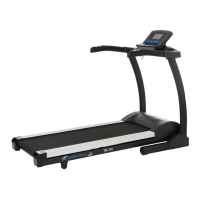
Treadmill TR70i
Art. No. CST-TR70-2

Questions and Answers

  • D
    David GibsonAug 16, 2025
    Why is the heart rate fluctuating on my CARDIOSTRONG Treadmill?
    • R
      Richard TateAug 16, 2025
      If the heart rate reading on your CARDIOSTRONG Treadmill fluctuates or isn't recording, first ensure your hands are slightly moist when using the hand pulse sensors. Check all cable connections behind the console to make sure they are secure and inspect the cables for any damage. If you're using a chest strap, verify the battery status and ensure the electrodes are moist and positioned correctly below your chest.
  • J
    Jeremy CollinsAug 19, 2025
    What to do if the console display is fluctuating on my CARDIOSTRONG TR70i Treadmill?
    • H
      hunter30Aug 19, 2025
      If the console display on your CARDIOSTRONG Treadmill is fluctuating or not lighting up, verify the treadmill is properly connected to the power supply. Turn the power switch off, then back on. Ensure the safety key is plugged in. Check all cable connections to confirm they are correctly connected. If the issue persists, contact customer service.
  • M
    Marcus BenderAug 22, 2025
    What to do if E1 appears on CARDIOSTRONG Treadmill?
    • Q
      qrodgersAug 22, 2025
      If the E1 error code appears on your CARDIOSTRONG Treadmill, remove and reinsert the safety key to restart the machine. If the error persists, check all cable connections. If the treadmill doesn't move after pressing START and displays E1, check for any obstructions. If the treadmill stops shortly after starting and shows E1, inspect all cables and the motor. If the issue remains unresolved, contact customer service.
  • M
    Michael JohnsonAug 25, 2025
    Why is the running mat slipping on my CARDIOSTRONG TR70i?
    • C
      Cindy GarciaAug 26, 2025
      If the running mat slips during usage on your CARDIOSTRONG Treadmill, the belt likely needs tensioning. Refer to the manual for instructions on how to properly tension and align the belt.
  • P
    Paul ChurchAug 28, 2025
    How to adjust the belt on CARDIOSTRONG TR70i Treadmill?
    • D
      David HaasAug 28, 2025
      If the belt on your CARDIOSTRONG Treadmill does not run in the middle during usage, first ensure the treadmill is placed on a stable, level surface. Then, refer to the operating manual for instructions on how to adjust and tension the belt.
  • C
    courtneyhendersonAug 31, 2025
    Why does the motor appear overloaded on my CARDIOSTRONG Treadmill?
    • T
      Tony ButlerAug 31, 2025
      If the motor of your CARDIOSTRONG Treadmill seems overloaded or the E1 error appears after a few minutes of use, the silicone applied to the deck and belt has likely dried out. You need to lubricate the deck again using silicone spray.
  • M
    Megan BuckleySep 3, 2025
    What does E7 mean on CARDIOSTRONG TR70i?
    • K
      Kimberly RyanSep 3, 2025
      If E6 or E7 appears on your CARDIOSTRONG Treadmill, remove and reinsert the safety key to restart the treadmill. Then, reset the incline value: 1. Hold the speed button and press START for 3 seconds until it beeps twice. 2. If the incline position is lower than the middle, press MODE and INCLINE up. Hold both buttons until the incline reaches the middle level, then release. 3. If the incline position is higher than the middle, press MODE and INCLINE down. Hold both buttons until the incline reaches the middle level, then release. Try this for a few minutes. If the incline doesn't move, contact customer service. Also, check if the red and white incline cables are correctly connected to the MCB. If the issue persists, contact customer service.
  • T
    tiffany76Sep 6, 2025
    How to turn off silicone symbol on CARDIOSTRONG TR70i Treadmill?
    • Z
      zdavisSep 6, 2025
      If the silicone symbol is illuminated on the console of your CARDIOSTRONG Treadmill, lubricate the machine with 100% pure silicone. Then, press the speed down button and the START button simultaneously until the symbol turns off.
  • V
    Valerie LittleSep 9, 2025
    What does error E2 mean on CARDIOSTRONG Treadmill?
    • A
      Aimee MartinSep 9, 2025
      To address the E2 error on your CARDIOSTRONG Treadmill: 1. Check if the console IC chip is correctly placed and reconnect it. 2. Inspect the console IC chip for bends and ensure it's properly connected. Reconnect if necessary. 3. If the problem persists, contact customer service.
  • B
    Brooke SalazarSep 12, 2025
    Why is the start button LED faintly glowing on my CARDIOSTRONG TR70i?
    • R
      Raymond WebbSep 12, 2025
      If the LED on the start button of your CARDIOSTRONG Treadmill glows faintly and other LEDs are off, the machine is likely in power-saving mode. To exit this mode, hold the START button for one second.

Summary

Safety Notice

General Information

Technical Data

Detailed specifications including speed range, weight, and dimensions.

Personal Safety

Essential safety precautions for users before and during exercise.

Electrical Safety

Guidelines for safe electrical connection and usage of the treadmill.

Set-up Place

Recommendations for selecting a suitable indoor location for the treadmill.

Assembly, Maintenance, and Care

General Assembly Instructions

General guidelines and precautions for assembling the equipment.

Errors and Error Diagnosis

Common errors and their causes, with initial troubleshooting steps.

Error Codes and Troubleshooting

Specific error codes (E1, E2, E6/E7, E9) and detailed solutions.

Care and Maintenance

Instructions for cleaning and routine maintenance of the treadmill.

Maintenance and Service Calendar

A schedule for routine checks and cleaning tasks based on time intervals.

Assembly

Package Contents

List of all parts included in the package for assembly.

Assembly Instructions

Step-by-step guide for assembling the treadmill.

Operating Instructions

Console Display

Explanation of the console display elements and their meanings.

Button Functions

Detailed description of the functions of each button on the console.

Programs

Explains preset, manual, and heart rate controlled training programs.

Equipment Settings

How to configure personal settings like measurement units and alarms.

Workout Instructions

Heart Rate Measuring

Methods for measuring heart rate using hand sensors and chest straps.

Tips for Effective Running Training

Advice on goals, technique, hydration, and recovery for better training.

Designing a Workout

Guidance on creating training plans, including warm-up, cool-down, and schedules.

Stretching Exercises

Illustrated exercises for stretching leg and chest muscle groups.

Workout Journal

A template for recording workout details and tracking progress over time.

Warranty Information

Disposal

Ordering Accessories

Ordering Spare Parts

Service Hotline

Contact info for technical support and service hotlines.

Serial Number and Model Name

Info on finding and recording the serial number and model name.

Parts List

A detailed list of all parts with their corresponding part numbers.

Exploded Drawing

An illustrated exploded view of the treadmill showing all components.

Transport and Storage

Folding Up the Treadmill

Instructions on how to safely fold the treadmill for storage.

Unfolding the Treadmill

Instructions on how to safely unfold the treadmill for use.

Contact Information

General Information

Contact details for general inquiries and information.

Hotline for Technical Information

Phone numbers and email for technical support and troubleshooting.

CARDIOSTRONG TR70i Specifications

General IconGeneral
Incline Levels15 levels
Incline0 - 12 %
Max User Weight130 kg
DisplayLCD
FoldableYes
Running Surface55" x 20"
Programs36
Heart Rate MonitoringHand pulse sensors

Related product manuals