CUSTOMIZATION AND SETTINGS
Get the most out of your unit by changing its settings according to your own personal preferences.
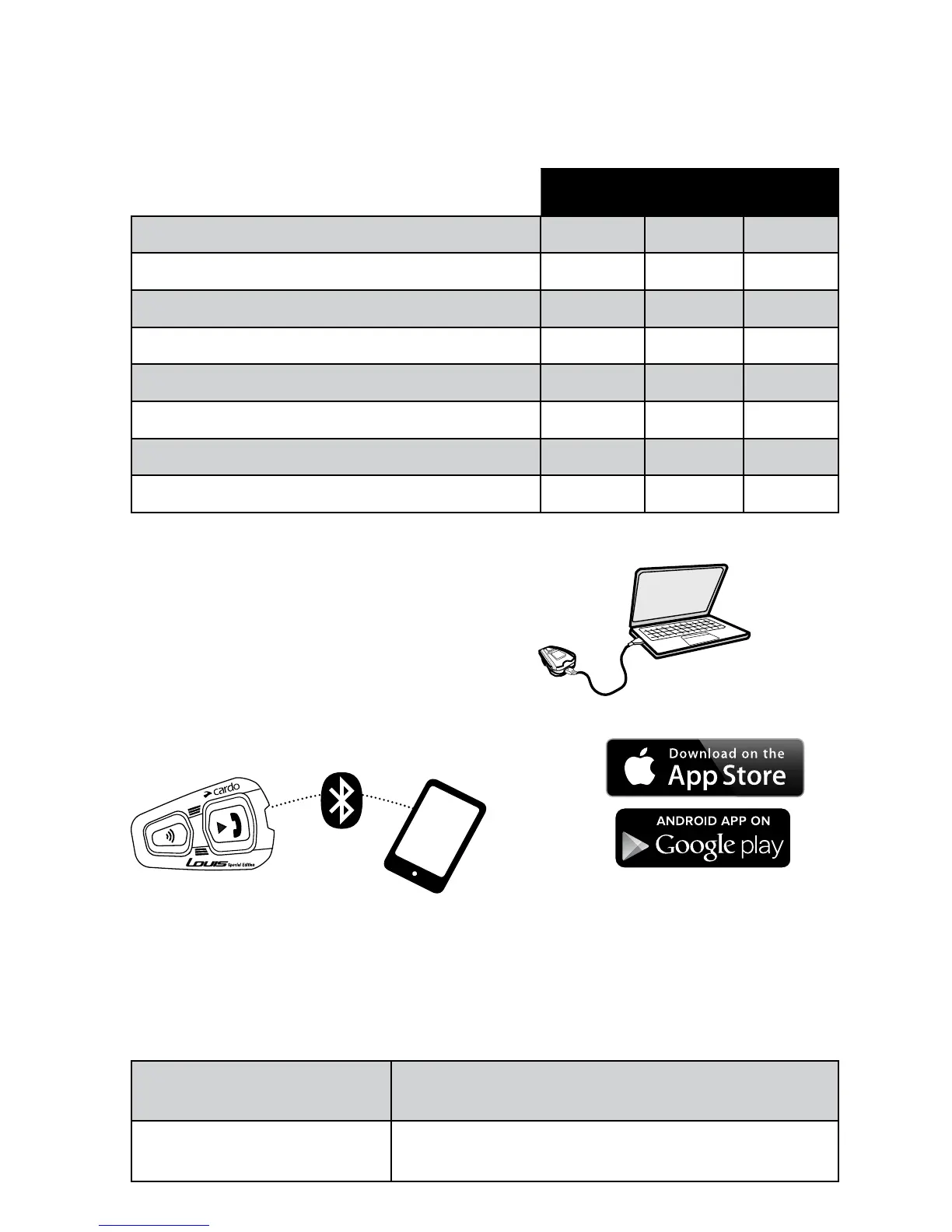
There are three ways to change the settings: via the Cardo Community on a PC or Mac*, via the Cardo
SmartSet App or via the Settings Menu on your unit.
Cardo
Community
SmartSet
App
Settings
Menu
Download the latest software upgrade
Set your Hot-Dial number
Change A2DP / Intercom audio priority
Change the language settings
Disable Spoken Status Announcements
Change AGC sensitivity for the speakers
Change VOX sensitivity for the microphone
Click-to-Link settings
CARDO COMMUNITY WEB PLATFORM
Visit http://community.cardosystems.com
*Minimum Requirements: Windows® XP™ / Mac OS X 10.7
CARDO SMARTSET APP
Cardo
SmartSet
App
In the App, you can also:
• Set volume levels for each audio source • Make Phone / Intercom calls
• Control your music • Add/Remove Intercom pairings
SETTINGS MENU
The built-in Settings menu is available in several languages.
Enter Menu
In Standby, press
n
and
v
for 5 seconds
Exit Menu
Press
n
for 2 seconds
10
| scala rider
®
Qz



 To Next Page