EasyManua.ls Logo

Cardo Systems SPIRIT - User Manual

Cardo Systems SPIRIT
19 pages
Print Icon
To Next Page IconTo Next Page
Loading...

Other manuals for Cardo Systems SPIRIT

Question and Answer IconNeed help?

Do you have a question about the Cardo Systems SPIRIT and is the answer not in the manual?

Summary

Introduction to Cardo SPIRIT

Getting Started with Cardo SPIRIT

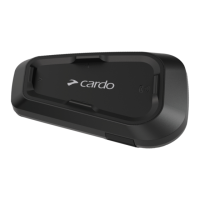
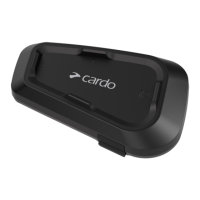
SPIRIT Unit Overview

Identifies the main buttons and LED indicator on the SPIRIT unit for basic operation.

Charging the SPIRIT Unit

Instructions for charging the SPIRIT unit, including initial charge and fast charging.

Powering the SPIRIT Unit On and Off

Details on how to turn the SPIRIT unit on and off, including LED indications.

Operating the SPIRIT Unit

Explains the methods for operating the SPIRIT unit's features.

Pairing SPIRIT with Bluetooth Devices

Guides on pairing the SPIRIT unit to mobile phones, GPS devices, and music players.

Cardo Connect App Configuration

Registering Your SPIRIT Unit

Steps to download the Cardo Connect App and register your SPIRIT unit and select language.

Updating SPIRIT Firmware

Instructions for updating the SPIRIT unit's software via the Cardo Connect app or computer.

On-Road Operations and Audio

Basic Audio Control Functions

How to adjust volume, mute microphone, and unmute the microphone on the SPIRIT unit.

Making and Receiving Phone Calls

Guides on using the SPIRIT for hands-free phone calls, including answering and ending.

Streaming Music to SPIRIT

Instructions on how to start, stop, and navigate music playback from a paired device.

Switching Music Sources

How to switch between different music (A2DP) audio sources if multiple are paired.

Riding with Others via Intercom

Bluetooth Intercom Communication

Overview of Bluetooth intercom, range, and pairing principles for connecting with other units.

Setting Up Bluetooth Intercom Connection

Step-by-step guide to initiate and establish a Bluetooth intercom connection between units.

Using the Bluetooth Intercom

How to start, end, and receive calls within the Bluetooth intercom system.

Sharing Music with Other Riders

Instructions for starting and stopping music sharing with a passenger or another rider.

Troubleshooting Common Issues

Performing a Soft Reset

Methods to reset the SPIRIT unit when it becomes unresponsive, without losing settings.

Resetting to Factory Settings

How to perform a full factory reset, clearing all paired devices and configurations.

Frequently Asked Questions (FAQ)

Links to common problems and their solutions on the Cardo support website.

Personalizing Your SPIRIT Device

Using Parallel Audio Streaming

Enables hearing GPS or music while on an intercom call or phone call.

Audio Source Priorities

Defines the priority of audio sources like phone, GPS, intercom, and music.

Glossary of Terms

Support and Warranty Information

Summary

Introduction to Cardo SPIRIT

Getting Started with Cardo SPIRIT

SPIRIT Unit Overview

Identifies the main buttons and LED indicator on the SPIRIT unit for basic operation.

Charging the SPIRIT Unit

Instructions for charging the SPIRIT unit, including initial charge and fast charging.

Powering the SPIRIT Unit On and Off

Details on how to turn the SPIRIT unit on and off, including LED indications.

Operating the SPIRIT Unit

Explains the methods for operating the SPIRIT unit's features.

Pairing SPIRIT with Bluetooth Devices

Guides on pairing the SPIRIT unit to mobile phones, GPS devices, and music players.

Cardo Connect App Configuration

Registering Your SPIRIT Unit

Steps to download the Cardo Connect App and register your SPIRIT unit and select language.

Updating SPIRIT Firmware

Instructions for updating the SPIRIT unit's software via the Cardo Connect app or computer.

On-Road Operations and Audio

Basic Audio Control Functions

How to adjust volume, mute microphone, and unmute the microphone on the SPIRIT unit.

Making and Receiving Phone Calls

Guides on using the SPIRIT for hands-free phone calls, including answering and ending.

Streaming Music to SPIRIT

Instructions on how to start, stop, and navigate music playback from a paired device.

Switching Music Sources

How to switch between different music (A2DP) audio sources if multiple are paired.

Riding with Others via Intercom

Bluetooth Intercom Communication

Overview of Bluetooth intercom, range, and pairing principles for connecting with other units.

Setting Up Bluetooth Intercom Connection

Step-by-step guide to initiate and establish a Bluetooth intercom connection between units.

Using the Bluetooth Intercom

How to start, end, and receive calls within the Bluetooth intercom system.

Sharing Music with Other Riders

Instructions for starting and stopping music sharing with a passenger or another rider.

Troubleshooting Common Issues

Performing a Soft Reset

Methods to reset the SPIRIT unit when it becomes unresponsive, without losing settings.

Resetting to Factory Settings

How to perform a full factory reset, clearing all paired devices and configurations.

Frequently Asked Questions (FAQ)

Links to common problems and their solutions on the Cardo support website.

Personalizing Your SPIRIT Device

Using Parallel Audio Streaming

Enables hearing GPS or music while on an intercom call or phone call.

Audio Source Priorities

Defines the priority of audio sources like phone, GPS, intercom, and music.

Glossary of Terms

Support and Warranty Information

Cardo Systems SPIRIT Specifications

General IconGeneral
FM RadioNo
DMC IntercomNo
Bluetooth IntercomYes
Standby Time10 days
Voice ActivationNo
WaterproofIP67
Operating Temperature55°C
Water ResistanceIP67
Number of Riders2

Related product manuals