8
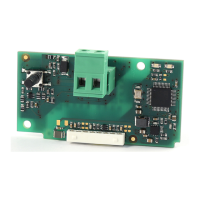
KNX serial card +030220326- rel. 1.0 - 16.05.2017
ENG
2. INSTALLATION
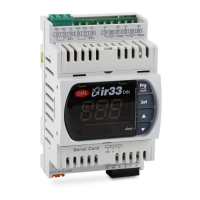
2.1 pCO and c.pCO
Fig. 2.a
With reference to Fig. 2.a, the card is installed on the controller when
powered off, with following procedure:
1. Use a screwdriver to remove the “BMS card/serial card” cover,
depending on the model of the pCO (see Fig. 2.a);
2. Insert the optional card in the corresponding slot, making sure that
the card is fitted correctly and in contact with the two supports on
the case of the pCO. Warning! The card and the connectors may
be hard to install due to the space available and the two plastic
supports; the card should be inserted obliquely, and then rotated
until the connectors are aligned.
3. Fit the special cover (ordered separately, P/N PCOS00SKX0) lining up
the connector on the serial card with the hole provided on the cover
(see Fig. 2.a).
2.2 e-drofan
With reference to Fig 2.b-A/B, the optional card is installed on the e-drofan
controller when powered off, inserting it correctly in the corresponding
slot. (Fig. 2.b, points A, B). Fit and tighten the plastic support (to be ordered
separately, P/N PCOS00S030) as shown in Figure 2.b, points C and D.
Fig. 2.b


 To Next Page
 Loading...