11
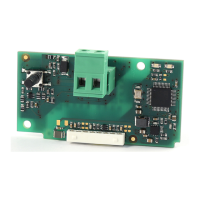
KNX serial card +030220326- rel. 1.0 - 16.05.2017
ENG
5.2 “Datapoints Settings” menu
The “Datapoints Settings” menu is used to associate the Modbus
parameter in the 2cf file with the required KNX datapoints.
To add a datapoint, simply click “Add”: a selection window will be
displayed, containing all the Modbus parameters defined in the 2cf
file (with the corresponding translations, if available, in the Description
column). The filter function can be used to refine the search by variable
name. Once the desired parameter has been identified and selected, click
OK to add it to the Datapoints Settings menu.
Fig. 5.e
The selected parameter can then be configured by suitably setting the
fields in the “Modbus Datapoint”, “Value Conversion” and “KNX Datapoint”
sub-menus.
Fig. 5.f


 To Next Page
 Loading...