13
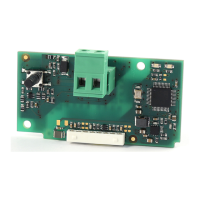
KNX serial card +030220326- rel. 1.0 - 16.05.2017
ENG
5.4 Assigning an individual address
The addresses of the individual Carel KNX cards are assigned using the
standard procedure.
Make sure that:
• there is a connection to the BUS
• the BUS is powered
• the Carel card is connected to the KNX line
• the controller is powered on.
Use the mouse to select the device being configured, clicking the right
button to display the Download menu. Click the Download Individual
Address button to start the configuration procedure (Fig. 5.h). ETS then
requires the button on the card to be pressed before proceeding with
the operation. The green LED on the card will switch off to confirm that
the operation has been completed. If the card’s address has already been
configured, the message ‘The individual address is already in use by
another device’ is shown.
Fig. 5.h
5.5 Download the conguration
Make sure that:
• there is a connection to the BUS
• the BUS is powered
• the Carel card is connected to the KNX line
• the controller is powered on
• the individual address has been assigned
Use the mouse to select the device being configured, clicking the right
button to display the Download menu. Click the Partial Download button
to start downloading the configuration (Fig. 5.i).
Fig. 5.i


 To Next Page
 Loading...