Como Remover y Reemplazar el Cartucho
Apague la unidad y desconéctela del tomacorriente. Para remover el cartucho
levante la puerta de acceso suavemente hacia arriba y afuera de la unidad.
(Fig. 8) Coloque la puerta a un lado. Saque el pre-filtro fuera de la unidad uti-
lizando la manija en la parte de arriba del mismo. Colóquelo en la misma
bolsa donde recibió el cartucho nuevo y dispon-
ga del mismo adecuadamente. Ahora, saque el
Filtro Principal fuera de la unidad y disponga de
igual manera que se indica arriba.
Inserte primeramente el Filtro Principal nuevo en
la unidad sujetatándolo por la manija.
Suavemente empuje el filtro hacia dentro de la
unidad hasta que la manija quede contra el
borde del gabinete. Después, siga los mismos
pasos para colocar el pre-filtro.
Para reponer la puerta de acceso, coloque la
puerta en las ranuras de la unidad empujando
suavemente la parte de arriba hasta que quede
colocada. La parte de afuera de la unidad puede
limpiarse usando un paño suave.
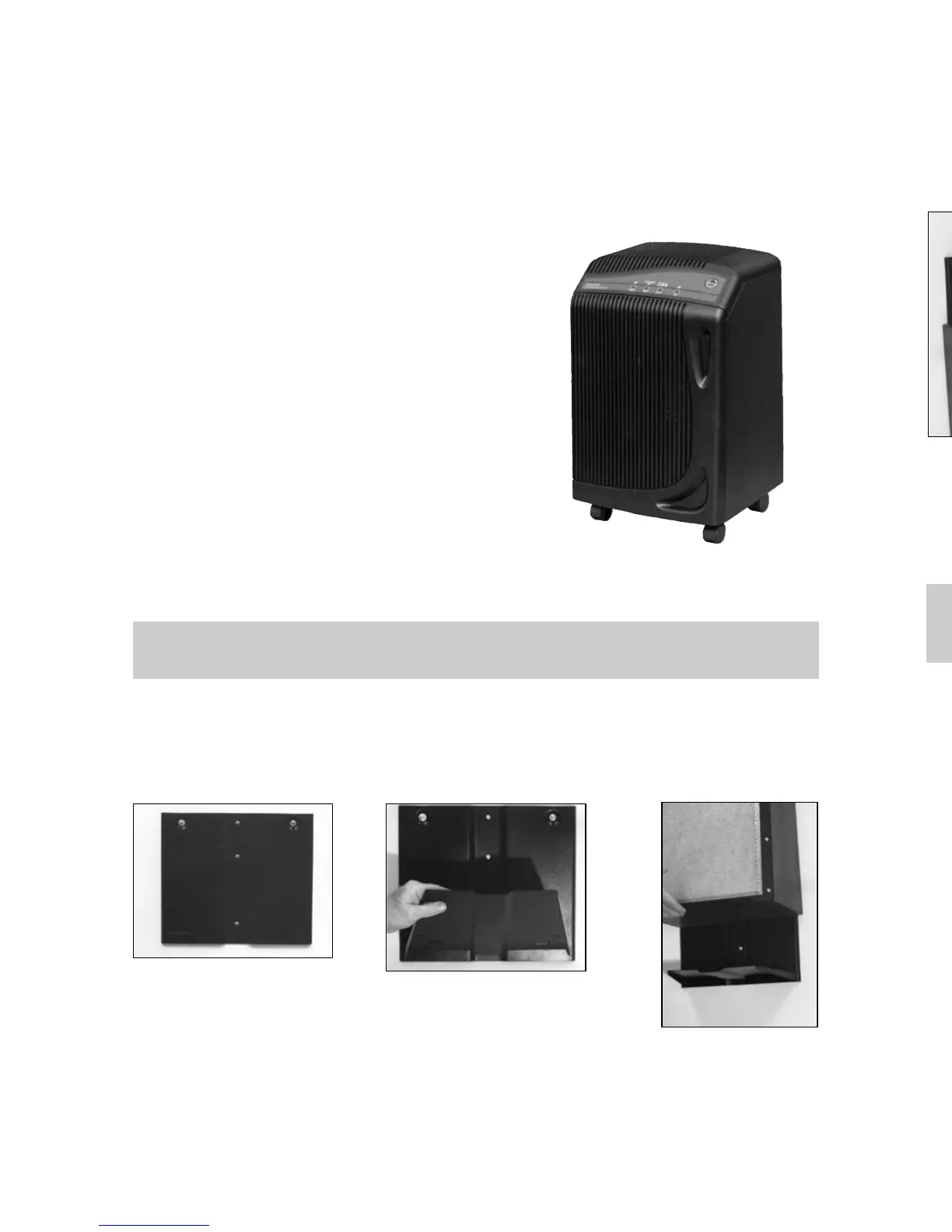
Coloque la placa de montar en la pared. Asegúrese de que los agujeros del cen-
tro (Fig. 9) se encuentren directamente encima de un travesaño de la estructura.
Inserte el anaquel en los agujeros de la placa de montar en la pared (Fig. 10)
Asegúrese que los agujeros en la parte de atrás y en el fondo de la unidad
vayan colocados sobre las manecillas del anaquel. (Fig. 11).
En algunas circunstancias usted puede querer colocar Su Sistema de
Purificación en la pared. El equipo para colocar en la pared puede obtenerse
a través de su Distribuidor local.
6
Para Colocar en la Pared
Puerta de acceso
(Fig. 8)
Preguntas
Si llegara a tener alguna pregunta o preocupación sobre la operación de su
Sistema de Purificación de Aire Nutri-Tech, póngase en contacto con su
Distribuidor local o llame a nuestro número de Servicio al Cliente al
1-800-440-1434.
Removing & Replacing the Cartridge
Turn unit off and unplug from the outlet. To remove the cartridge, gen-
tly pull the door front and raise away (Fig. 8) from the unit. Set the
door panel aside. Pull the pre-filter out of the unit using the upper tab. Place it
in the bag your new cartridge was shipped in and dispose of properly.
Now, pull the main filter out of the unit in the same
manner and dispose of in the same way.
Slide the new, main filter cartridge into the
unit first, holding the cartridge tab. Gently push
it into the cabinet until the plastic tab is against
the cabinet edge. Now
, follow this same step
for the pre-filter.
To replace the door panel, gently slide
the door on to the cabinet slots, and gently
push the top of the door into the unit. The
outside of the unit can be cleaned using
a soft cloth.
Fasten the wall mounting plate to the wall. Be sure the center holes, (Fig. 9) are
directly over a framing stud. Insert shelf plate into wall mount plate slots,
(Fig. 10). Place the unit on shelf plate. Make sure the slots at back and bottom
of unit go over the tabls of the shelf plate, (Fig. 11).
In some cases, you may want to wall mount your unit. This mounting package
cab be purchased from your local distributor.
6
Wall Mounting
Door Front
(Fig. 8)
Questions
Should you ever have any questions or concerns about the operation of your
Nutri-Tech Air Purification System, you can contact your local distributor or call
Carico Customer Service at 1-800-440-1434.
(Fig. 9)
(Fig. 10)
(Fig. 11)
(Fig. 9)
(Fig. 10)
(Fig. 11)


 To Next Page
 Loading...