4
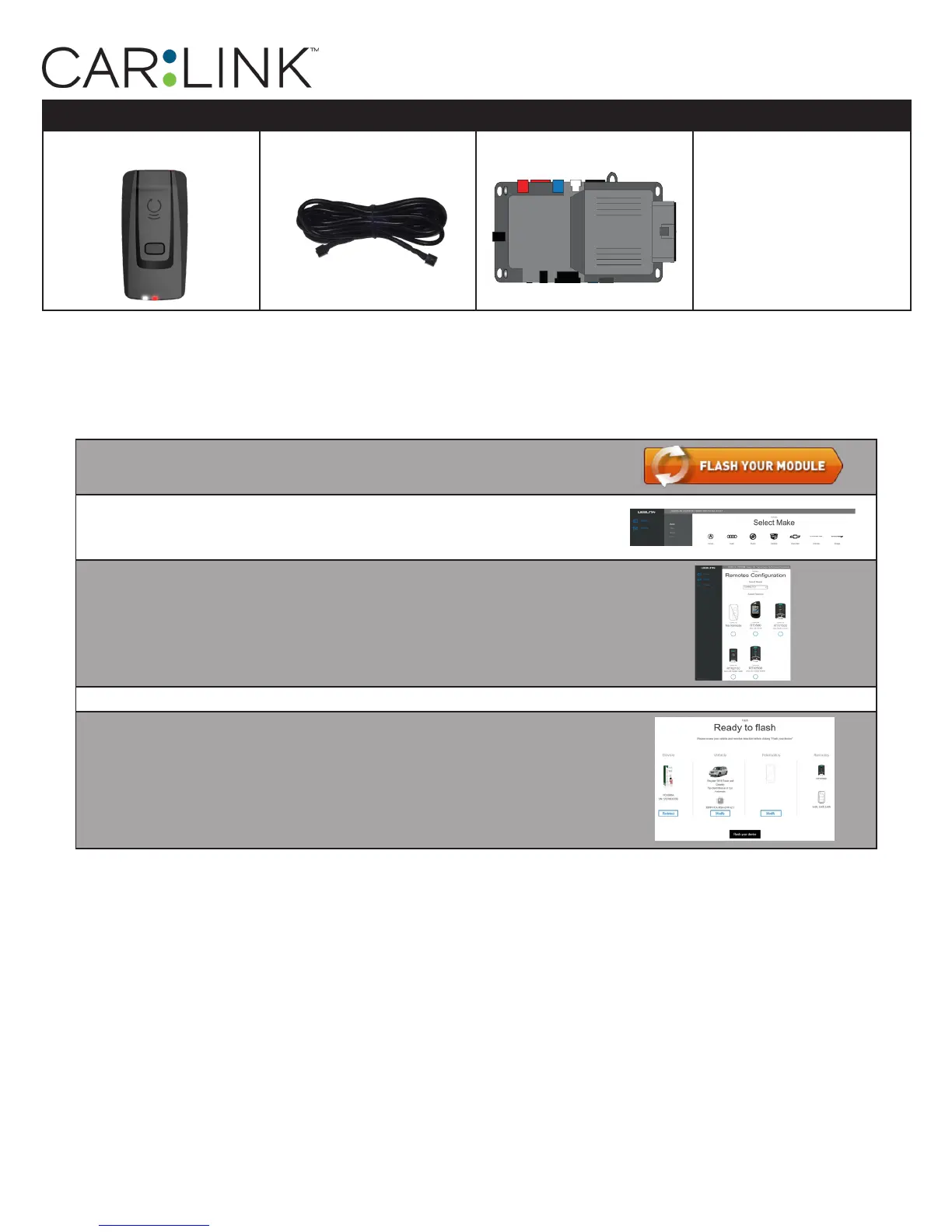
PARTS REQUIRED FOR INSTALLATION OF : iDATASTART HCx
XTX-3000 IVU-CAB-4W iDatastart HCx
STEP 1. CONFIGURE THE REMOTE STARTER
The ADS Weblink (ADS-USB) is required to properly configure the iDatastart HCx remote starter to accept
the RF kit system. When flashing the iDatastart HCx remote starter, please follow this procedure in order
to configure correctly your remote starter.
a. Go to www.idatalink.com and click on “Flash your module”
b. Using the new Weblink configurator, Choose
vehicle Make, Year, Model, Trim.
c. In the Remote Configuration section, Select the Brand drop-
down and Choose “CONNECTED” and select the Connected RF
system you are using.
d. This will load a firmware starting with: “IDPP-XXX-XXX-XXX”
e. Click “Flash your device”
INSTALLATION, WIRING & PROGRAMMING GUIDE


 To Next Page