EasyManua.ls Logo

CARLO GAVAZZI EM530 - User Manual

CARLO GAVAZZI EM530
28 pages
Print Icon
To Next Page IconTo Next Page
Loading...
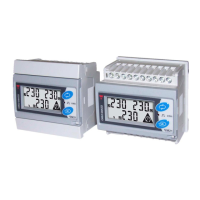
EM530/EM540
Energy analyzer for three-phase and two-phase systems
23/11/2022
USER MANUAL

Questions and Answers

  • L
    Lisa HernandezAug 6, 2025
    Why can't I establish communication with my CARLO GAVAZZI Measuring Instruments?
    • G
      gparkAug 7, 2025
      If you cannot establish communication with the analyser, it may be due to incorrect communication settings. Verify the set parameters and connections. Also, check the communication with the UCS software to ensure the settings of the communication device (third-party PLC or software) are correct.
  • A
    abrownAug 12, 2025
    What to do if the displayed values on CARLO GAVAZZI EM530 are not as expected?
    • C
      Charles OwensAug 12, 2025
      If the displayed values are not the expected ones, the electrical connections may be incorrect, so verify the connections. Also, the current transformer settings could be incorrect; check the set current transformer ratio.
  • P
    Paul SummersAug 19, 2025
    Why is the alarm on my CARLO GAVAZZI Measuring Instruments not activating/deactivating as expected?
    • R
      rhodesangelaAug 19, 2025
      If the alarm is not activated and deactivated as expected, the alarm settings may be incorrect. Check the set parameters to resolve this issue.
  • P
    Peter CoxAug 25, 2025
    How to fix 'EEEE' indication on CARLO GAVAZZI Measuring Instruments?
    • L
      lopezmarkAug 25, 2025
      The 'EEEE' indication means the analyser is being used outside of its prescribed measuring range, or a calculation involves an erroneous measurement. It can also appear if the analyser has just been switched on and the interval for calculating average power values hasn't expired yet. Wait for the interval to expire. If you wish to change the interval, access the Dmd page of the Settings menu. Otherwise, uninstall the analyser.
  • C
    Christine MejiaAug 30, 2025
    What to do if CARLO GAVAZZI EM530 triggers an alarm before exceeding the threshold?
    • J
      James HenryAug 30, 2025
      If an alarm is triggered even though the measurement hasn't exceeded the threshold value, the value used to calculate the alarm variable might be incorrect. Check the set current transformer parameters.

Summary

Use

Interface

Describes the user interface and menu structure of the energy analyzer.

SETTINGS Menu Display

Shows the display format for the SETTINGS menu options.

INFO Menu Display

Illustrates the display format for the INFO menu.

RESET Menu Display

Displays the format for resetting parameters and factory settings.

Measurement Page Display

Shows how measured values and data are presented on the display.

Commissioning

Preliminary Settings

Outlines the initial setup steps performed upon device switch-on.

MID SETTINGS Menu

Explains the procedure for programming the current transformer ratio in MID models.

QUICK SETUP Menu

Describes the initial setup procedure for first-time instrument use.

Menu Description

Measurement Pages

Lists the measurement pages and the corresponding electrical variables displayed.

DMD Values

Average Value Calculation (dmd)

Details how the energy analyzer calculates average values over a specified interval.

Integration Interval

Defines the start and display of the first value for the integration interval.

LCD Display Features

Home Page

Explains the default display page after inactivity and its variations.

Backlight

Details the backlight system and its configurable settings.

Advanced Display Settings

Screensaver

Describes the screensaver function and its activation based on inactivity.

Page Filter

Explains how the page filter enhances navigation of measurement pages.

Restoring Settings

Using the RESET Menu

Details the procedure to restore factory and partial settings via the RESET menu.

Restoring MID Settings

Via RESET Menu

Explains changing CT ratio and restoring MID settings using the RESET menu.

WIRING CHECK Function

Introduction

Explains the purpose and conditions for the WIRING CHECK function.

Display Check

Describes how wiring errors are indicated on the device display.

Check from UCS Software

How to verify and correct wiring errors using UCS software.

Virtual Correction

Using software to calculate and modify wiring error solutions.

Tariff Management

Via Digital Input

Details managing tariffs based on the digital input status.

Modbus RTU

Describes tariff management using Modbus RTU commands.

Maintenance and Disposal

Troubleshooting

Provides solutions for common problems like 'EEEE' indication and incorrect values.

Alarms

Addresses issues with alarm triggering, activation, and deactivation.

Communication Problems

Offers solutions for establishing communication with the analyzer.

Display Problem

Solutions for issues preventing the display of all measurement pages.

Download and Support

Download Resources

Provides links to manuals, datasheets, and software for the EM530/EM540.

Device Care and Disposal

Cleaning Instructions

Instructions on how to clean the device display using a wet cloth.

Responsibility for Disposal

Guidelines for proper disposal of the unit according to environmental regulations.

CARLO GAVAZZI EM530 Specifications

General IconGeneral
BrandCARLO GAVAZZI
ModelEM530
CategoryMeasuring Instruments
LanguageEnglish

Related product manuals