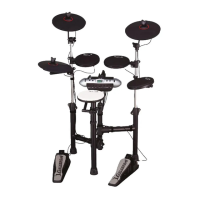
Using the Commander 25 as a MIDI audio source
Connect with a computer via USB. A MIDI interface, keyboard or sequencer device also
connected via this computer, can send MIDI data to the Module. The Module will receive a MIDI
output signal fr om the computer, and r eplay the MIDI data with the sounds fr om the selected
DRUM KIT 001-U10.
*note: Song playback data and metronome notes are not transferred via MIDI.
MIDI USB: USB2.0 interface. Compatible with most computer operating systems such as: Win10,
Win7, Vista, Mac OSX, etc.
This device connects and transfers data via MIDI channel 10.
MIDI support and limitations are described in the MIDI list below:
MIDI list
FUNCTION TRANSMITTED RECOGNISED REMARKS
B ASIC
CHANNEL
DEFAULT 10 Ch 1-16
CHANGED 1-16 1-16
MODE
DEFAULT x x
MESSAGES x x
ALTERED ********** **********
NOTE
NUMBER:
TRUE VOICE
0-127
0-127
********** 0-127
VELOCITY NOTE ON O 9nH,V=1-127
○
NOTE OFF X (9nH,V=0)
○
AFTER KEY扴 x x
TOUCH CH扴 x x
PITCH BEND x
CONTROL 0 x
○
BANK SELECT
CHANGE 1 x
○
MODULATION
5 x
○
PORTAMENTO TIME
6 x
○
DATA ENTRY
7 x
○
VOLUME
10 x
○
PAN
11 x
○
EXPERSSION
64 x
○
SUSTAIN PEDAL
65 x
○
PORTAMENTO ON/OFF
22



 To Next Page