3
1.Bill counter
2.User manual
3.Power cable
4.External display (Optional)
1pc
1pc
1pc
5.Cleaning brush
6.Resistance piece
1pc
1pc
1set
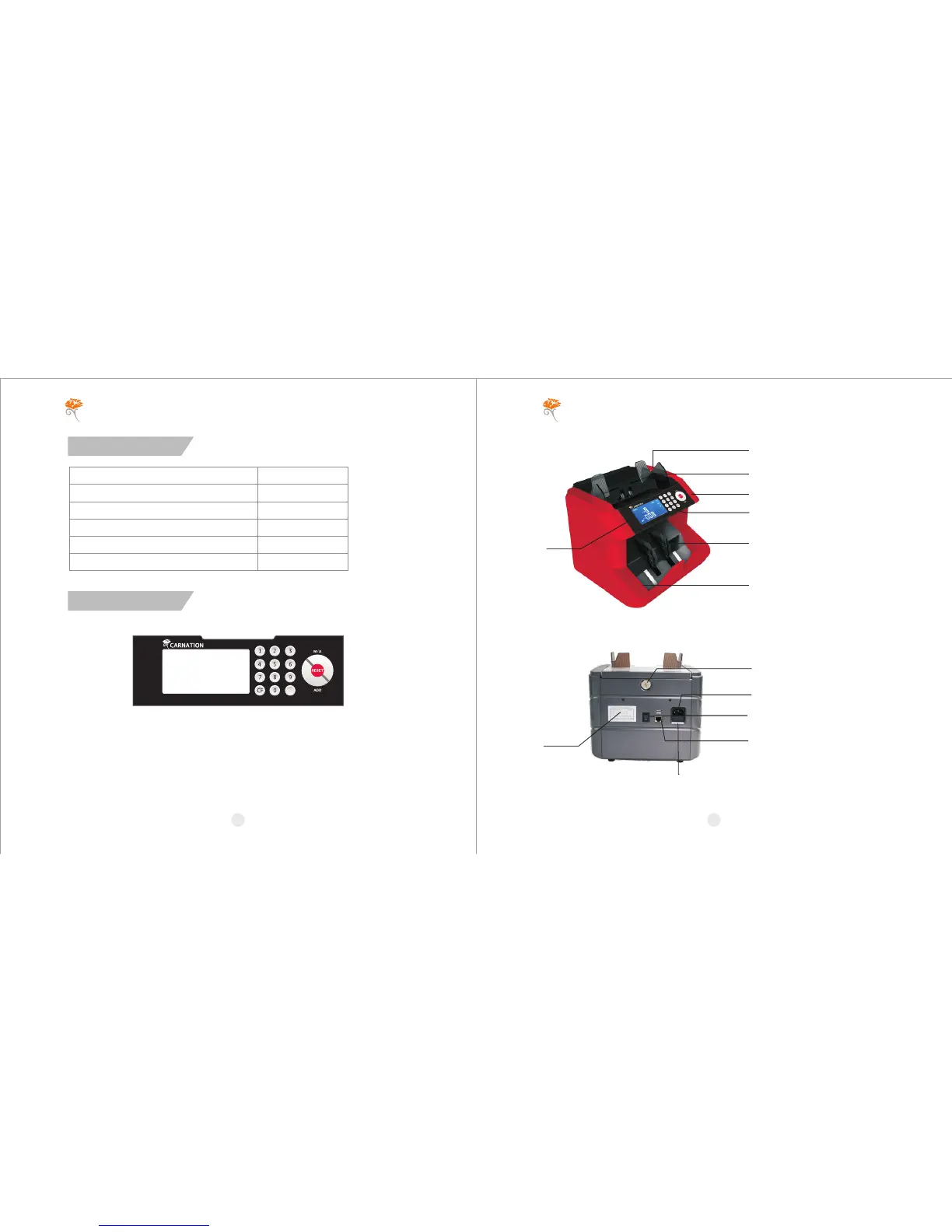
Exterior
1.Panel
1) [M/A]: Manual/Auto start selection.
2) [RESET]: Start counting/ Clear the number of counted banknotes.
3) [ADD]: Add function on/off.
4) [BAT]: Batch function on/off.
5) [CF]: Functions selection.
6) [0,1,2,3,4,5,6,7,8,9]: Number buttons, set batch number.
2
1
2
3
4
5
6
7
1.Hopper
2.Handle
3.Top cover
4.Control panel
5.LCD display
6.Bill receiving wheel
7.Stacker
Unpacking
3.Rear View
8.Adjusting screw
9.Power cord jack
10.Fuse
11.Port for external display
12.On/off switch
13.Caution label
10
8
9
12
11
13
2.Front View
CARNATION CARNATION
BAT


 To Next Page