7
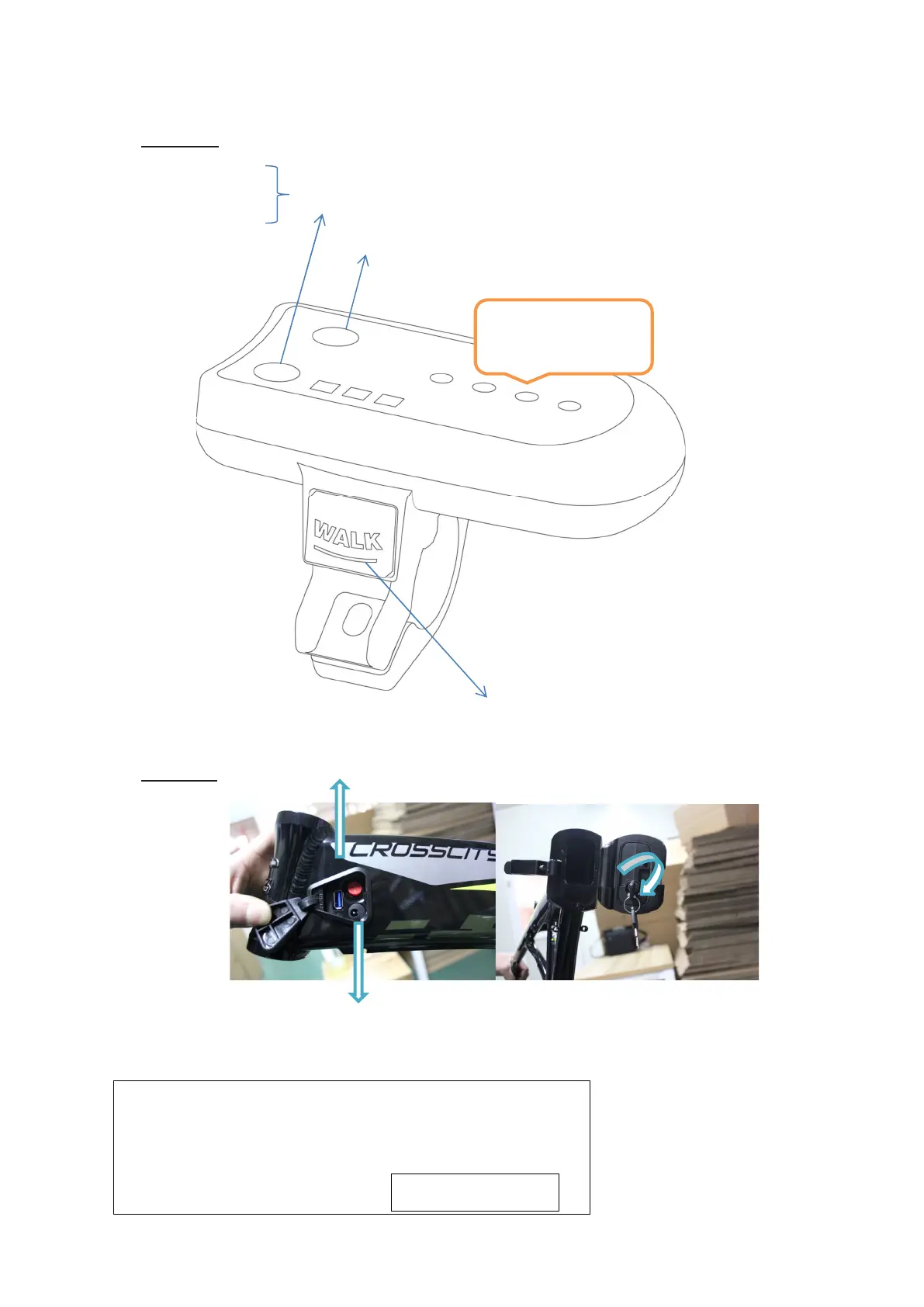
Display
LOW
MID ASSIST MODE BUTTON
HIGH
POWER ON/ OFF (press & hold for 2 seconds)
For WALK assistance press and hold the button
Assistance will stop as soon as you release the button
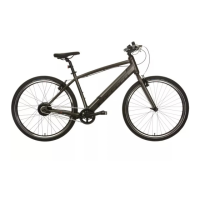
Battery
BATTERY STATUS
Battery level display and on/off ‘Power’ button
Your bike is supplied with two battery lock keys; please keep
the spare key safely. We can order you a replacement if you
can provide the key number.
Please note your key number here


 To Next Page