EasyManua.ls Logo

Carrier 51QPD012N Series - User Manual

Carrier 51QPD012N Series
16 pages
Print Icon
To Next Page IconTo Next Page
Loading...
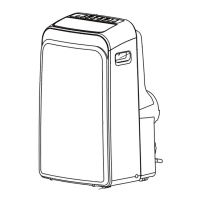
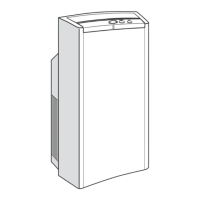
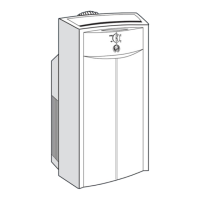
PORTABLE AIR CONDITIONER
INSTRUCTION MANUAL

Questions and Answers

  • A
    Alicia GoodwinAug 6, 2025
    Why is my Carrier 51QPD012N not cooling well?
    • D
      Derek ThomasAug 6, 2025
      Poor cooling performance can occur for several reasons. Ensure all windows and doors are closed, and eliminate any heat sources in the room. Check the exhaust air duct to confirm it's properly connected and free from blockages; clean and reconnect if necessary. Also, clean the air filter and securely refit it. Finally, the temperature setting might be too high; try lowering it.
  • R
    rebeccabrooksAug 12, 2025
    What to do if my Carrier 51QPD012N won't turn on?
    • K
      Kevin MartinezAug 12, 2025
      If your Carrier Air Conditioner doesn't start when you press the ON/OFF button, ensure the unit is firmly plugged into the mains socket and that the socket is switched on. Also, if you are in cooling mode, check if the room temperature is lower than the set temperature; if it is, reset the temperature. Ensure that the water is drained from the bottom tray drain outlet.
  • S
    Sara CampbellAug 17, 2025
    What to do if my Carrier Air Conditioner displays E1/E2/E3/E4 error?
    • K
      kirkwilliamsAug 17, 2025
      If your Carrier Air Conditioner is showing an E1, E2, E3, or E4 error, the unit has an internal malfunction. First, switch off the unit, then unplug it and plug it back in. If the error continues, it indicates a persistent issue.
  • R
    Robert AyersAug 22, 2025
    What does P1 mean on my Carrier 51QPD012N?
    • J
      John TaylorAug 22, 2025
      If your Carrier Air Conditioner displays 'P1', it indicates that the bottom tray is full. You need to drain the water.
  • A
    allison28Aug 27, 2025
    Why is there a delay in cooling or heating with my Carrier 51QPD012N?
    • T
      Thomas OrtegaAug 27, 2025
      A 3-minute delay is normal. This protects the compressor.
  • V
    victor52Aug 31, 2025
    Why does my Carrier Air Conditioner make gurgling or squeaking sounds?
    • L
      Lorraine SmithAug 31, 2025
      Low volume sounds from the air conditioner are usually normal. A “gurgling” sound indicates the flowing of the refrigerant inside the unit. A "squeaking" sound is due to the normal expansion and contraction of plastic and metal parts. Rushing air sound is normal when the louver resets its position.

Summary

Safety Precautions

General Overview

Part Names

Identifies all the physical components of the air conditioner unit.

Accessories

Lists and illustrates all included accessories with the portable air conditioner.

Control Panel

Details the buttons and indicators on the air conditioner's control panel.

Preparing for Operation

Installing The Exhaust Hose

Provides instructions for installing the exhaust hose for window or wall mounting.

Connecting To Mains Supply

Explains how to safely connect the portable air conditioner to a power source.

Operation

Operating Conditions

Specifies the recommended temperature and humidity ranges for different operating modes.

Operation Modes and Functions

Details how to use various modes (Cool, Dry, Heat, Fan, Auto) and special functions.

Care and Maintenance

General Cleaning

Provides guidance on cleaning the unit's exterior and remote control.

Cleaning The Air Filter

Instructions on how to remove, clean, and re-install the air filters.

Storage Preparation and Re-use

Steps for preparing the unit for storage and for its re-use after storage.

Trouble Shooting

Guides, Tips And Cautions

Offers common solutions and advice for operational issues and potential malfunctions.

Error Codes

Lists error codes displayed by the unit and their corresponding troubleshooting actions.

Carrier 51QPD012N Series Specifications

General IconGeneral
Cooling Capacity12, 000 BTU/h
RefrigerantR-410A
Compressor TypeRotary
Frequency60Hz
Voltage208-230V
Power SupplySingle Phase

Related product manuals