Manufacturer reserves the right to discontinue, or change at any time, specifications or designs without notice and without incurring obligations.
Catalog No. 04-53500037-01 Printed in U.S.A. Form 50QE-7SI Pg 1 7-07 Replaces: 50QE-2SI
Book 1 4
Ta b 5 a 5a
Installation and Operating Instructions
Part Number 50QE900-220WS
CONTENTS
SAFETY CONSIDERATIONS . . . . . . . . . . . . . . . . . . . . . . 1
GENERAL . . . . . . . . . . . . . . . . . . . . . . . . . . . . . . . . . . . . . . . . 1
INSTALLATION . . . . . . . . . . . . . . . . . . . . . . . . . . . . . . . . . 1-6
Select Thermostat Location . . . . . . . . . . . . . . . . . . . . . . 1
Install Thermostat. . . . . . . . . . . . . . . . . . . . . . . . . . . . . . . . 2
Set Clock. . . . . . . . . . . . . . . . . . . . . . . . . . . . . . . . . . . . . . . . . 3
Heat Pump Configuration . . . . . . . . . . . . . . . . . . . . . . . . 3
Configure Advanced Setup. . . . . . . . . . . . . . . . . . . . . . . 3
Program Thermostat Schedules. . . . . . . . . . . . . . . . . . 4
Calibrate Sensor . . . . . . . . . . . . . . . . . . . . . . . . . . . . . . . . . 5
Check Thermostat Operation. . . . . . . . . . . . . . . . . . . . . 6
Final Checklist . . . . . . . . . . . . . . . . . . . . . . . . . . . . . . . . . . . 6
OPERATION. . . . . . . . . . . . . . . . . . . . . . . . . . . . . . . . . . . . . . 6
Auto-Changeover . . . . . . . . . . . . . . . . . . . . . . . . . . . . . . . . 6
Two-Stage Operation. . . . . . . . . . . . . . . . . . . . . . . . . . . . . 6
Clock Backup . . . . . . . . . . . . . . . . . . . . . . . . . . . . . . . . . . . . 6
Fan Operation . . . . . . . . . . . . . . . . . . . . . . . . . . . . . . . . . . . . 6
Emergency Heat . . . . . . . . . . . . . . . . . . . . . . . . . . . . . . . . . 6
Electric Heat . . . . . . . . . . . . . . . . . . . . . . . . . . . . . . . . . . . . . 6
Holiday Mode . . . . . . . . . . . . . . . . . . . . . . . . . . . . . . . . . . . . 6
Keypad Lock . . . . . . . . . . . . . . . . . . . . . . . . . . . . . . . . . . . . . 6
TROUBLESHOOTING. . . . . . . . . . . . . . . . . . . . . . . . . . . . . 7
SAFETY CONSIDERATIONS
Read and follow manufacturer instructions carefully. Fol-
low all local electrical codes during installation. All wiring
must conform to local and national electrical codes. Improper
wiring or installation may damage thermostat.
Recognize safety information. This is the safety alert sym-
bol . When the safety alert symbol is present on equipment
or in the instruction manual, be alert to the potential for person-
al injury.
Understand the signal words DANGER, WARNING, and
CAUTION. These words are used with the safety alert symbol.
DANGER identifies the most serious hazards which will result
in severe personal injury or death. WARNING signifies a haz-
ard which could result in personal injury or death. CAUTION
is used to identify unsafe practices which would result in minor
personal injury or property damage.
GENERAL
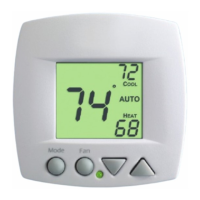
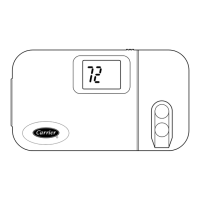
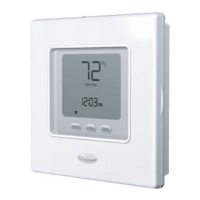
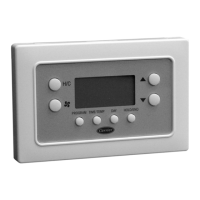
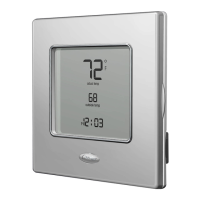
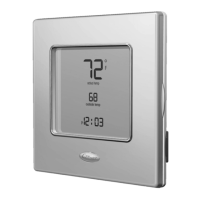
The 7-day, commercial, programmable thermostats is a
wall-mounted, low-voltage thermostat which maintains room
temperature by controlling the operation of an HVAC (heating,
cooling and ventilation) system. Separate heating and cooling
set points and auto-changeover capability allow occupied and
unoccupied programming for energy savings.
This thermostat allows up to 4 time/temperature settings to
be programmed per 24-hour period. Each thermostat stores
programs for 7 independent days. Batteries are not required.
During power interruption the internal NEVERLOST™ mem-
ory stores programmed schedules for an unlimited time while
the clock continues to run for at least 48 hours.
The thermostat can be configured to accept several different
equipment configurations, and is provided for heat pump
operation.
INSTALLATION
Select Thermostat Location —
The thermostat should
be mounted:
• approximately 5 ft from the floor
• close to or in a frequently used room, preferably on an
inside partitioning wall
• on a section of wall without pipes or ductwork
• where temperature operating limits are within 41 to
104 F (5 to 40 C)
• where humidity operating range is within 0 to 95% rela-
tive humidity, non-condensing
The thermostat should NOT be mounted:
• close to a window, on an outside wall, or next to a door
leading to the outside
• where exposed to direct light and heat from a lamp, the
sun, a fireplace, or any other temperature-radiating
object which may cause a false reading
• close to or in direct airflow from supply registers or
return-air grilles
• in areas with poor air circulation (such as behind a door
or in an alcove)
IMPORTANT: Read entire instructions before starting
the installation.
AQUAZONE™
50QE900 Water Source Heat Pump
Commercial Programmable Thermostat



 To Next Page

 General