
 Need help?
Do you have a question about the Carrier EDGE Pro 33CS2PPRH-03 and is the answer not in the manual?
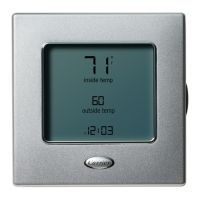
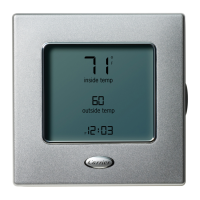
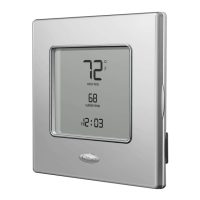
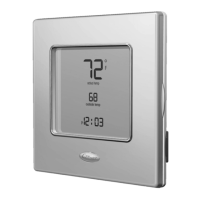
Describes the information displayed on the thermostat screen.
Details the function and location of the thermostat's front panel buttons.
Procedure for setting the current time and date on the thermostat.
How to adjust desired heating and cooling temperature set points.
Guide to setting daily, weekly, and holiday heating/cooling schedules.
Overview of customizable configuration settings for the thermostat.
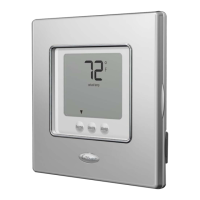
The Carrier Edge Pro 33CS Commercial Thermostat is a wall-mounted, low-voltage control system designed for managing temperature and humidity in commercial spaces. It offers versatile programming options, including 7-day, 5/2-day, or 1-day programmable operation, with the flexibility to set different heating and cooling set points and times across two or four daily periods. For users who prefer a simpler approach, the thermostat can also be configured for non-programmable operation, still providing both temperature and humidity control. A key advantage of this thermostat is its ability to retain user-configured settings indefinitely, even during power loss, thanks to its internal memory. The clock also continues to run for at least 24 hours without external power. This device extends Carrier's established line of thermostats by offering separate set points for heating, cooling, humidification, and dehumidification.
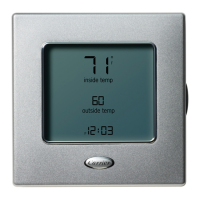
The thermostat's display, located centrally, provides comprehensive information at a glance. This includes the current day of the week, service reminders for the filter and UV lamp, and the current temperature. It shows the active program routine, whether it's following a scheduled program, holding current settings, or running a holiday program. The fan mode (on or auto) and current system mode (heating, cooling, emergency heat, heat/cool (auto), or off) are also displayed. Users can view humidify or dehumidify settings, and choose between Fahrenheit or Celsius temperature displays. Advanced programming indicators, such as keypad locked/unlocked status, programming options (indicating which settings are being adjusted), and whether the system is in auxiliary mode, are also present. The display also shows cooling and heating set points, the current year, holiday schedule return date, month, outdoor temperature, leaving air temperature, time period start, and the period of the day. Icons for "follow schedule," "hold," and "holiday" indicate the current operational state. Service reminders for "check UV light," "check hum pod," and "check filter" are also visible.
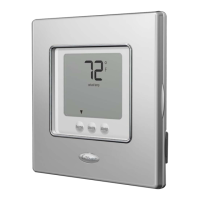
Underneath the front cover, the thermostat features several buttons for various functions. The SET button allows users to enter the programming schedule, adjust the clock, and change the calendar. The SCHEDULE button enables selection between following a schedule, holding current set points, or entering holiday mode. The OCCUPIED button temporarily switches the thermostat from Unoccupied to Occupied settings. The MODE button is used to select the system's operational mode, such as heating, cooling, emergency heat, auto (heat and cool as needed), or off. The DONE button saves settings after completing a setup or programming step. The UP and DOWN buttons are used to increment or decrement currently chosen values, such as temperature, clock, or calendar settings. Additionally, there are six "soft key" buttons, which correspond to onscreen indicators directly above them, and whose functions can change based on the user's actions.
Setting the time and date is a prerequisite for using the thermostat's programming features. This involves opening the front panel door, pressing the SET button to access clock and calendar settings, and then using the soft keys, UP, and DOWN buttons to adjust the hour, minutes, month, day, and year. Once completed, the DONE button saves the changes, and the door can be closed.
The thermostat comes with preset heating and cooling temperature settings, which users can either utilize or customize. Temporary changes to these settings can be made, which will hold for two hours or until the next programmed cycle begins, indicated by "temporary hold" on the display. The duration of this temporary hold can be adjusted using the soft keys and UP/DOWN buttons. To change the temperature for a temporary hold, users open the front door, and an arrow will indicate the current system mode. The preprogrammed temperatures are displayed, and the UP/DOWN buttons are used to adjust the desired set point. For other temperature set points, the MODE button cycles through the modes, allowing adjustments for each. When both heating and cooling indicators are present, soft keys allow individual adjustment of each set point.
To hold temperature set points indefinitely, overriding programmed settings, users press the SCHEDULE button until the arrow points to "hold." The screen displays the set point temperature, which can then be adjusted using the UP/DOWN buttons. The temperature will remain at this new setting until the hold is released by pressing SCHEDULE again to "follow schedule."
The OCCUPIED button is active during unoccupied periods, when Hold is active, or during Holiday mode. Pressing this button temporarily changes set points to occupied settings and sets a two-hour temporary hold timer. This timer can be adjusted in 15-minute increments, from 15 minutes up to the maximum hours specified by the installer. If the temporary hold timer counts down to zero, the set points revert to the program schedule. If Smart Recovery conditions are met, set points transition from occupied values to program schedule values. During Hold, the temporary hold timer is not displayed, and the fan operates according to the installer's configuration. In Holiday mode, pressing OCCUPIED sets a two-hour temporary hold, changes heat and cool set points to occupied settings, uses "normal" humidity control, and the fan operates as configured. If a remote indoor temperature sensor with override is used, its OCCUPIED button functions similarly to the local one, but is inactive if the thermostat is in hold.
The Edge Pro thermostat offers flexible programming schedules, allowing different settings for each day of the week, unlike many other thermostats. It comes preprogrammed with the same settings for all seven days. Users can set up a schedule where all days are the same by accessing "daily schedule" via the SET button, then using soft keys and UP/DOWN buttons to adjust start times, heating, and cooling set points for each period (Occ, Occ2, Occ3, Unocc). This process is repeated for all periods, and then DONE saves the settings. For schedules where days differ, users fill in a daily schedule planner with desired times and set points, then follow a similar programming process, selecting each day individually and adjusting its periods.
Programming a holiday schedule allows for special heating and cooling settings during holidays or extended absences. Users access "holiday settings" via the SET button, then adjust heating, cooling, and humidity set points for the holiday using soft keys and UP/DOWN buttons. The mode for the thermostat during the holiday can also be set. To activate the holiday program, users press the SCHEDULE button until "holiday" is selected, then set a return date. The thermostat will follow the holiday schedule until 12:00 AM on the return date, when it automatically switches back to the programmed schedule.
To turn off the heating and cooling system, users open the thermostat door, press the MODE button until "off" is displayed, and then close the door.
Humidity level adjustment is available on specific thermostat models (33CS2PPRH). There are three options: "normal," "auto humidify," and "off." "Normal humidify" maintains a fixed humidity level based on user preference, adjustable manually. "Auto humidify" uses an outdoor temperature sensor to automatically adjust indoor humidity. To change the fixed humidity setting, users open the door, press the soft key under the humidify/dehumidify icons, and adjust the value using UP/DOWN buttons. The range for humidify is 10-46%, and for dehumidify, 46-98%. For auto humidify, users press the MODE button to access the auto icon and adjust the setting number (1-9) to control condensation or dryness. To turn off the humidify/dehumidify feature, users press the MODE button until "OF" is displayed.
Emergency heat can be selected when only auxiliary heat is desired. This is done by opening the door and repeatedly pressing the MODE button until the arrow points to "Em heat."
Advanced programming allows users to customize several thermostat features. These include:
Service Reminders: The thermostat notifies users when it's time for UV light replacement, filter changes, or scheduled maintenance. These reminders appear on the upper left of the screen. For UV light, it's recommended to contact a dealer for replacement. Reminders can be cleared by pressing and holding the DONE button for about 3 seconds after service.
Outdoor Temperature Display: If a valid sensor is wired, the thermostat automatically displays the outdoor temperature when the door is closed.
Auto Changeover: The thermostat supports five modes: heat, cool, Em heat (heat pump only), heat cool (auto mode), and off. In auto mode, the system automatically switches between heating and cooling to maintain set points.
Smart Recovery: This feature transitions the space temperature between periods (occ, occ2, occ3, unocc) to match the set point at the start of each period. For example, if the unocc period temperature is lower than the preceding period, the thermostat will begin cooling the space before the scheduled unocc period starts, doing so at an energy-efficient rate. This enhances comfort and cost-effectiveness.
Power Outage: In case of a power outage, the thermostat's settings are retained in memory, eliminating the need for reprogramming.
 General
| Product Type | Thermostat |
|---|---|
| Connectivity | Wi-Fi |
| Display | Color Touchscreen |
| Humidity Control | Yes |
| Programmable | Yes |
| Geofencing | Yes |
| Energy Reports | Yes |
| Filter Change Reminder | Yes |
| Stages | 2 Heat / 2 Cool |
| Temperature Range | 40°F to 90°F (4.5°C to 32°C); Cooling: 50°F to 99°F (10°C to 37°C) |
| Voice Control | Amazon Alexa, Google Assistant |



 To Next Page