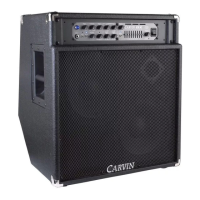
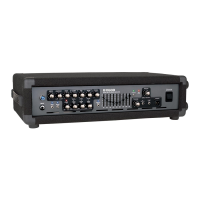
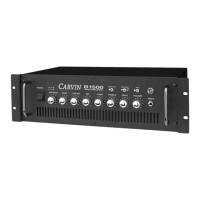
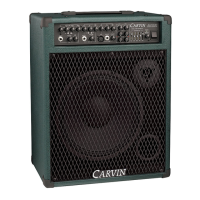
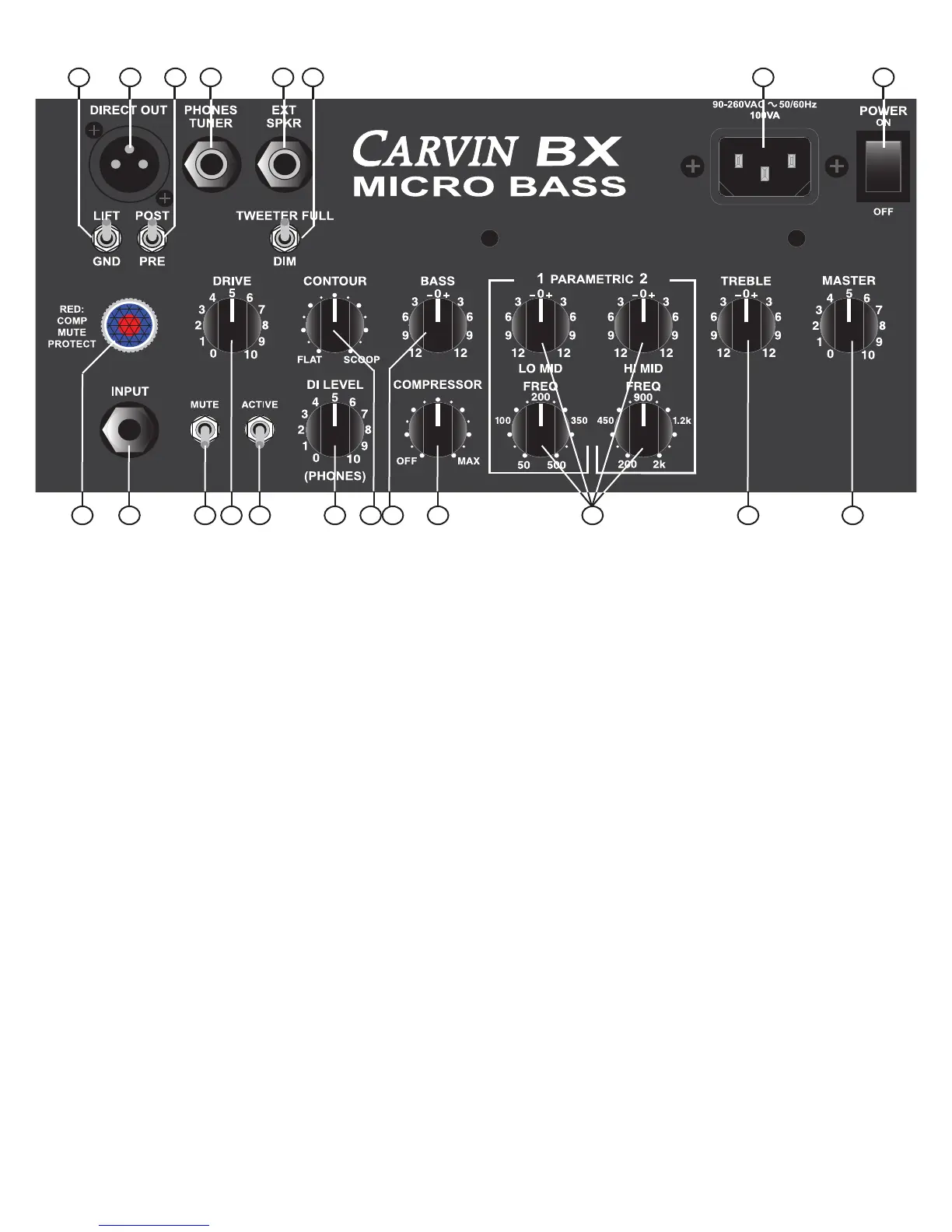
BX250/MB COMBO CONTROLS
1. INPUT JACK
The1/4”phonejackisahighimpedanceinstrumentinputdesignedto
handle both active and passive basses in connection with the ACTIVE
switch.
2. JEWEL LIGHT
BLUE = POWER ON/SYSTEM NORMAL
RED = STARTUP/MUTE/COMP/PROTECT
ThePOWERswitchturnsontheamplifier,andwhenthejewellightturns
BLUEtheampisreadyforuse.
The jewel light turns RED under different conditions. RED first appears at
POWERONforafewsecondswhiletheampstartsupandischeckedby
protectioncircuits.AsolidREDwillindicatetheMUTEswitchisengaged.
RED will FLASH as the COMPRESSOR is working. A solid RED (not
MUTEswitched)canalsoindicateaPROTECTmode,mostlikelyifthe
SPEAKEROUTPUTisshortedorifitisloadedbelowit’sminimumrating.
IfthepowerindicatorturnsOFF,orsolidRED(notmuted)whileplaying,
resettheampbyturningthePOWERswitchOFFforabout10seconds.
Checkanyexternalspeakerconnections.TurnthePOWERswitchbackON.
3. MUTE SWITCH
TheMUTEswitchturnsoffthesignaltotheamplifierandtheDIRECT
OUT.TheJEWELLIGHTchangestoREDtoindicatetheMUTEswitchis
on.TheMUTEswitchisidealforchangingbasses,silenttuningon-stage,
orheadphone-onlypractice.TheTUNER/PHONESoutputisnevermuted.
(BX250head:MUTE=in)
4. ACTIVE SWITCH
FliptheACTIVEswitchtotheDOWNpositionforstandardbasspickups.
If your bass uses a battery with an onboard active preamp, put the switch
intheUPposition.(BX250head:ACTIVE=in)
5. DI LEVEL (DIRECT OUT, PHONES)
TheDILEVELcontrolstheoutputleveloftheXLRDIRECTOUTandthe
1/4”PHONES/TUNERjack.TheDIlevelisnotaffectedbytheMASTER
level.UsePRE/POSTswitchtoselectiftheDRIVE,COMPRESSORand
TONEcontrolsaffectthissignal.
6. DRIVE CONTROL
The DRIVE control adjusts the input level to the CLASS A preamps. The
DRIVE control serves two purposes. The DRIVE can be used to adjust the
input sensitivity for the differences in bass pickups. The DRIVE will also
change the harmonic content of your sound. Turning the knob closer to
10 will create a more overdriven tone. The DRIVE will also change the
volumeoftheamplifier,useitincombinationwiththeMASTERcontrol
to achieve the desired volume.
7. CONTOUR CONTROL
TheCONTOURcontrolprovidesavariablemid-rangescoop.Whenthis
controlissetto“FLAT”thereisnochangetothemid-rangefrequencies.
As you turn the contour control clockwise, the mid range is scooped at
thecenterfrequency at 350Hz.WhentheCONTOURcontrol isset to
maximumthemid-rangeiscutby-15dBat500Hz.
8. BASS AND TREBLE TONE CONTROLS
TheBASSandTREBLE
controls are custom shaped tone controls designed to deliver punchy lows
andcrisphighsforavarietyofbasssounds.Whenacontrolisturnedto
the right it boosts the signal and when turned to the left cuts the signal.
TheaffectedfrequenciesfortheBASSstartat80Hzandcandeliveragreat
dealofvolume.Becarefulnottodistorttheoutputoroverpoweryour
speakers.TheaffectedfrequencyfortheTREBLEcontrolbeginsat5kHz
2
13
1
3 6 4 5 7 8 10 9 8 11
12 14 15 17 16 19 18


 To Next Page
 Loading...