2
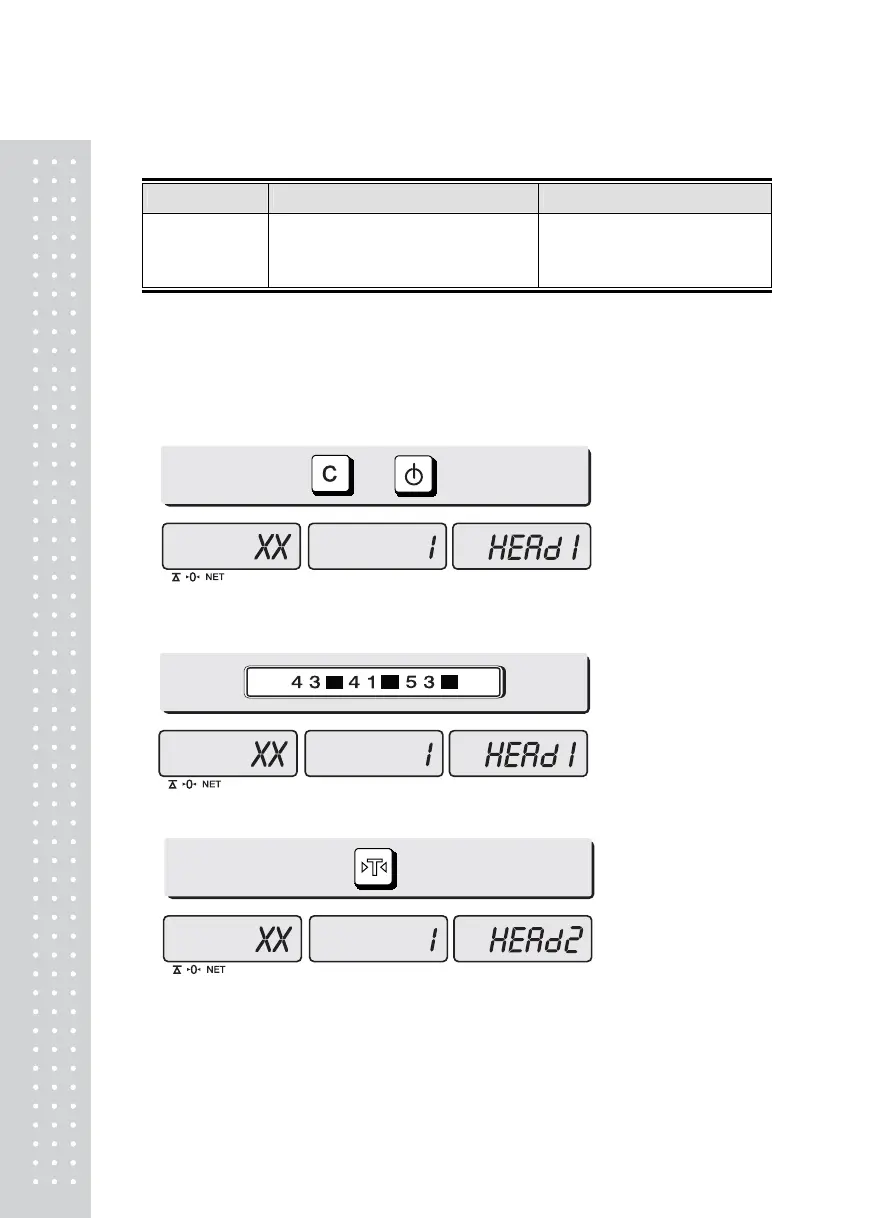
b. Receipt header setting
Options Description Remarks
HEADER
To input characters you wish to have on
the receipt header.
Maximum
1,2 line / 24 characters,
3 line / 16 characters for each
line
■ User may input the name of store, telephone number, or other expressions he/she wishes
to have on the receipt.
1) Pressing and holding “C” key, press “ON/OFF” key under the scale power off.
“O1” on the “Unit Price” display represents that you are ready to input
the first character.
2) Input appropriate ASCII codes (page on 16) you wish to have.
Ex) CAS.
3) To save it and go next header line press “TARE” key.
+
C
C C



 To Next Page
 Loading...










