EasyManua.ls Logo

Casa Systems CFW-2591 - User Manual

Casa Systems CFW-2591
26 pages
Print Icon
To Next Page IconTo Next Page
Loading...
Installation Guide
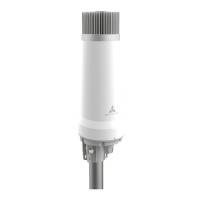
5G High Power mmWave Outdoor CPE
5G High Power mmWave Outdoor CPE Installation Guide
IG01319 v0.95 December 06, 2021
Doc No. IG01319
Question and Answer IconNeed help?

Do you have a question about the Casa Systems CFW-2591 and is the answer not in the manual?

Summary

Important notice

Safety and hazards

Copyright

Document history

Overview

Introduction

Provides a detailed guide to installing the Casa Systems 5G High Power mmWave Outdoor CPE.

Target audience

Defines the intended audience for this installation guide.

Prerequisites

Lists the necessary items and conditions before starting the installation.

Notation

Explains the symbols used throughout the document for important information.

Product introduction

Product overview

Describes the 5G High Power mmWave Outdoor CPE and its application.

Package contents

Lists the items included in the product box and separately packaged accessories.

Physical dimensions and interfaces

Physical dimensions

Provides the width, height, and weight of the 5G High Power mmWave Outdoor CPE.

Interfaces

Identifies and describes the SIM card slot and power supply port.

Site assessment pre-screen

Preparation before attending customer premises

At the customer premises

Installation site inspection

Details reviewing suggested locations and considering cable routing.

Ethernet; SIM cover assembly and SIM card insertion

Explains how to attach the cover and insert the SIM card.

Preparing a unit with a pre-inserted SIM card

Guides on assembling the Ethernet cable gland for units with pre-inserted SIMs.

Preparing a unit requiring SIM insertion

Details steps for installing a SIM card into a unit without one pre-inserted.

Installation considerations

Site survey

Overview

Outlines the process of mounting the device and using the Installation Tool.

Performing a site survey

Describes how to walk around the site, rotate the AurusAl, and find the best signal.

Mounting the AurusAl to the survey pole

Instructs on attaching the AurusAl securely to a survey pole.

Connecting the Installation Assistant

Explains how to connect the Installation Assistant to the AurusAl.

Loading the Aurora Installation App

Guides on launching and using the Aurora Pro installation application.

Mounting the AurusAl

Removing the locking pin

Details the procedure for removing the safety locking pin from the unit.

Prepare your chosen mounting solution

Instructions for installing the mounting bracket to the building.

Assembling and attaching the AurusAl to the mounting bracket

Guides on placing and tightening the AurusAl onto the mounting bracket.

Perform alignment of customer device

Details the process of aligning the AurusAl for optimal signal reception using the app.

Power over Ethernet installation

Appendix A - Safety and compliance

RF Exposure

Details government requirements and limits for radio frequency exposure.

FCC Statement

Specifies that the device must be professionally installed.

FCC compliance

Provides FCC notice regarding testing and certification for public sale.

FCC regulations

Outlines FCC rules compliance and conditions for operation.

Operating temperature

Summary

Important notice

Safety and hazards

Copyright

Document history

Overview

Introduction

Provides a detailed guide to installing the Casa Systems 5G High Power mmWave Outdoor CPE.

Target audience

Defines the intended audience for this installation guide.

Prerequisites

Lists the necessary items and conditions before starting the installation.

Notation

Explains the symbols used throughout the document for important information.

Product introduction

Product overview

Describes the 5G High Power mmWave Outdoor CPE and its application.

Package contents

Lists the items included in the product box and separately packaged accessories.

Physical dimensions and interfaces

Physical dimensions

Provides the width, height, and weight of the 5G High Power mmWave Outdoor CPE.

Interfaces

Identifies and describes the SIM card slot and power supply port.

Site assessment pre-screen

Preparation before attending customer premises

At the customer premises

Installation site inspection

Details reviewing suggested locations and considering cable routing.

Ethernet; SIM cover assembly and SIM card insertion

Explains how to attach the cover and insert the SIM card.

Preparing a unit with a pre-inserted SIM card

Guides on assembling the Ethernet cable gland for units with pre-inserted SIMs.

Preparing a unit requiring SIM insertion

Details steps for installing a SIM card into a unit without one pre-inserted.

Installation considerations

Site survey

Overview

Outlines the process of mounting the device and using the Installation Tool.

Performing a site survey

Describes how to walk around the site, rotate the AurusAl, and find the best signal.

Mounting the AurusAl to the survey pole

Instructs on attaching the AurusAl securely to a survey pole.

Connecting the Installation Assistant

Explains how to connect the Installation Assistant to the AurusAl.

Loading the Aurora Installation App

Guides on launching and using the Aurora Pro installation application.

Mounting the AurusAl

Removing the locking pin

Details the procedure for removing the safety locking pin from the unit.

Prepare your chosen mounting solution

Instructions for installing the mounting bracket to the building.

Assembling and attaching the AurusAl to the mounting bracket

Guides on placing and tightening the AurusAl onto the mounting bracket.

Perform alignment of customer device

Details the process of aligning the AurusAl for optimal signal reception using the app.

Power over Ethernet installation

Appendix A - Safety and compliance

RF Exposure

Details government requirements and limits for radio frequency exposure.

FCC Statement

Specifies that the device must be professionally installed.

FCC compliance

Provides FCC notice regarding testing and certification for public sale.

FCC regulations

Outlines FCC rules compliance and conditions for operation.

Operating temperature

Casa Systems CFW-2591 Specifications

General IconGeneral
Frequency Bands2.4 GHz, 5 GHz
AntennasInternal
Wireless StandardsIEEE 802.11a/b/g/n/ac
Power Supply12V DC
Operating Temperature0°C to 40°C (32°F to 104°F)
Weight500 g