Casablanca Fan Co. - Factory Service Department - Technical Library
VII - 7.41
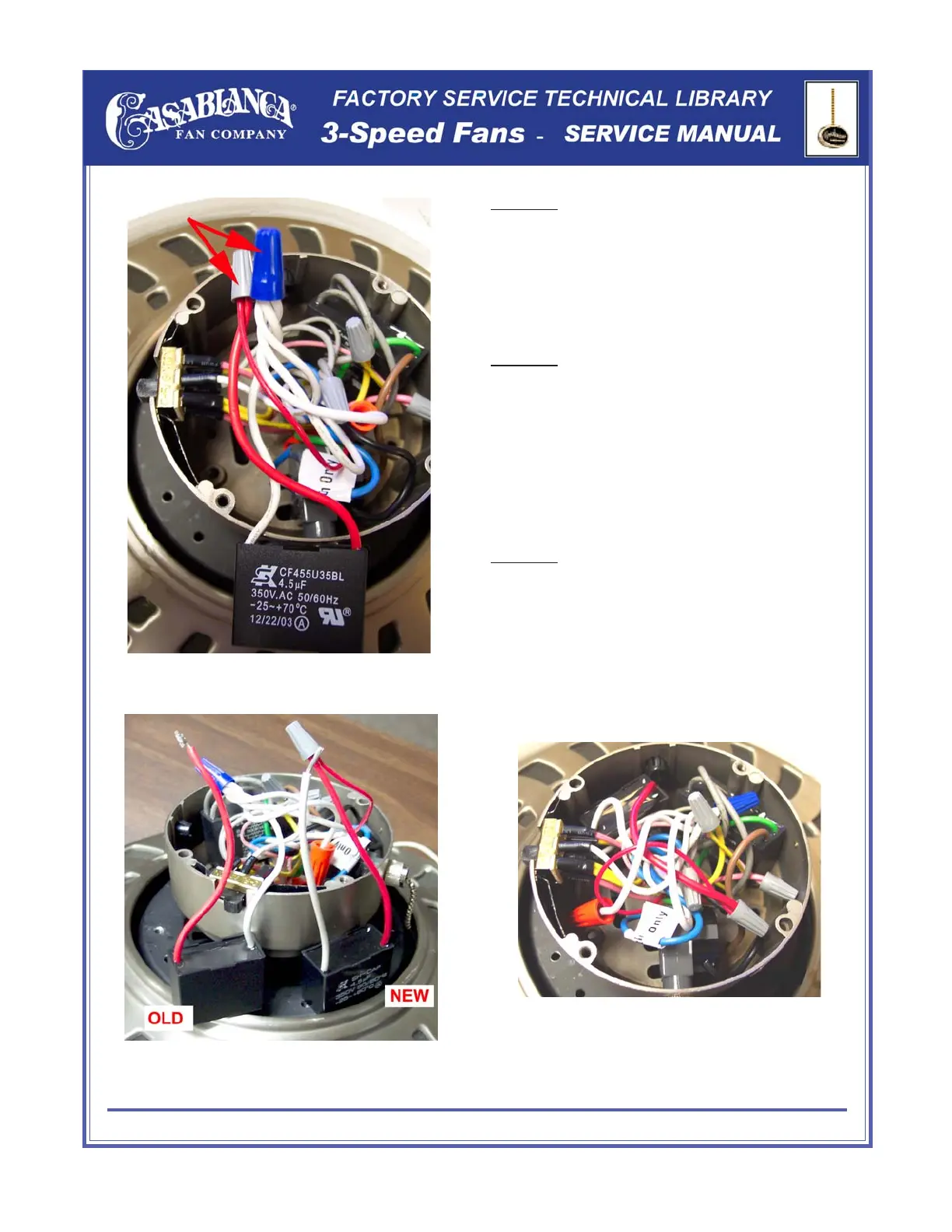
Once you have located the run capacitor block,
remove it from the switch housing and locate
the two wire nuts as shown in (figure #3).
Step #2
Start Capacitor Replacement - END
(Figure #4)
(Figure #3)
(Figure #5)
Place the new capacitor block next to the old
one as shown in (figure #4). Remove the two
wire nuts one at a time replacing the wire with
the wires from the new start capacitor block as
shown.
Step #3
Once all wires have been connected, reinstall
start capacitor block back into the switch
housing (figure #5) and test.
Step #4


 To Next Page