7
9
12
B
B
16
10
12
11
English
11 EN
11. Ground Coffee
Automatic Grinder-Doser
3RVLWLRQWKHFRIIHHPDFKLQH¿OWHUEDVNHWRQWKHEUDFNHW12) and push
home.
3XOOWKHJURXQGFRIIHHGLVWULEXWLRQOHYHU9WRREWDLQRQHFRIIHHGRVH
LIDRQHGRVHFRQLF¿OWHULVXVHGDQGOHWWKHOHYHUUHWXUQDXWRPDWLFDOO\
WRLWVRULJLQDOSRVLWLRQ
2EWDLQWZRGRVHVRIFRIIHHLIDGRXEOH¿OWHULVXVHG
3RVLWLRQWKH¿OWHUEDVNHWXQGHUWKHWDPSHU7DQGSUHVVWKHFRIIHH
On Demand Grinder-Doser
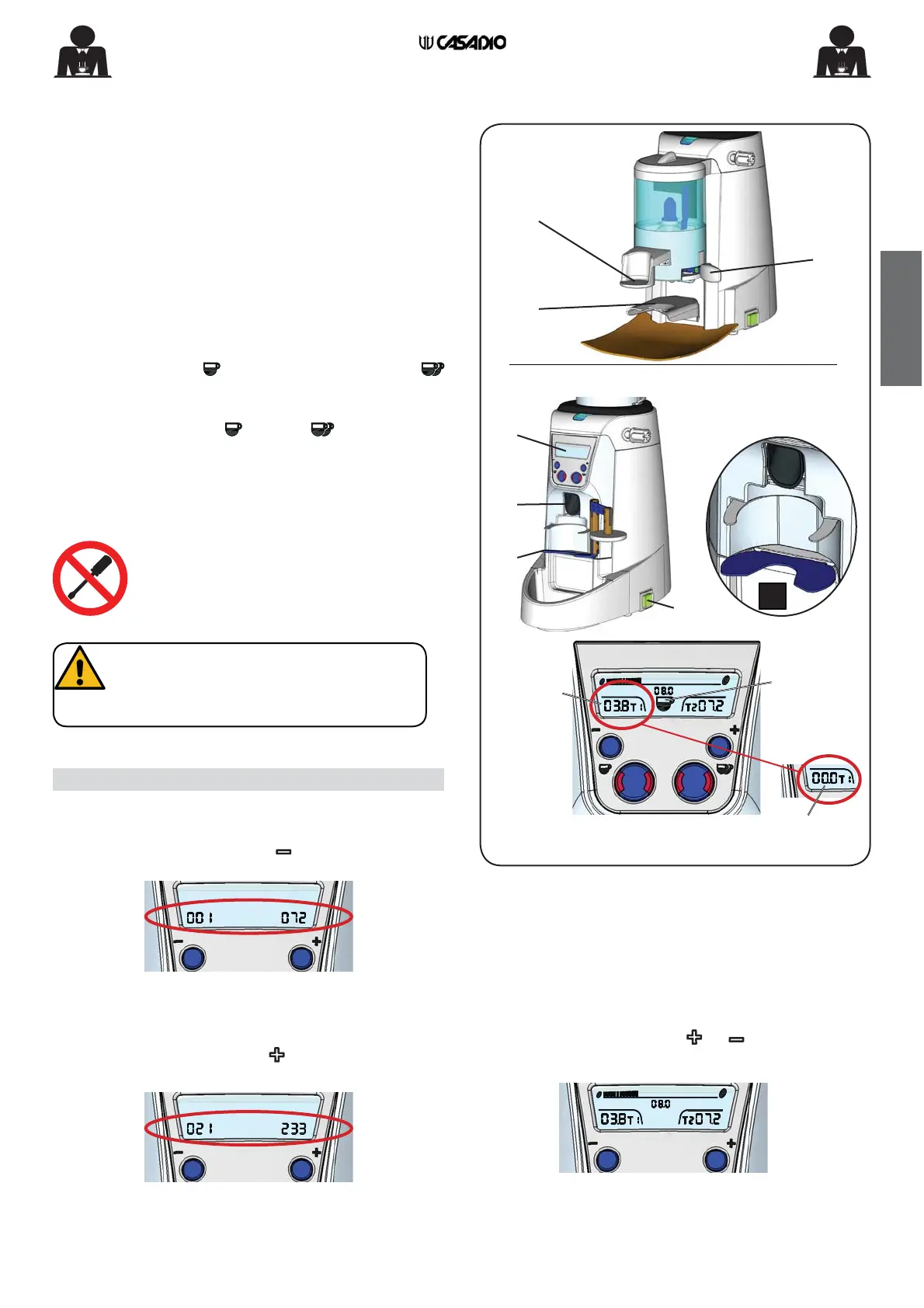
3RVLWLRQWKHFRIIHHPDFKLQH¿OWHUKROGHURQWKHIRUN12) in
correspondence with the ground coffee chute (16).
Press one of the keys
(single dose or double dose)
; The grinder will start working for the set grinding time.
The ground coffee slides down the chute (16) the icon of
the selected dose (single or double ) appears on the
display (10) and the set grinding time decreases to 0 (zero)
at the end of the process.
Grinding can be interrupted at any time by pressing the
previously enabled dose key again.
DO NOT insert any object inside the coffee
chute (16).
• Single dose counter
Use the general off/on switch (11) to turn on the grinder.
Press and hold down the button ; the number of single
doses dispensed will appear on the display (10):
• Double dose counter
Use the general off/on switch (11) to turn on the grinder.
Press and hold down the button
; The number of double
doses dispensed will appear on the display (10):
When the button is released ( or ), the normal work
screen will appear
:
Counters (ON DEMAND version)
:KHQ SRVLWLRQLQJ WKH ¿OWHU KROGHU DQG
during daily operations, pay close
attention to the metal support forks
LQGLFDWHGLQWKH¿JXUH%
ON DEMAND VERSION
Grinding
time
Dose
icon
Grinding
complete


 To Next Page
 Loading...