SECTION 58 - ATTACHMENT/HEADERS - CHAPTER 2
58-25
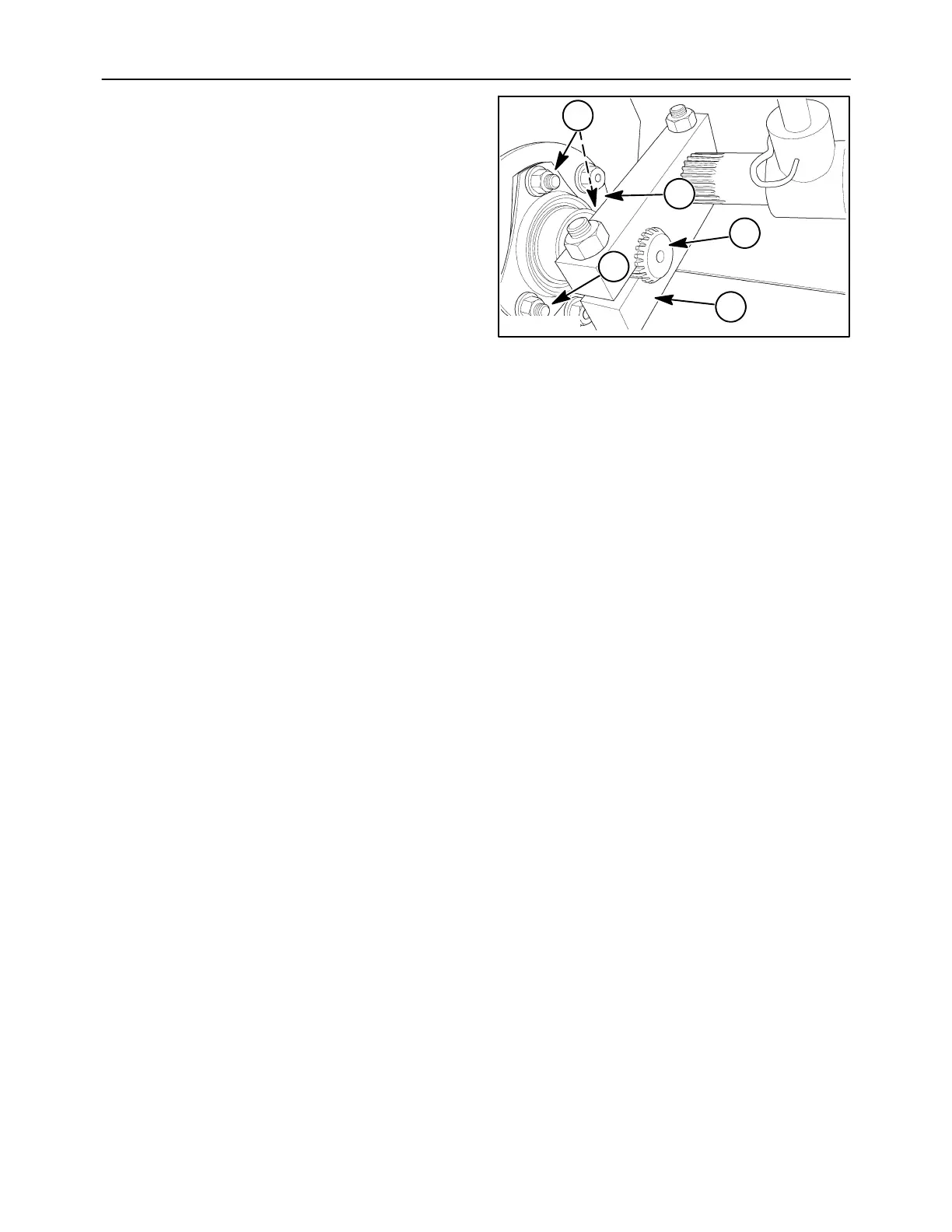
11. Remove the hardware, 1, holding the bearing
housing to the mounting plate. Lift the mounting
plate, 2, from the auger.
12. Slide the end shaft, 3, from the block, 4. Lift the
end shaft from the auger.
NOTE: The bearing locking collars do not need to be
disengaged.
10008320
3
4
2
1
1
63



 To Next Page