Need help?
Do you have a question about the Casio 2747 and is the answer not in the manual?
Sets and views the current digital time and date, including Daylight Saving Time.
Adjusts the analog hands to match the digital display time.
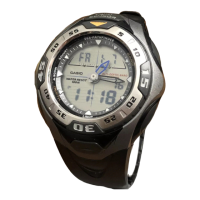
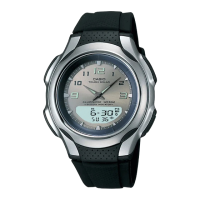
This document describes the operation and features of a CASIO watch, model 2747. It serves as a user's guide, providing instructions for various modes and settings, as well as reference information.
The watch offers both digital and analog timekeeping, with distinct procedures for setting each. In the Timekeeping Mode, the digital display can toggle between date and time screens. Users can set the digital time, date, and configure Daylight Saving Time (DST). The watch supports both 12-hour and 24-hour timekeeping formats, which are applied across all modes. The analog hands can be adjusted independently if they do not match the digital display. A notable feature is the automatic adjustment of the analog minute hand when only the seconds are reset, and a high-speed hand movement for quick adjustments. The built-in full automatic calendar accounts for different month lengths and leap years, requiring setting only once unless the battery is replaced.
The Telememo Mode allows storage of up to 30 records, each containing a name and telephone number. Records are automatically sorted alphabetically by name. Users can create new records, edit existing ones, and delete unwanted entries. The input process for names and numbers involves selecting characters from a comprehensive list, including spaces, alpha characters, symbols, and numbers. The display shows a long cursor for the name field and a short cursor for the number field, aiding in data entry.
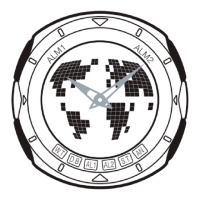
The World Time Mode displays the current time in 30 cities across 29 time zones. The time settings in this mode are independent of the Timekeeping Mode. When the time for any city is changed, all other cities' settings are updated accordingly. Users can scroll through city codes to view different times and toggle between Standard Time and Daylight Saving Time for all World Time city codes simultaneously. The watch uses UTC differentials to calculate World Time, based on Coordinated Universal Time.
The Alarm Mode provides three independent daily alarms: two one-time alarms and one snooze alarm. The snooze alarm repeats every five minutes for a total of seven times. Additionally, an Hourly Time Signal can be activated, causing the watch to beep twice every hour on the hour. Users can set alarm times, turn alarms and the Hourly Time Signal on or off, and test the alarm sound. Alarm and Hourly Time Signal operations are synchronized with the Timekeeping Mode's digital time.
The Countdown Timer Mode allows setting a countdown time from one minute up to 24 hours. An alarm sounds when the countdown reaches zero, and the timer automatically resets to its starting value. The countdown can be paused, resumed, and completely stopped. The timer continues to operate even if the user exits the Countdown Timer Mode.
The Stopwatch Mode measures elapsed time, split times, and two finishes, with a display range of 23 hours, 59 minutes, 59.99 seconds. It continues to run in the background even if the user exits the mode, restarting from zero after reaching its limit. Freezing a split time on the display clears it and returns to elapsed time measurement upon exiting the mode.
Several general usage features enhance the watch's functionality. A General Guide explains how to navigate between modes using the button and how pressing the B button illuminates the display in any mode (except during setting screens). The watch includes an Auto Return Feature, automatically reverting to the Timekeeping Mode if no button operation is performed for two or three minutes in Telememo, Alarm, or Hand Setting Modes, or if a setting screen is left idle. Scrolling through data in various modes and setting screens is facilitated by the and B buttons, with a high-speed scroll option for quick navigation. Initial screens in Telememo, World Time, or Alarm Mode display the data viewed when the mode was last exited. Display illumination is provided by two LEDs and a light guide panel, making the display readable in the dark for about one second when button B is pressed. However, direct sunlight may make the light hard to see, and frequent use shortens battery life. The light automatically turns off if an alarm sounds.
Maintenance features are implicitly covered through the setting procedures. For instance, the full automatic calendar minimizes the need for date adjustments, only requiring attention after a battery replacement. The user guide also provides a "Character List" for data input in Telememo and a "City Code Table" for World Time, which are essential for correct setup and ongoing use. The detailed explanations for each mode's settings ensure users can accurately configure the watch for their specific needs, thereby contributing to its proper maintenance and longevity.
 General
| Watch Type | Digital |
|---|---|
| Movement | Quartz |
| Display | Digital |
| Backlight | Yes |
| Alarm | Yes |
| Stopwatch | Yes |
| Calendar | Yes |
| LED Light | Yes |

 To Next Page