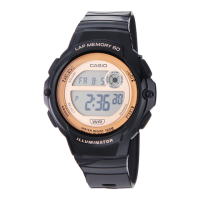
Operation Guide 3570
EN-9
Stopwatch Mode Dual Time Mode
B
B
x In any mode, hold down B for about one second
to return to the Timekeeping Mode.
You can also find
information about
operational procedures
at the CASIO website.
https://s.casio.jp/mw/
en/3570/
EN-8
Selecting a Mode
x Press B to change from mode to mode.
x In any mode, press L to illuminate the display.
Alarm Mode Timekeeping Mode Timer Mode
BBB
EN-7
Watch Features
You can also find information
about operational procedures
at the CASIO website.
https://s.casio.jp/mw/en/3570/
◆
Alarm
◆
Timer
◆
Stopwatch
◆
Dual Time
EN-6
To set the Dual Time .......................................................................................... EN-26
To turn on the backlight .................................................................................... EN-27
EN-5
Procedure Lookup
The following is a handy reference list of all the operational procedures contained in
this manual.
To set the time and date .................................................................................... EN-10
To toggle between 12-hour and 24-hour timekeeping ................................... EN-12
To set an alarm time .......................................................................................... EN-15
To test the alarm ................................................................................................ EN-17
To turn Alarms 2 through 5 and the Hourly Time Signal on and off .............. EN-18
To select the operation of Alarm 1 ................................................................... EN-19
To use the countdown timer ............................................................................. EN-21
To set the countdown start time ...................................................................... EN-22
To turn auto-repeat on and off ......................................................................... EN-23
To measure times with the stopwatch ............................................................. EN-25
EN-4
EN-3
Contents
About This Manual................................................................................................ EN-2
Watch Features ..................................................................................................... EN-7
Selecting a Mode .................................................................................................. EN-8
Timekeeping ....................................................................................................... EN-10
Alarm ................................................................................................................... EN-13
Timer .................................................................................................................... EN-21
Stopwatch ........................................................................................................... EN-24
Dual Time ............................................................................................................ EN-26
Backlight ............................................................................................................. EN-27
Reference ............................................................................................................ EN-28
Specifications ..................................................................................................... EN-30
EN-2
About This Manual
x Button operations are indicated using the letters
shown in the illustration.
x Note that the product illustrations in this manual are
intended for reference only, and so the actual product
may appear somewhat different than depicted by an
illustration.
x Each section of this manual provides you with the
information you need to perform operations in each
mode. Further details and technical information can be
found in the “Reference” section.
EN-1
ENGLISH
You can also find information about
operational procedures at the CASIO website.
https://s.casio.jp/mw/en/3570/
MA2407-EA
© 2024 CASIO COMPUTER CO., LTD.
Published: 7/2024


 To Next Page
 Need help?

 General