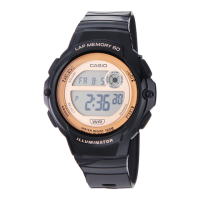
Operation Guide 3570
EN-19
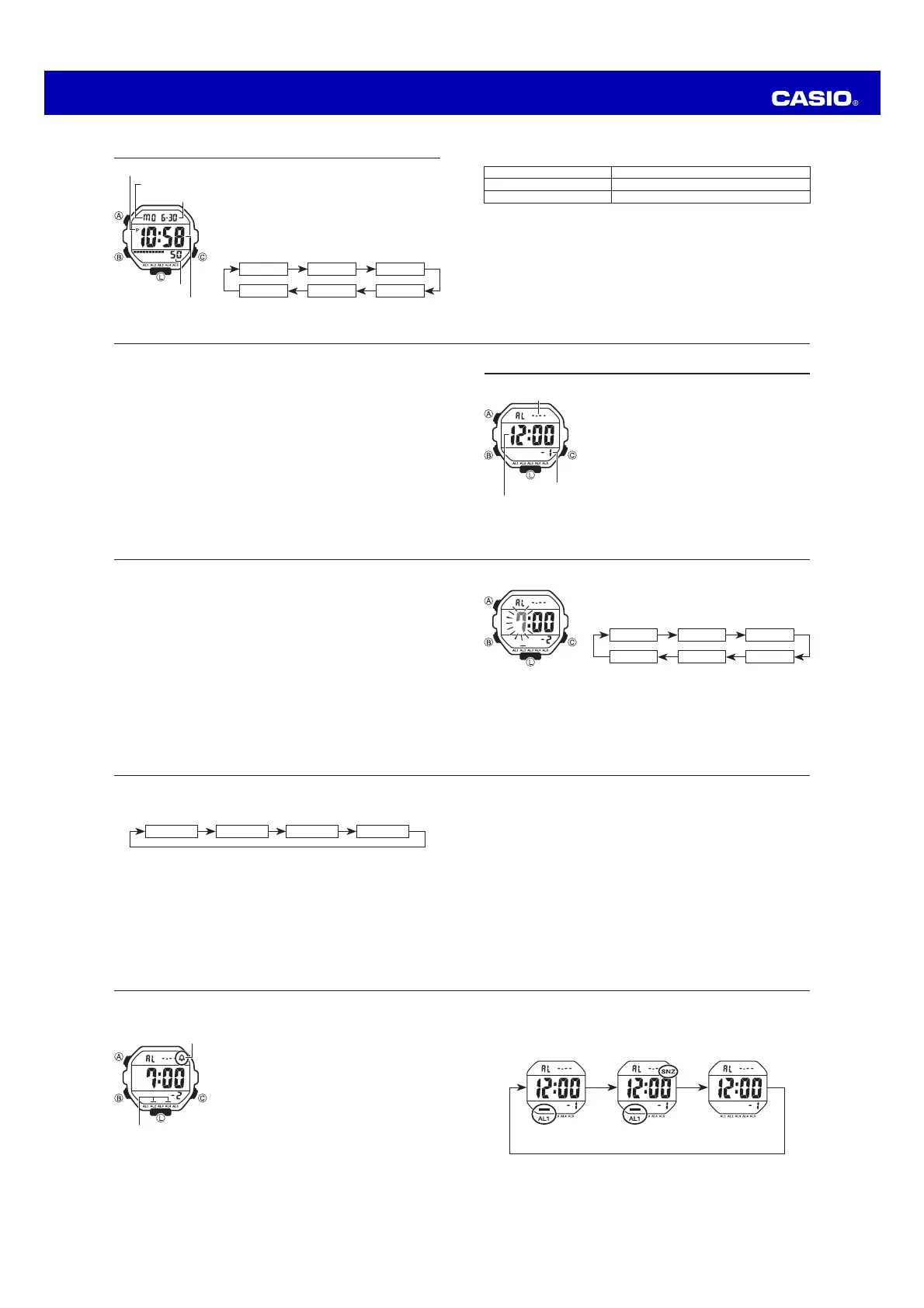
To select the operation of Alarm 1
1. In the Alarm Mode, use C to select Alarm 1.
2. Press A to cycle through the available settings in the sequence shown below.
Snooze on indicator (SNZ) and Alarm 1 on indicator
AAA
Snooze
alarm on
Alarm on Alarm off
x The snooze on indicator (SNZ) and Alarm 1 on indicator are displayed in all
modes.
EN-18
To turn Alarms 2 through 5 and the Hourly Time Signal on and off
1. In the Alarm Mode, use C to select alarm number 2
through 5, or the Hourly Time Signal (:00).
2. Press A to toggle it on and off.
x The on/off status of Alarms 2 through 5 and the Hourly
Time Signal is shown by indicators.
x The alarm on indicators and Hourly time Signal on
indicator are displayed in all modes.
x While an alarm is sounding, the applicable alarm on
indicator flashes on the display.
Alarm on indicator
Hourly time signal
on indicator
EN-17
Alarm Operation
The alarm tone sounds at the preset time for 10 seconds, regardless of the mode
the watch is in. In the case of the snooze alarm, the alarm operation is performed a
total of seven times, every five minutes, until you turn the alarm off or change it to a
one-time alarm (page EN-18).
x To stop the alarm tone after it starts to sound, press any button.
x Performing any one of the following operations during a 5-minute interval
between snooze alarms cancels the current snooze alarm operation.
Displaying the Timekeeping Mode setting screen (page EN-10)
Displaying the alarm 1 setting screen (page EN-15)
To test the alarm
x In the Alarm Mode, hold down C to sound the alarm.
EN-16
3. Press B to move the flashing in the sequence shown below to select other
settings.
B
Hour Minutes Day
BB
Month
B
4. While a setting is flashing, press C to increase it.
x To set an alarm that does not include a month (Daily alarm, Monthly alarm),
set – for the month. Press C until the – mark appears (between 12 and 1)
while month setting is flashing.
x To set an alarm that does not include a day (Daily alarm, 1-Month alarm), set
– – for the day. Press C until the – – mark appears (between the end of the
month and 1) while the day setting is flashing.
x When setting the alarm time using the 12-hour format, take care to set the
time correctly as a.m. or p.m. (P indicator).
5. Press A to exit the setting screen.
EN-15
To set an alarm time
1. In the Alarm Mode, use C to scroll through the alarm
screens until the one whose time you want to set is
displayed.
CC
C
–1 –2 –3
:00 –4–5
CC
C
x Alarm 1 has a snooze feature.
x The snooze alarm operation repeats every five minutes.
2. After you select an alarm, hold down A until the hour setting of the alarm time
starts to flash, which indicates the setting screen.
x This operation automatically turns on the alarm.
EN-14
Alarm Types
The alarm type is determined by the settings you make, as described below.
x Daily alarm
Set the hour and minutes for the alarm time. This type of setting causes the alarm to
sound everyday at the time you set.
x Date alarm
Set the month, day, hour and minutes for the alarm time. This type of setting causes
the alarm to sound at the specific time, on the specific date you set.
x 1-Month alarm
Set the month, hour and minutes for the alarm time. This type of setting causes the
alarm to sound everyday at time you set, only during the month you set.
x Monthly alarm
Set the day, hour and minutes for the alarm time. This type of setting causes the
alarm to sound every month at time you set, on the day you set.
EN-13
Alarm
You can set up to five independent multi-function alarms
with hour, minutes, month, and day. When an alarm is
turned on, the alarm tone sounds when the alarm time is
reached. One of the alarms has a snooze feature.
You can also turn on an Hourly Time Signal that causes
the watch to beep every hour on the hour.
x There are five alarms numbered 1 through 5. The
Hourly Time Signal screen is indicated by :00.
x All of the operations in this section are performed
in the Alarm Mode, which you enter by pressing B
(page EN-8).
Alarm number
Alarm date
(Month – Day)
Alarm time
(Hour : Minutes)
EN-12
To toggle between 12-hour and 24-hour timekeeping
In the Timekeeping Mode, press C to toggle between 12-hour timekeeping and
24-hour timekeeping.
x With the 12-hour format, the P (PM) indicator appears to the left of the hour
digits for times in the range of noon to 11:59 p.m. and no indicator appears to
the left of the hour digits for times in the range of midnight to 11:59 a.m.
x With the 24-hour format, times are displayed in the range of 0:00 to 23:59,
without any indicator.
x The 12-hour/24-hour timekeeping format you select in the Timekeeping Mode is
applied in all other modes.
EN-11
3. When the setting you want to change is flashing, press C to change it as
described below.
To change this setting Perform this button operation
Seconds
Press C to reset to 00.
Hour, Minutes, Year, Month, Day
Press C to increase the setting.
x Pressing C while the seconds are in the range of 30 to 59 resets them to 00
and adds 1 to the minutes. In the range of 00 to 29, the minutes are unchanged.
4. Press A to exit the setting screen.
x The day of the week is automatically displayed in accordance with the date
(year, month, and day) settings.
x The year can be set in the range of 2000 to 2099.
x The watch’s built-in full automatic calendar automatically makes allowances for
different month lengths and leap years. Once you set the date, there should be
no reason to change it except after you have the watch’s battery replaced.
EN-10
Timekeeping
Use the Timekeeping Mode to set and view the current
time and date.
To set the time and date
1. In the Timekeeping Mode, hold down A until the
seconds start to flash, which indicates the setting
screen.
2. Press B to move the flashing in the sequence shown
below to select other settings.
BB
B
Seconds Hour Minutes
Day YearMonth
BB
B
Seconds
Day of week
PM indicator
Month – Day
Hour : Minutes


 To Next Page
 Loading...