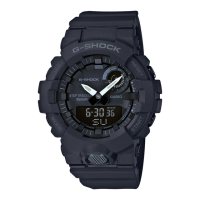
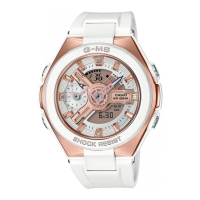
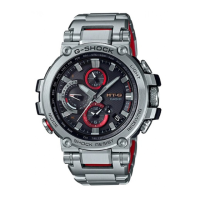
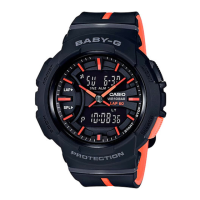
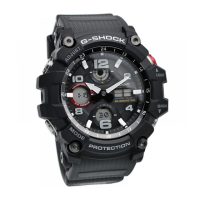
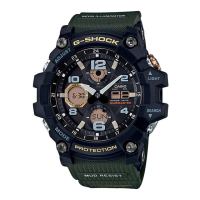
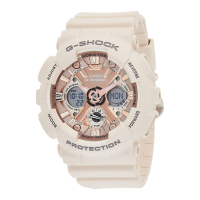
This document describes the operation and maintenance of a Casio Watch, model 5553. It covers various functions, settings, and troubleshooting tips to ensure proper use and longevity of the device.
Function Description
The Casio Watch 5553 offers a range of timekeeping and utility functions. Its primary function is Timekeeping, displaying the current time (hour, minute, second), month, day, and day of the week. Users can choose between 12-hour and 24-hour timekeeping formats. The watch also features World Time, allowing users to view the current time in 48 cities across 31 time zones, including Coordinated Universal Time (UTC). A convenient feature is the ability to swap the Home City Time and World Time display.
For event tracking, the watch includes a Stopwatch function capable of measuring elapsed time up to 999 hours, 59 minutes, and 59.99 seconds in 1/100 of a second units. It supports elapsed time, cumulative time, and split time measurements. The stopwatch automatically resets to zero and continues timing after reaching its maximum limit. A dedicated stopwatch hand displays seconds in stopwatch mode, and minutes in other modes.
The Timer function provides a countdown from a user-specified start time, up to 24 hours, in 1-second units. An alarm sounds when the countdown reaches zero. The countdown start time can be set in 1-minute increments.
The watch also incorporates Alarm capabilities, allowing users to configure up to four standard daily alarms and one daily snooze alarm. The snooze alarm sounds up to seven times at five-minute intervals. Additionally, an Hourly Time Signal can be enabled, causing the watch to beep every hour on the hour.
For visibility in low-light conditions, the watch features an LED Light that illuminates the face. Users can manually turn on the illumination or enable an Auto Light function, which automatically turns on the light when the watch is positioned at an angle of 40 degrees or more. The illumination duration can be set to either 1.5 or 3 seconds.
Other configurable settings include the Button Operation Tone, which can be enabled or disabled, controlling the sound made when a button is pressed.
Usage Features
Navigating Between Modes: The watch modes (Timekeeping, Alarm, Stopwatch, World Time, Timer) are cycled by pressing the (C) button. Holding down (C) for at least three seconds returns the watch to Timekeeping Mode from any other mode.
Timekeeping Mode Digital Display Contents: In Timekeeping Mode, pressing the (A) button cycles through different digital display information: day of week, seconds, month/day, and hours/minutes.
Adjusting Time and Date: To adjust the current time and date, users enter the setting screen by holding down (A) for at least two seconds in Timekeeping Mode. The (C) button cycles through various settings such as Home City, Summer Time, 12/24-hour timekeeping, seconds, hours, minutes, year, month, day, operation tone enable/disable, and illumination duration. (B) and (D) buttons are used to change the flashing settings, with holding them down enabling high-speed scrolling.
Setting a Home City: In the time adjustment setting screen, (B) and (D) are used to select the desired Home City. Summer time settings can also be configured for the selected city.
Checking World Time: In World Time Mode, the currently selected World Time City and its current time are displayed. Pressing (A) can also display the date for the World Time City.
World Time City Setting: In World Time Mode, (D) is used to display different cities. Holding down (A) for at least two seconds toggles the summer time setting for the selected city.
Configuring Alarm Settings: In Alarm Mode, (D) is used to scroll through alarms (AL1 to AL4, SNZ) and the hourly time signal (SIG). Holding down (A) for at least two seconds on an alarm screen allows adjustment of the hour and minute settings using (B) and (D).
Enabling/Disabling Hourly Time Signal: In Alarm Mode, navigating to the [SIG] screen and pressing (A) toggles the hourly time signal between enabled and disabled.
Stopping Alarms: Pressing any button stops a sounding alarm. Snooze alarms will sound up to seven times unless stopped by turning off the snooze alarm, displaying the snooze alarm setting screen, displaying the Timekeeping Mode setting screen, changing the DST setting of the Home Time in World Time Mode, or changing the Home City in World Time Mode.
Stopwatch Operation: In Stopwatch Mode, (D) starts the measurement, (D) again stops it, and (D) again resumes it. (A) is used to record split times and to reset the stopwatch to zero when stopped.
Timer Operation: In Timer Mode, (D) starts the countdown, (D) again pauses it, and (D) again resumes it. (A) resets a paused countdown to its start time. Any button stops the timer tone when the countdown ends.
Hand Alignment Adjustment: If the analog hands do not match the digital display, hand alignment can be adjusted. This involves holding down (A) for at least five seconds in Timekeeping Mode to enable stopwatch hand adjustment, then using (B) and (D) to align the stopwatch hand to 12 o'clock. Pressing (C) then enables adjustment of the hour and minute hands, which are also aligned to 12 o'clock using (B) and (D).
Configuring Auto Light Setting: In Timekeeping Mode, holding down (B) for at least three seconds toggles Auto Light between enabled and disabled. If not manually disabled, Auto Light remains enabled for approximately six hours before automatically disabling.
Maintenance Features
Water Resistance: The watch's water resistance is indicated by markings on the back cover (WATER RESIST, WATER RESISTANT, 5BAR, 10BAR, 20BAR). Specific usage precautions apply even for water-resistant watches, such as avoiding button operation while submerged or wet, and not wearing the watch in baths or high-temperature/humidity environments. After submersion in seawater, the watch should be rinsed with plain water. Gaskets should be replaced periodically (every two to three years) to maintain water resistance, especially during battery replacement.
Temperature: Avoid leaving the watch in extreme temperatures (very high or very low) as this can cause time loss/gain, malfunction, or LCD display issues.
Impact: The watch is designed to withstand normal daily impacts, but strong impacts should be avoided to prevent malfunction.
Magnetism: Keep the watch away from strong magnetic sources (audio speakers, cell phones, medical equipment) as magnetism can affect hand movement and electronic components.
Electrostatic Charge: Strong electrostatic charge can cause incorrect time display, blank display, or damage to electronic components.
Chemicals: Do not expose the watch to thinners, gasoline, solvents, oils, fats, cleaners, adhesives, paints, medicines, or cosmetics containing such ingredients, as this can cause discoloration or damage to resin, leather, and other parts.
Storage: For long-term storage, wipe the watch clean of dirt, sweat, and moisture, and store it in a cool, dry place.
Resin Components: Avoid prolonged contact with other items while wet to prevent color transfer. Exposure to direct sunlight or failure to clean dirt can cause discoloration. Friction can also cause discoloration of painted components. Leaving the watch wet for long periods can fade fluorescent colors. Semi-transparent resin parts can discolor due to sweat, dirt, and high temperatures/humidity. Resin components can deteriorate over time due to daily use and storage conditions.
Leather Band: Avoid prolonged contact with other items while wet to prevent color transfer. Exposure to direct sunlight or failure to clean dirt can cause discoloration. Rubbing or dirt can also cause color transfer and discoloration.
Metal Components: Clean dirt from metal components to prevent rust formation, even on stainless steel or plated parts. After exposure to sweat or water, wipe thoroughly with a soft, absorbent cloth and dry in a well-ventilated area. For cleaning, use a soft toothbrush with a weak solution of water and mild neutral detergent or soapy water, then rinse and dry. When washing, wrap the watch case with plastic wrap to protect it from detergent/soap.
Bacteria and Odor Resistant Band: Keep the band clean by wiping with a soft, absorbent cloth to remove dirt, sweat, and moisture. This helps suppress bacteria formation and odors.
Liquid Crystal Display: Display figures may be difficult to read from certain angles.
User Maintenance: Regularly wipe the watch and band with a soft cloth to keep it free of dirt, sweat, water, and other foreign matter. Rinse with clean fresh water after exposure to seawater or mud. For metal or resin bands with metal parts, use a soft toothbrush with a weak solution of water and mild neutral detergent, then rinse and dry. For resin bands, wash with water and wipe dry. For leather bands, wipe water and sweat with a soft cloth. Periodically rotate the crown and rotary bezel, and press buttons to maintain proper operation.
Band Care: Avoid tightening the band too tightly to prevent skin irritation. Ensure enough room for a finger between the band and wrist. Regularly inspect the band for deterioration, rust, cracks, discoloration, looseness, or pin issues. If any abnormality is noticed, stop using the watch and seek inspection or replacement from an authorized service center.
Battery Replacement: Battery replacement should be performed by the original retailer or an authorized CASIO service center using the specified battery type. Request a water resistance check during battery replacement. Note that ornamental resin components may be worn or damaged over time, and if abnormalities are found during battery replacement, the watch may be returned without servicing. Initial batteries are for factory testing and may have a shorter life; replacement charges may apply even within the warranty period. Low battery power is indicated by large timekeeping error, dim display, or blank display, and batteries should be replaced as soon as possible to prevent malfunction.


 To Next Page
 General