— 6 —
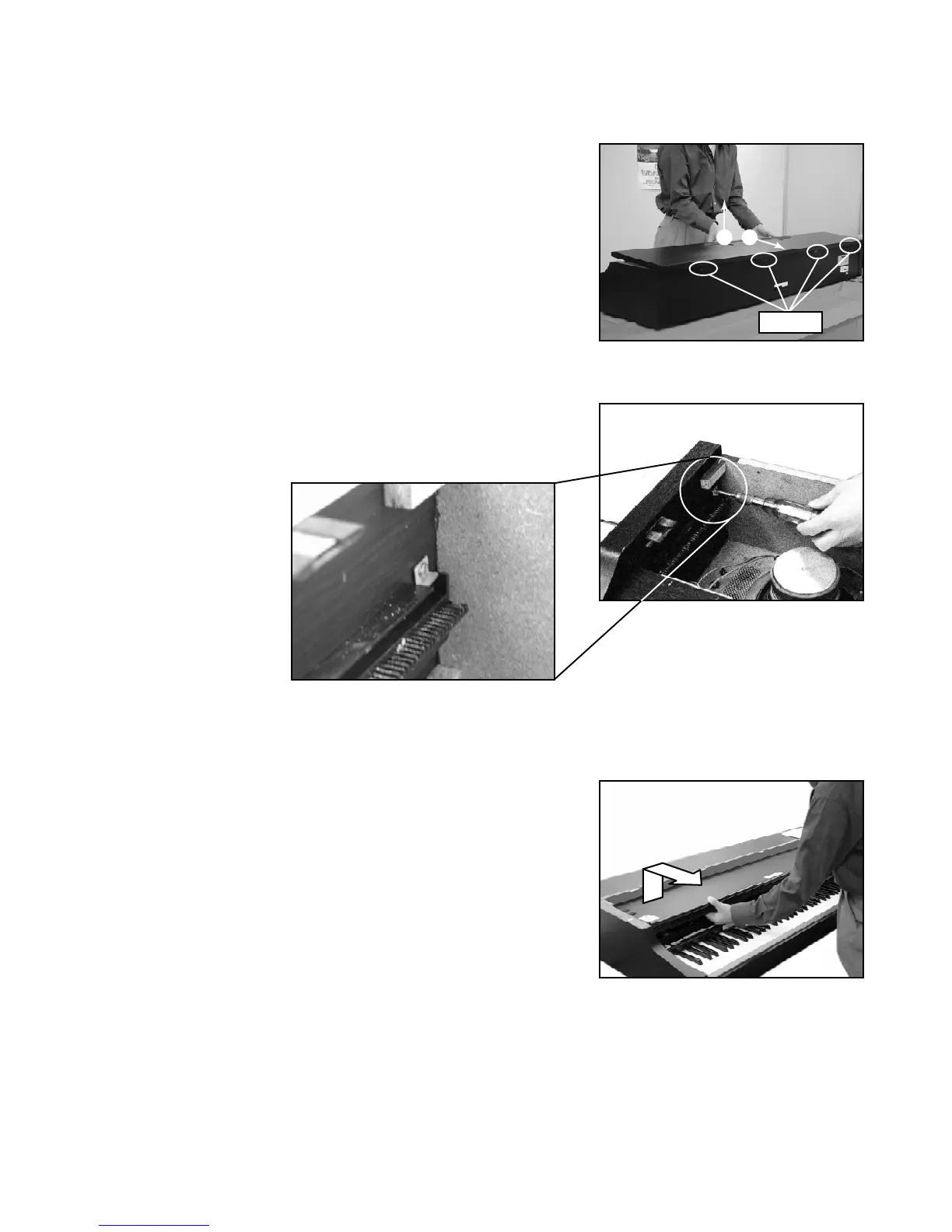
1. Removal of top board
1-1. Remove 8 screws affixing the top board on the back.
1-2. Slide the top board forward and remove it from the main unit.
2. Removal of keyboard cover
2-1. Lift up the keyboard cover full open position.
2-2. Unscrew the L-shaped stopper metal located on the inner
left corner.
2-3. Lift up the keyboard cover gear from the opening where
stopper metal is fixed, then remove the keyboard cover.
DISASSEMBLY INSTRUCTIONS
Screws
1
2



 To Next Page