EasyManua.ls Logo

Casio CFX-9800G - Page 59

Casio CFX-9800G
206 pages
Print Icon
To Next Page IconTo Next Page
To Previous Page IconTo Previous Page
Loading...
MW
Applications
of
Differential
Calculations
roe
Differentials
can’
be
added,
subtracted,
multiplied’and
divided
with
each
other.
~
Example]
—“y()=P'@),
Lala)=8'C0)
.
Therefore:
(a)
+8'(a),
f(a)
x8’
(a)
/
«Differential
results
can
be
used
in
addition,
subtraction,
multiplication,
and
division,
and
in
functions.
Example
|
2x/’(a),
log(/’(a))
Functions
can
be
used
in
any
of
the
terms
(f(x),
a,
Ax)
of
a
differential.
Example
A
(sine
+
cose,
sin0.5)
Note
that
you
cannot
use
differential,
integration,
or
£
calculations
inside
of
a
differen-
tial
calculation
term.
Pressing
&%
during
calculation
of
a
differential
(while
the
cursor
is
not
shown
on
the
i:
interrupts
the
calculation.
:
sanan
pater
mgenenaiie
integrations
using
radians
(Rad
Mode)
as
the
unit
of
angular
measurement
(page
28).
;
Differential
calculations
use
value
memories
F
through
H
for
storage,
deleting
any
con-
tents
that.
were
previously
stored.
This
also
means
that
you.
cannot
use
these
value
memories
during
differential
calculations.
Value
Memory
|
F.
G
H
Data
Stored.
|.
a
ax
|
df(a)idx
In
addition
to
the
above,
the
value
for
derivative
a
is
stored
in
value
memory
X.
—82-
3-2
How
the
Unit
Calculates
Integrations
abe
The
following
is
the
input
format
for
integrations:
@es~)OeHsOrE
|
(Number
of
Divisions
(valué
tor
min
N=2",n'is
End
Point
a”
integer
from
1
through
9)
Start
Point
Sf),
@,
bn)
=
fxd,
Nao
yaS(x)..
Area
of
f(x)dx
is
calculated
N
number
of
divisions
Integration
calculations
are
performed
by
applying
Simpson’s
Rule
for
the'f(x)
function
you
input.
This
method
requires
that
the
number
divisions
be
defined
as
N=2",
where
the
value
of
7
is
an
integer
in
the
range
of
1
through
9.
If
you
do
not
specify
a
value
for
n,
the
calculator
automatically
assigns
a
value
‘in
accordance
with
the
integration
being
performed.
-
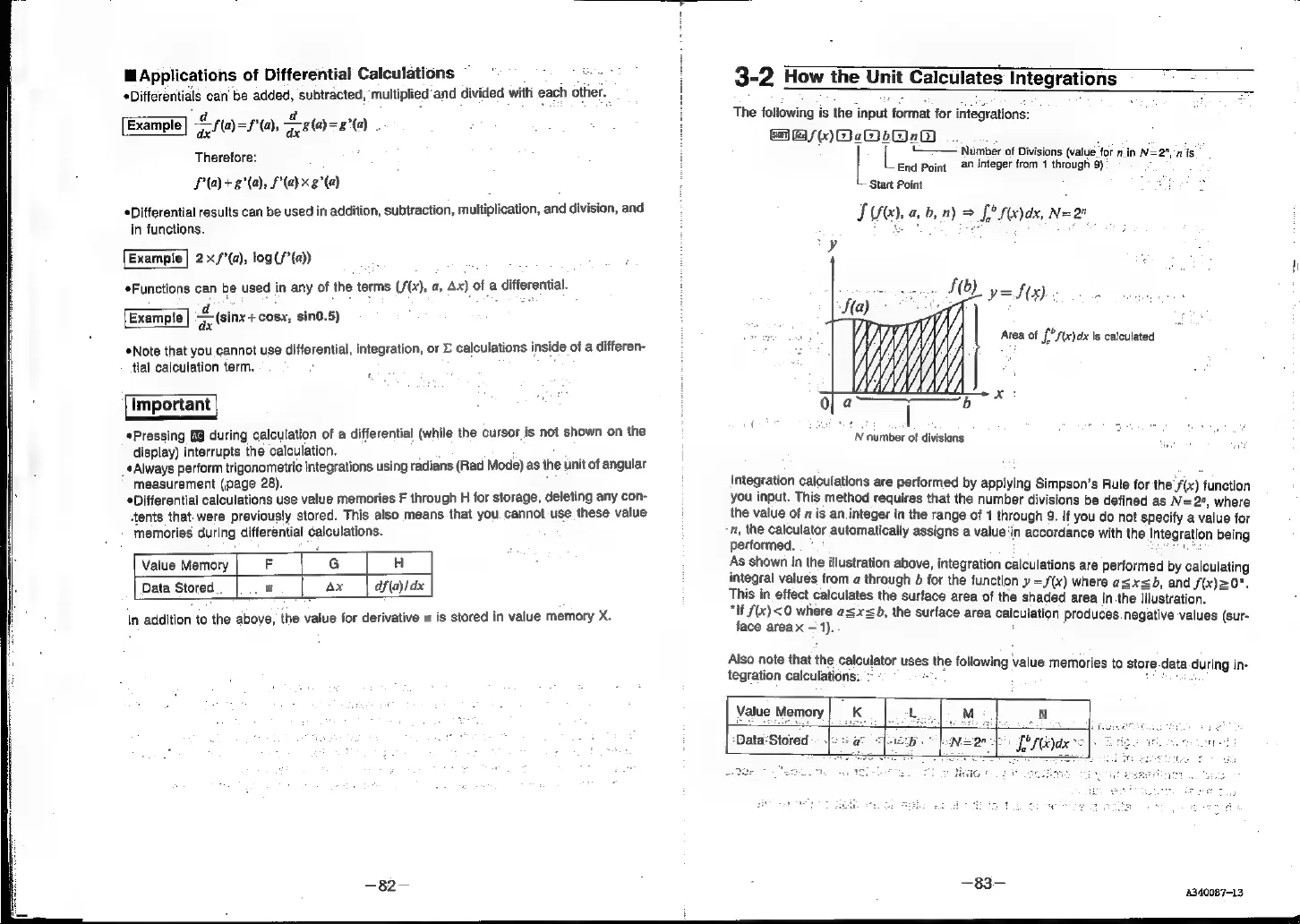
As
shown
in
the
illustration
above,
integration
calculations
are
performed
by
calculating
integral
values
from
a
through
b
for
the
function
»
=J(x)
where
asx<b,
and
f(x)=0".
This
in
effect
calculates
the
surface
area
of
the
shaded
area
in.the
illustration.
“If
f(x)
<0
where
@=x<b,
the
surface
area
calculation
Produces
negative
values
(sur-
face
areax
1).
:
Aiso
note
that
the
calculator
uses
the
following
value.
memories
to
store-data
during
in-
tegration
calculations..
-
-
Seen
;
7
4
|
Value
Memory
Me,
N
Ps
fered
s
|
|
:Data‘Stored
Bas
340087-13