113
8-2 View Window (V-Window) Settings
Use the View Window to specify the range of the x-and y-axes, and to set the
spacing between the increments on each axis. You should always set the View
Window parameters you want to use before drawing a graph.
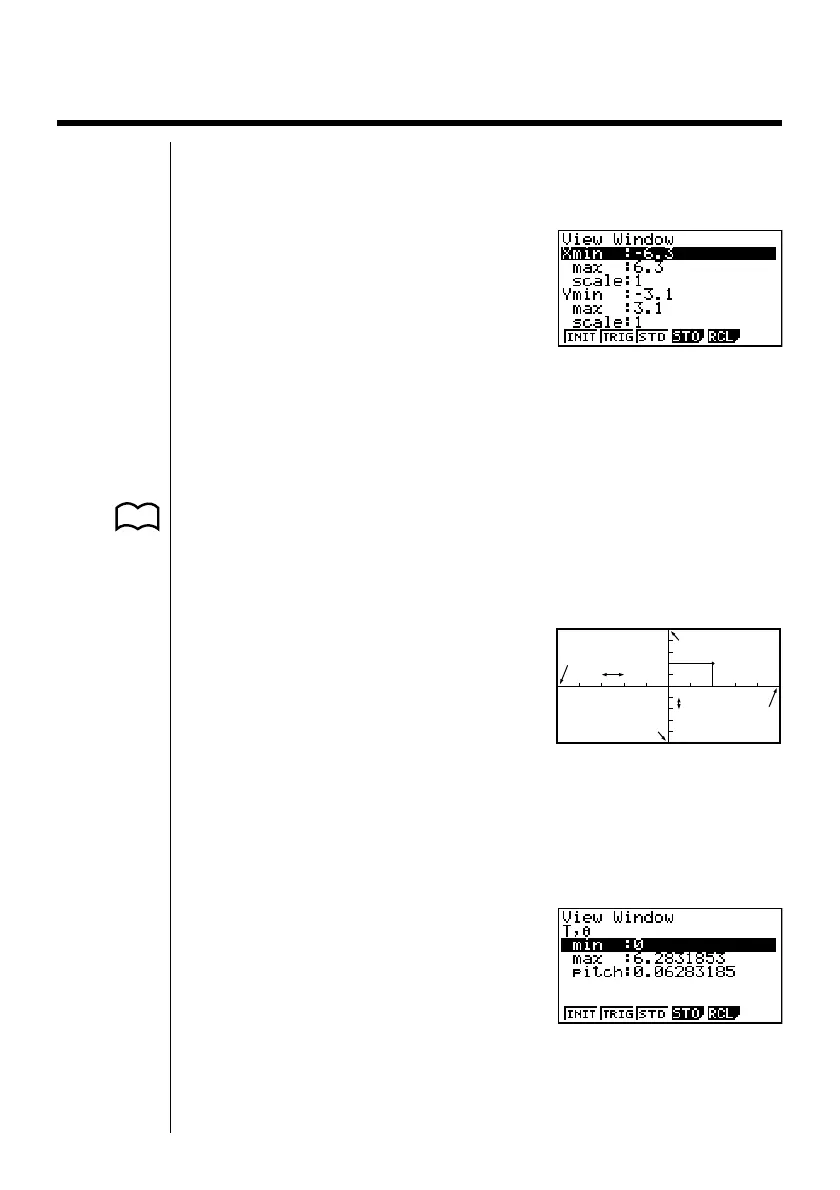
1. Press !3(V·Window) to display
the View Window.
X min ............ Minimum x-axis value
X max ........... Maximum x-axis value
X scale ......... Spacing of x-axis increments
Y min ............ Minimum y-axis value
Y max ........... Maximum y-axis value
Y scale .......... Spacing of y-axis increments
• {INIT}/{TRIG}/{STD} ... View Window {initial settings}/{initial settings using
specified angle unit}/{standardized settings}
• {STO}/{RCL} ... View Window setting {store}/{recall}
The nearby illustration shows the meaning
of each of these parameters.
2. Input a value for a parameter and press w. The calculator automatically
selects the next parameter for input.
•You can also select a parameter using the c and f keys.
• There are actually nine View Window parameters. The remaining three
parameters appear on the display when you move the highlighting down past
the Y scale parameter by inputting values and pressing c.
T,
θ
min .......... T,
θ
minimum values
T,
θ
max ......... T,
θ
maximum values
T,
θ
pitch ........ T,
θ
pitch
P. 115
P. 116
X min
X scale
Y min
Y max
X max
Y scale
(x, y)


 To Next Page
 Loading...












