EN-75
Editing a Tone (User Tones)
*1 Shows the name (Compressor, Limiter, Enhancer, etc.) of the DSP module. For details about DSP modules, see “DSP Module
List” (page EN-132).
*2 The number of parameters that can be configured and their details depend on the DSP module. For details, see “DSP
Parameter List” (page EN-133).
*3 Not displayed when the DSP selected for editing has only one DSP module. When there are multiple DSP modules included in
a DSP, a sub-menu will appears for each of them.
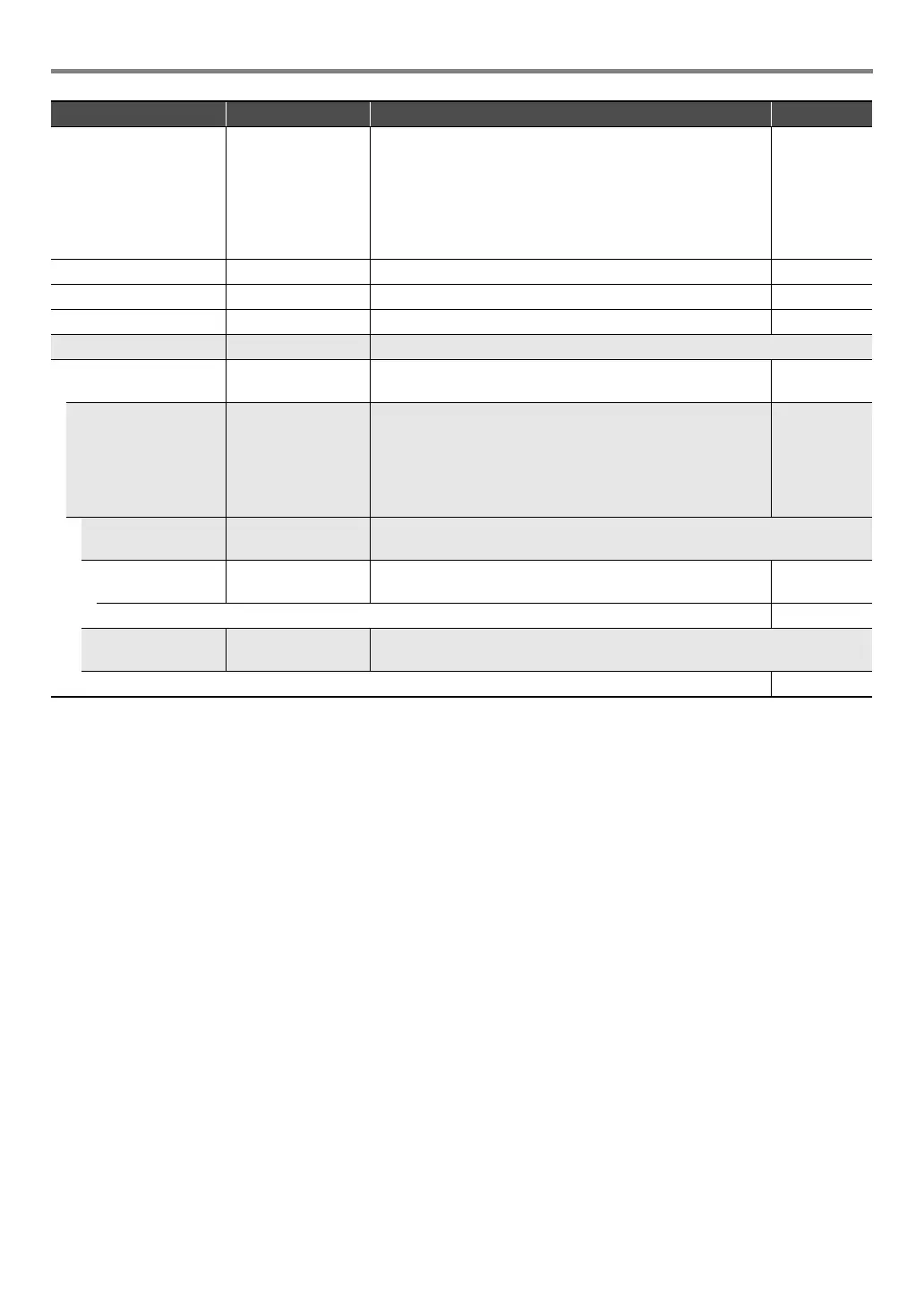
Velocity Sense Vel.Sens Specifies how much the tone and/or volume should be
affected by keyboard touch (pressure). A larger positive value
specifies more brightness and greater volume as keyboard
touch becomes stronger. A larger negative value specifies
more softness and less volume as keyboard touch becomes
stronger. A value of 0 specifies no change in accordance with
keyboard touch.
–64 to 0 to 63
Reverb Send Rev.Send Specifies how much reverb is applied to a tone. 0 to 127
Chorus Send Cho.Send Specifies how much chorus is applied to a tone. 0 to 127
Delay Send Dly.Send Specifies how much delay is applied to a tone. 0 to 127
DSP Edit DSP Edit Sub-menu of DSP effect setting items.
On, Off On/Off On: DSP effect applied to the tone.
Off: DSP effect not applied to the tone.
On, Off
DSP number DSP Num Selects a preset DSP when applying a DSP effect.
• Built-in tone numbers 1 through 800 include tones with
DSP (DSP tones). Only a DSP tone can be specified here,
and other (non-DSP) tones cannot be specified.
• Numbers 801 through 900 are for DSP editing only. For
details, refer to the “DSP List” in the separate “Appendix”.
1 to 900
DSP Module 1 *
1
Sub-menu for configuring setting of DSP modules included in the selected
DSP.
Bypass Bypass On: Bypass this DSP module.
Off: Enable this DSP module.
On, Off
(Depends on the DSP module.*
2
)
DSP Module 2 and
beyond *
3
*
1
Sub-menu for configuring setting of DSP modules included in the selected
DSP.
(Same as the Module 1 parameters.)
Item Name Display Description Settings
CTX5000_3000_EN.book 75 ページ 2018年2月26日 月曜日 午後3時56分




 To Next Page