EasyManua.ls Logo

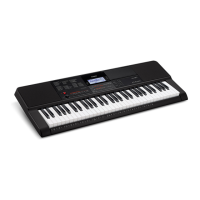
Casio CT-X8000IN - User Manual

Casio CT-X8000IN
147 pages
Print Icon
To Next Page IconTo Next Page
Loading...
EN
CTX8000IN-E-1B
USER’S GUIDE
Safety Precautions
Before trying to use the Digital Keyboard, be sure to read the separate “Safety Precautions”.
Please keep all information for future reference.
About Music Score data
You can use a computer to download music score data from the CASIO Website. For more information, visit the
URL below.
http://world.casio.com/
CT
-
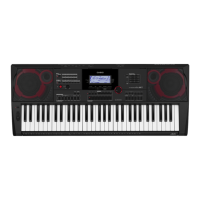
X9000IN
CT
-
X8000IN
MA1804-B Printed in China
C
CT-X9000_8000IN_e_Cover1-4.fm 1 ペー 2018年4月12日 木曜日 午後1時25

Table of Contents

Questions and Answers

  • J
    Jeffrey EdwardsAug 15, 2025
    What to do if Casio Electronic Keyboard shows Err No Media?
    • B
      Brett JenkinsAug 15, 2025
      If your Casio Electronic Keyboard displays 'Err No Media', the issue may stem from problems with the USB flash drive. Here are a few things to check: * Ensure the USB flash drive is correctly plugged into the port. * Avoid removing the USB flash drive while the keyboard is performing an operation. * Make sure the USB flash drive is not write-protected; write-enable it if it is. * The USB flash drive should not be protected by anti-virus software.
  • M
    Mary GarciaAug 18, 2025
    What to do if Casio Electronic Keyboard shows Err DataFull?
    • A
      arnoldlanceAug 18, 2025
      If your Casio Electronic Keyboard displays 'Err DataFull', it means you're trying to exceed the memory limits. Here's what you can do: * If you're trying to record more than 10 songs, delete some songs. * If you're storing user tones, delete unneeded ones. * If you're storing user rhythms, delete unneeded ones.
  • K
    Kevin ValenciaAug 21, 2025
    What does Err Mem Full mean on Casio CT-X8000IN Electronic Keyboard and how to fix it?
    • J
      jrobinsonAug 21, 2025
      If your Casio Electronic Keyboard displays 'Err Mem Full', it means you're exceeding recording limits. Here's what you should do: * Keep song recordings within the allowable per-song limit. * Keep phrase recordings within the allowable per-phrase limit. * Keep user rhythm recordings within the allowable per-user-rhythm limit.
  • D
    Dawn WalkerAug 25, 2025
    What does Err Large Sz mean on Casio Electronic Keyboard?
    • A
      Ashley BrayAug 25, 2025
      The 'Err Large Sz' message on your Casio Electronic Keyboard indicates that the SMF file on the USB flash drive is too large to play, or the data you are trying to import is too big. Playback of SMF files is supported up to approximately 320 KB in size. The maximum data size (per data item) when loading data into Digital Keyboard memory is approximately 64 KB for rhythms and approximately 8 KB for phrases.
  • J
    jennifer16Aug 27, 2025
    What does Err ReadOnly mean on Casio CT-X8000IN?
    • T
      Taylor McmahonAug 28, 2025
      The 'Err ReadOnly' message on your Casio Electronic Keyboard appears when a read-only file with the same name you are trying to use is already stored on the USB flash drive. You can change the name and then save the new data, remove the read-only attribute from the existing USB flash drive file and overwrite it with the new data, or use a different USB flash drive.
  • J
    Justin Holden MDAug 30, 2025
    What to do if Casio CT-X8000IN Electronic Keyboard shows Err Limit?
    • K
      Kristin LongAug 30, 2025
      If your Casio Electronic Keyboard displays 'Err Limit', it means you're trying to record too many measures. Make your recordings up to 999 measures long.
  • A
    Amanda DeanSep 3, 2025
    What does Err MediaFul mean on Casio CT-X8000IN?
    • T
      Terri RodgersSep 3, 2025
      The 'Err MediaFul' message on your Casio Electronic Keyboard indicates that there is not enough space available on the USB flash drive. Delete some files to make room for new data, or use a different USB flash drive.
  • C
    Corey SchultzSep 5, 2025
    What does Err ManyFile mean on Casio CT-X8000IN Electronic Keyboard?
    • B
      benjaminmurraySep 5, 2025
      The 'Err ManyFile' message on your Casio Electronic Keyboard indicates that there are too many files on the USB flash drive. Delete some of the files to make room for new data.
  • J
    Joseph ByrdSep 8, 2025
    What does Err NotSMF01 mean on Casio CT-X8000IN Electronic Keyboard?
    • J
      Joshua GarciaSep 8, 2025
      The 'Err NotSMF01' message on your Casio Electronic Keyboard indicates that you are attempting to play back SMF Format 2 song data. Playback of SMF Format 0 or Format 1 only is supported.
  • C
    christopherharrisSep 12, 2025
    What does Err No Data mean on Casio Electronic Keyboard?
    • T
      Thomas FletcherSep 12, 2025
      The 'Err No Data' message on your Casio Electronic Keyboard indicates that you are selecting a user data item that does not have any data stored to it. Select a user data item that has data stored to it.

Summary

USERS GUIDE

Safety Precautions

Important safety instructions before using the digital keyboard.

General Guide

Preparing a Power Supply

Using the AC Adaptor

Instructions for connecting and using the AC adaptor.

CT-X8000 IN: Using Batteries

Instructions for inserting and using batteries in the CT-X8000IN model.

Playing on the Keyboard

Selecting a Tone

How to select and assign tones to keyboard parts.

Sounding Multiple Tones (Layer and Split)

Assigning different tones to keyboard sections (layer/split).

Changing Keyboard Response to Touch Pressure (Touch Response)

To change Touch Response sensitivity

Adjusting the keyboard's sensitivity to key press speed.

Controlling Sounds

Using a Pedal

Connecting and configuring pedal functions for performance.

Playing a Built-in Song or a Song on a USB Flash Drive (Song Bank Mode)

Selecting a Built-in Song for Playback

How to select and play built-in songs from the Song Bank.

Using Auto Accompaniment (Rhythm Mode)

Selecting a Rhythm

How to select and activate accompaniment rhythms.

Creating a Song with an Auto Accompaniment (Accompaniment Pattern)

Accompaniment Patterns

Overview of different types of accompaniment patterns.

Using Music Presets

To perform using a music preset

Recalling and using preset musical setups with chord progressions.

Using Phrase Pads

Recording a Phrase

Recording custom phrases to the phrase pads.

Muting Specific Parts (Part Mode)

Turning a Part On or Off

Enabling or disabling individual parts for accompaniment or keyboard play.

Using the Mixer

Mixer Operation

Fine-tuning volume, pan, and effect levels for each part.

Registering and Restoring a Setup (Registration)

Creating an Auto Accompaniment (User Rhythm)

Creating and Editing a User Rhythm

Creating new rhythms from scratch or editing existing ones.

Using the MIDI Recorder to Record

Configuring Function Settings

To configure function settings with the FUNCTION button

Accessing and modifying global keyboard settings.

USB Flash Drive

USB Flash Drive and USB Flash Drive Port Handling Precautions

Important precautions for handling USB flash drives and ports.

Casio CT-X8000IN Specifications

General IconGeneral
Number of Keys61
Touch Response3 sensitivity levels, off
Tones800
DisplayLCD
MetronomeYes
Polyphony64 notes
Sound SourceAiX
EffectsReverb, Chorus
RecorderYes (MIDI, 6 tracks, 5 songs)
ConnectivityUSB to Host
Power SupplyAC adapter or batteries
Included AccessoriesAC adapter, music rest

Related product manuals