Controlling the Keyboard Sounds
E-16
Use the following procedure to replace a percussive
instrument with a sampled sound you sampled with short
sampling and play auto accompaniment rhythms (page E-29)
with it.
1.
Press
3
(FUNCTION) and
4
at the same time.
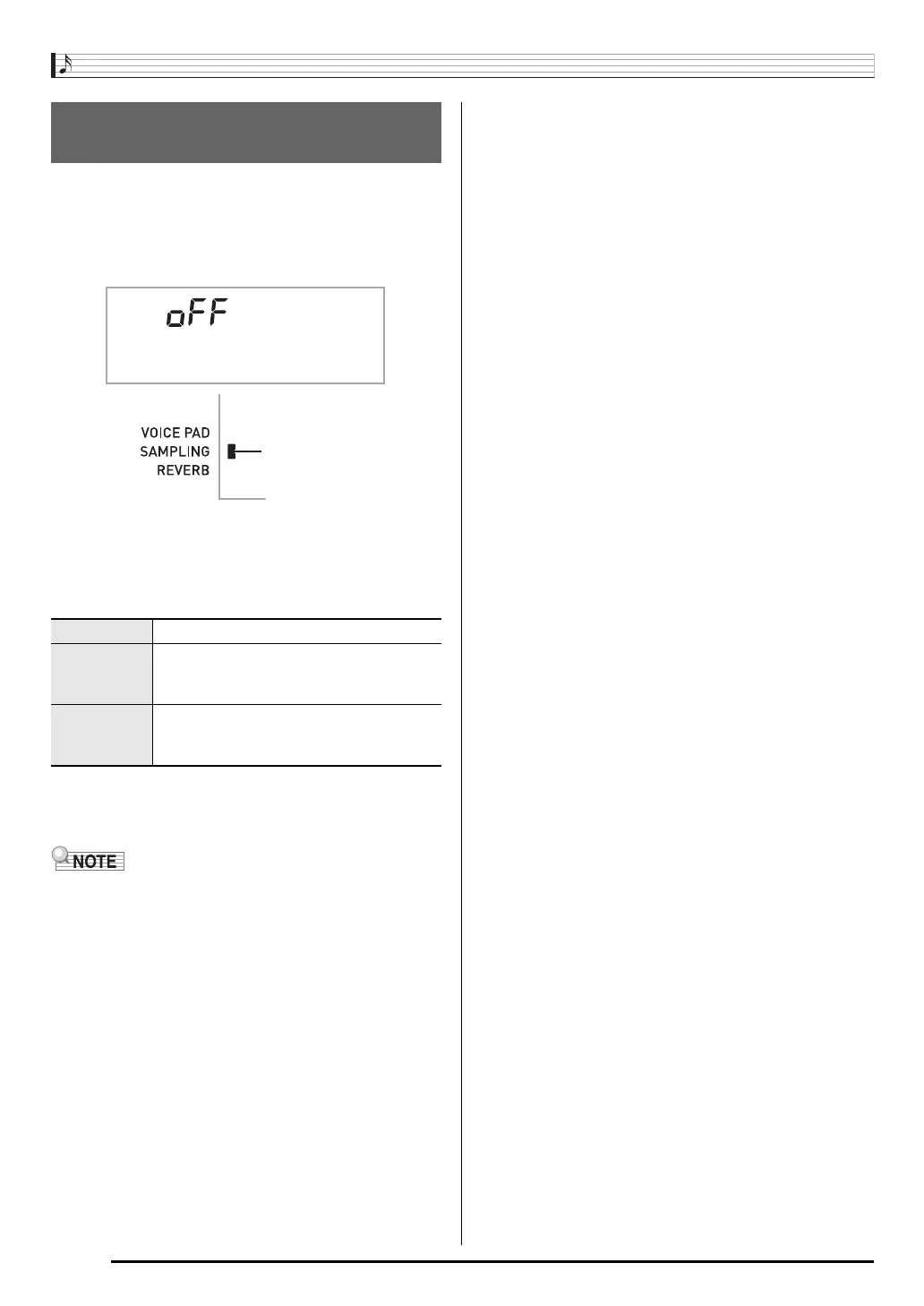
The display will return to the previous screen if you do not
perform the next step for some time.
2.
Use the
bq
(10-key) [–] and [+] keys to select
the drum assign type you want.
3.
Start rhythm play (page E-29).
The rhythm sounds in accordance with the drum assign
type you selected in step 2.
• Some rhythm part drum sounds cannot be replaced by
sampled sounds.
Using a Sampled Sound in a
Rhythm (Drum Assign)
Off (oFF) Sampled sound does not sound.
Type 1 (dr1) Replaces the bass drum of the rhythm
pattern with tone number 402, and the
snare drum with tone number 403.
Type 2 (dr2) Replaces more of the percussive
instruments than Type 1 with tone numbers
402, 403, and 404.
DrmAs ign
Lights


 To Next Page