English
E-17
Playing Built-in Songs
With this Digital Keyboard, built-in tune data is referred to as
“songs”. You can listen to the built-in songs for your own
enjoyment, or you can play along with them for practice.
• In addition to simple listening enjoyment, the built-in songs
can be used with the lesson system (page E-21) for
practice.
Use the following procedure to play back built-in songs (001 to
090).
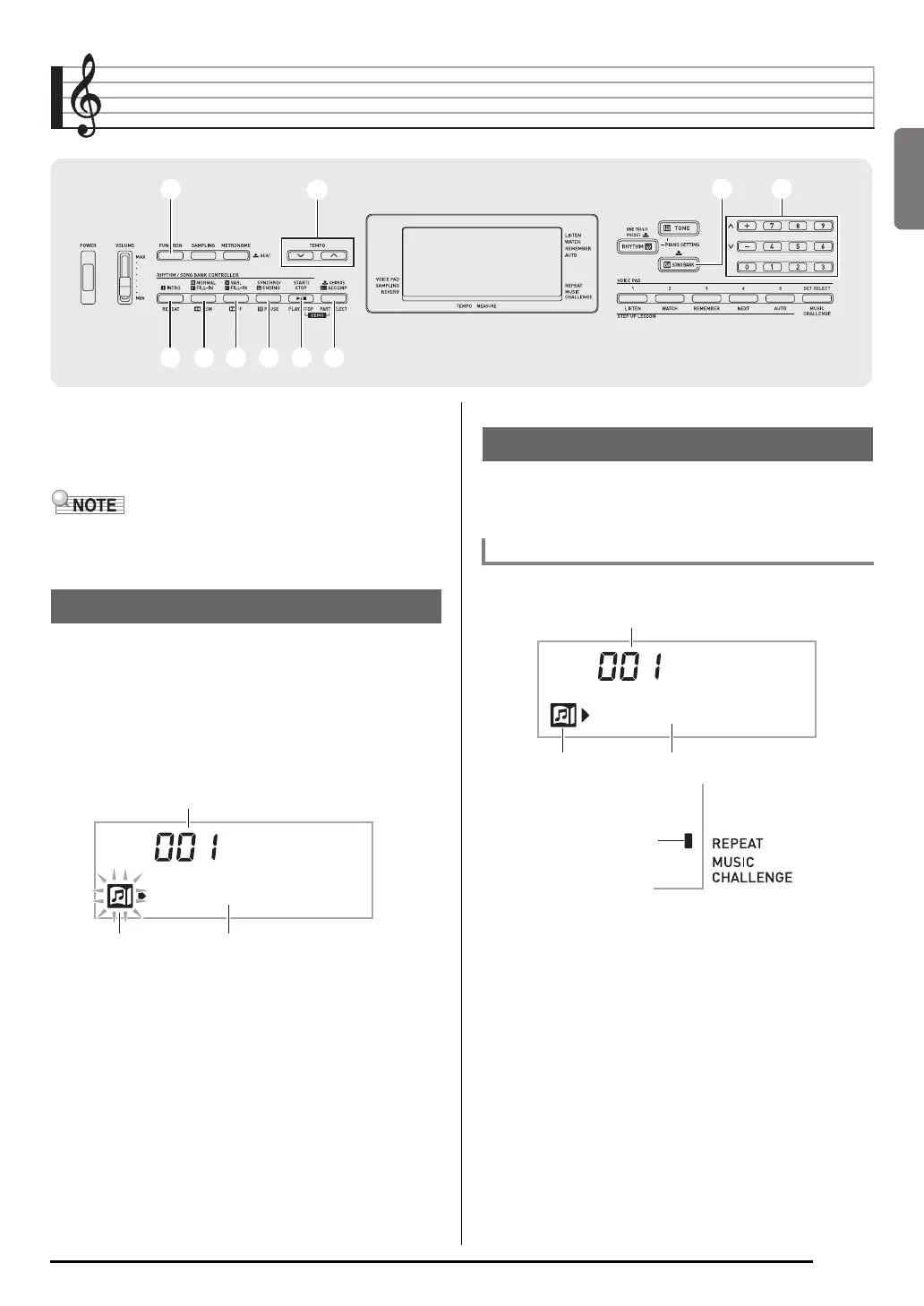
1.
Press
bl
and
bm
at the same time.
This will start playback of the demo songs. Demo
playback continues until you stop it.
• See page E-42 for a complete list of available songs.
• Demo playback always starts from song number 001.
2.
To change to another song while demo
playback is in progress, use
bq
(10-key) [–] and
[+] keys to enter the song number you want
(page E-4).
This will cause demo playback to jump to the song whose
number you entered.
• You cannot use
bq
(10-key) number buttons to select a
song.
3.
To stop demo playback, press
bl
.
Demo playback continues until you stop it by pressing
bl
.
Use the procedure below to play back one of the built-in
songs. You can play along on the keyboard with song
playback.
1.
Press
bp
(SONG BANK).
2.
Use
bq
(10-key) to enter the number of the song
you want.
• See page E-42 for a complete list of available songs.
• Use the number buttons to enter the song number.
Specify three digits for the song number.
Example: To select 001, enter 0 3 0 3 1.
bqbq
33
66
77 88 99 bkbk blbl bmbm
bpbp
Playing the Demo Songs
Tw i nk l e
Tune name
Song number
Flashes
Playing Back a Particular Song
Start/Stop
Tw i nk l e
Tune name
Song number
Lights
Lights


 To Next Page