— 4 —
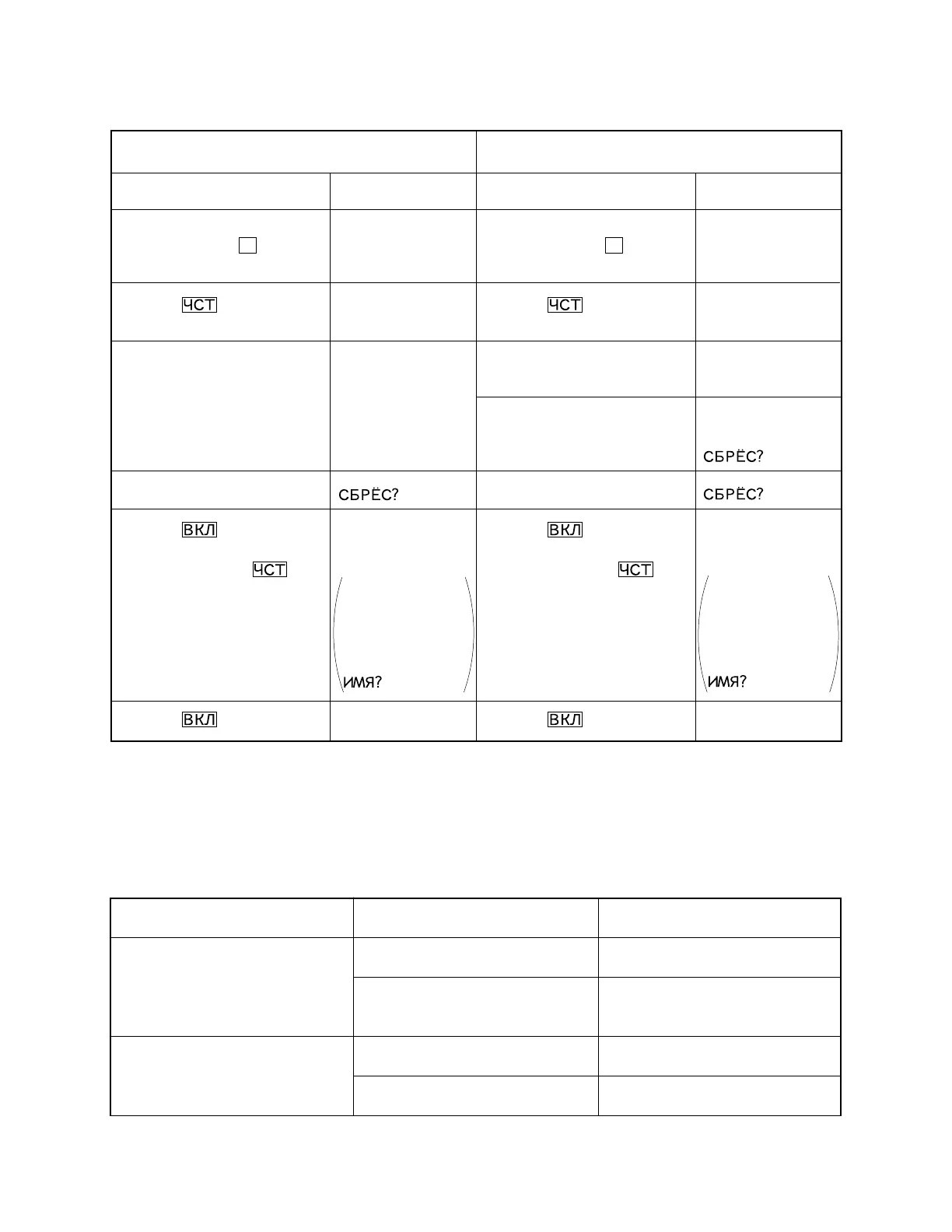
Note: Perform the operation in numerical order.
User's unit
Back up unit
Operation
1 While pushing down RESET
button, press E then re-
lease RESET button.
4 Press .
5 After the data transmis-
sion....
It takes a few minutes to
complete the data transfer.
7 Press RESET button.
9 Press .
Note: Never press as it
deletes all the data.
A Press (OFF).
Operation
2 While pushing down RESET
button, press F then re-
lease RESET button.
3 Press .
6 When the data is transferred
properly......
In case the data transfer
ends incomplete......
8 Press RESET button.
0 Press .
Note: Never press as it
deletes all the data.
B Press (OFF).
TROUBLESHOOTING
Before doing the following solutions, save data if possible.
SYMPTOM SOLUTIONCAUSE
No power
Weak battery Replace batteries
ResolderPoor soldering of the power
supply circuit
No display at all or wrong display
Defective heat seal Replace the heat seal
Defective LCD Replace the LCD
Display
R?
(Unit emits a buzz.)
R?
(Unit emits a buzz.)
END
NG!
or
USED FREE
5250 60220
The above example
is DC-8500RS dis-
play. The numbers
vary depending on
the quantity of data.
Display
T?
(Unit emits a buzz.)
T?
(Unit emits a buzz.)
END
USED FREE
5250 60220
The above example
is DC-8500RS dis-
play. The numbers
vary depending on
the quantity of data.



 To Next Page