E-24
3x
3
+ 3 x
2
– x 0
(INEQ)(aX
3
+ bX
2
+ cX + d)
(aX
3
+ bX
2
+ cX + d 0)
3 3 1
CCC
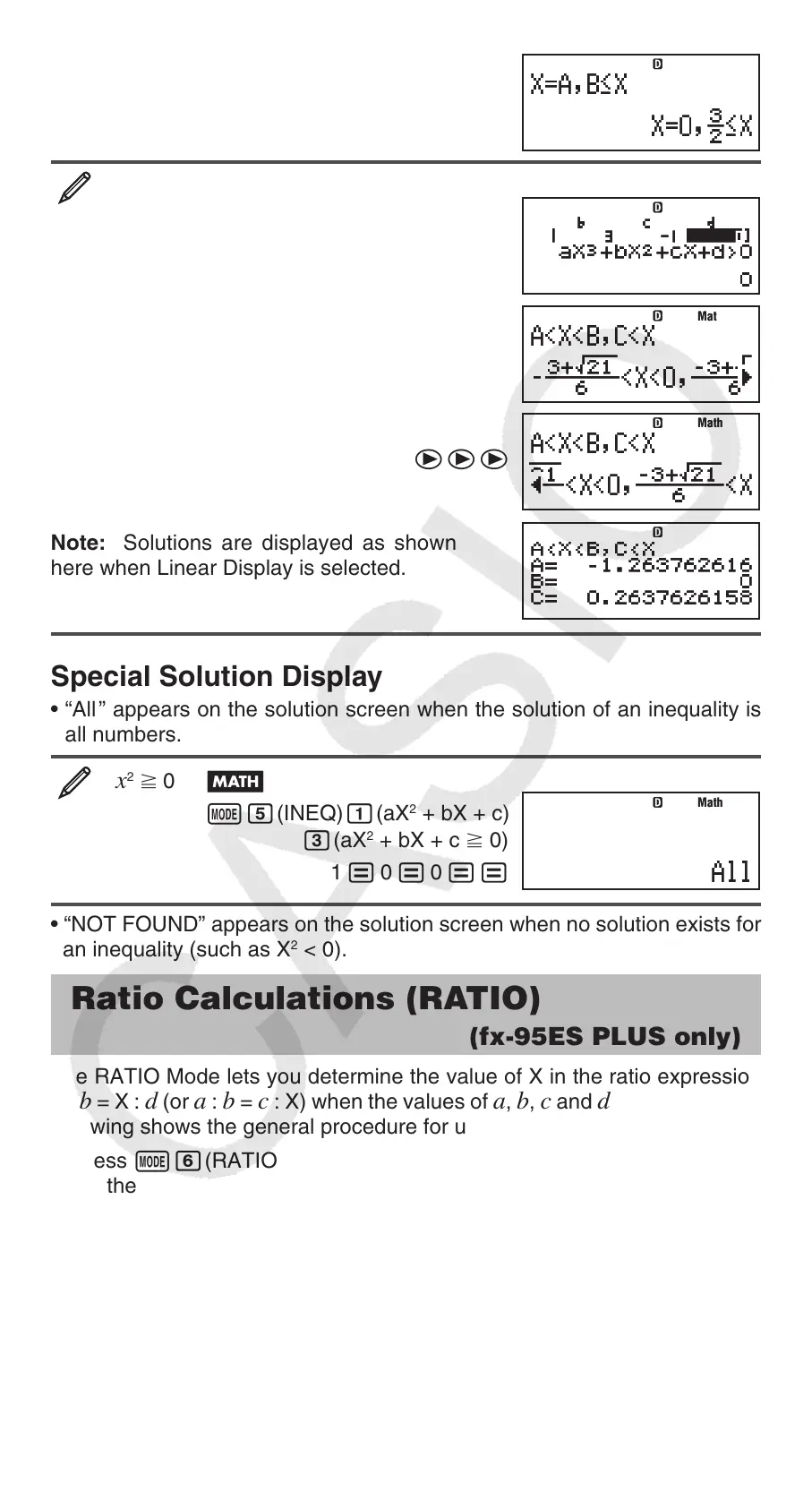
Note: Solutions are displayed as shown
here when Linear Display is selected.
Special Solution Display
• “All ” appears on the solution screen when the solution of an inequality is
all numbers.
x
2
>0
(INEQ)(aX
2
+ bX + c)
(aX
2
+ bX + c > 0)
1 0 0
• “NOT FOUND” appears on the solution screen when no solution exists for
an inequality (such as X
2
< 0).
Ratio Calculations (RATIO)
(fx-95ES PLUS only)
The RATIO Mode lets you determine the value of X in the ratio expression
a : b = X : d (or a : b = c : X) when the values of a, b, c and d are known. The
following shows the general procedure for using RATIO.
1. Press (RATIO) to enter the RATIO Mode.
2. On the menu that appears, select the (a:b=X:d) or (a:b=c:X).
3. On the Coefficient Editor screen that appears, input up to 10 digits for each
of the required values (
a, b, c, d).
• To solve 3 : 8 = X : 12 for X, for example, press in step 1, and
then input the following for the coefficients (
a = 3, b = 8, d = 12):
3 8 12 .
• To change a coefficient value you already have input, move the cursor
to the appropriate cell, input the new value, and then press .
• Pressing will clear all of the coefficients to zero.
MathMath
MathMath
MathMath
MathMath
MathMath


 To Next Page