EasyManua.ls Logo

Casio fx-82AU - Page 3

Casio fx-82AU
11 pages
Print Icon
To Next Page IconTo Next Page
To Previous Page IconTo Previous Page
Loading...
Page 3 of 11 Learning Skills @ CSU
b.
5
2
4
3
2
Calculator steps:
2 3 4 X 2 5 =
Answer =
10
11
2
x
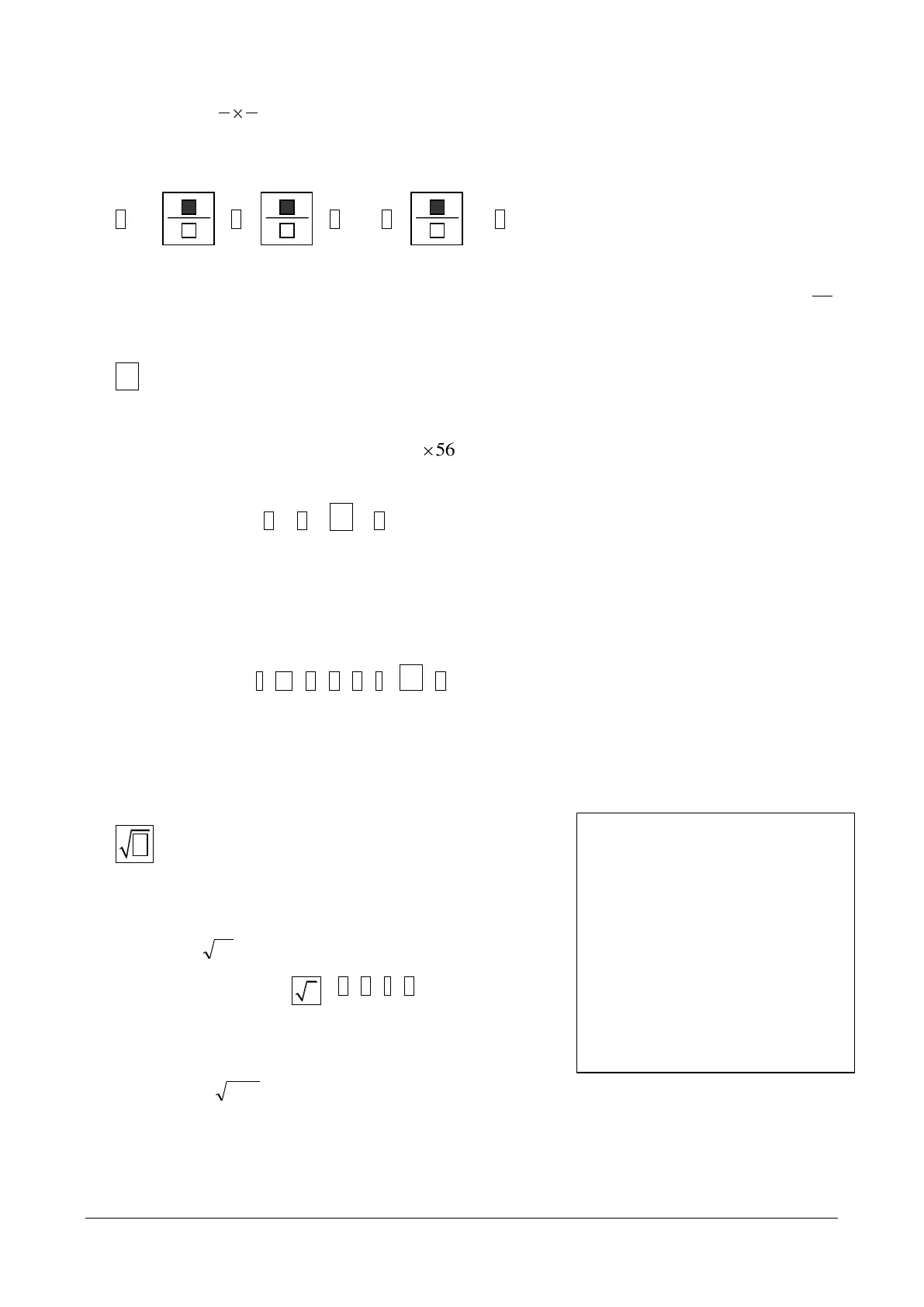
This key will square a number
Example 3.3:
a.
2
56
(this means
56 56
)
Calculator steps: 5 6
2
x
=
Answer = 3136
b. If x = -2.6, find x
2
Brackets must be used when squaring a negative number or raising a negative to any power
Calculator Steps: ( (-) 2 6 )
2
x
=
Answer = 6.76
This key will find the square root of a number
Example 3.4:
a.
16
Calculator steps:
1 6 ) =
Answer = 4
b.
45.3
Answer = 1.857417562
Important Note
When using some functions on the
AU an open bracket is automatically
inputted but you need to enter the
close bracket key yourself keep an
eye on the screen for your prompt to
do this. The square root key, the
power key, the log keys and the
exponent functions and the trig
keys (sin, cos and tan) and
inverse trigs, all require you to
close a bracket.


Related product manuals