EasyManua.ls Logo

Casio FX-991W - Power Supply

Casio FX-991W
41 pages
Print Icon
To Next Page IconTo Next Page
To Previous Page IconTo Previous Page
Loading...
®
Power
Supply
The
type
of
battery
you
should
use
depends
on
the
model
number
of
your
calculator.
<fx-991W/fx-115W>
The
TWO
WAY
POWER
system
actually
has
two
power
supplies:
a
solar
cell
and
a
G13
Type
(LR44)
button
bat-
tery.
Normally,
calculators
equipped
with
a
solar
cell
alone
can
operate
only
when
relatively
bright
light
is
present.
The
TWO
WAY
POWER
system,
however,
lets
you
con¬
tinue
to
use
the
calculator
as
long
as
there
is
enough
light
to
read
the
display,
*
Replacing
the
Battery
Either
of
the
following
symptoms
indicates
battery
power
is
low,
and
that
the
battery
should
be
replaced.
•
Display
figures
are
dim
and
difficult
to
read
in
areas
where
there
is
little
light
available.
•
Nothing
appears
on
the
display
when
you
press
the
:
key.
•
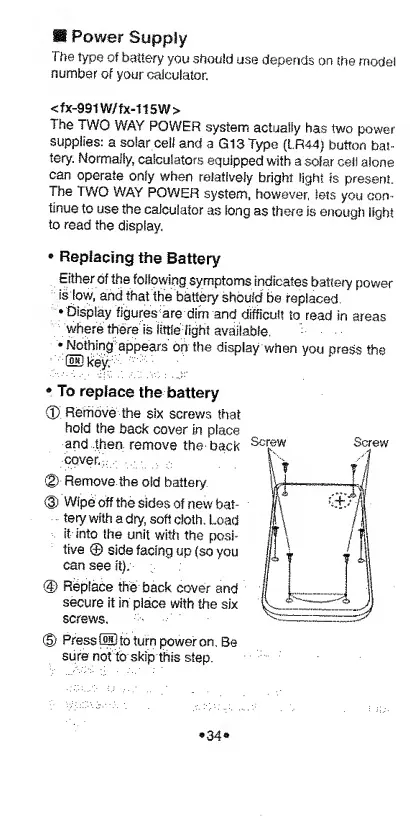
To
replace
the
battery
0.
Remove
the
six
screws
that
hold
the
back
cover
in
place
and
then
remove
the
back
cover.
0-
Remove
the
old
battery
®
Wipe
off
the
sides
of
new
bat¬
tery
with
a
dry,
soft
doth.
Load
it
into
the
unit
with
the
posi¬
tive
©
side
facing
up
(so
you
can
see
it):
@
Replace
the
back
cover
and
secure
it
in
place
with
the
six
screws,
(§)
Press
®
to
turn
power
on.
Be
sure
not
to
skip
this
step.
*
3
4
®