26
E
Part-2 CONVENIENT OPERATION
1-11 To program department,
PLU, clerk name, receipt message
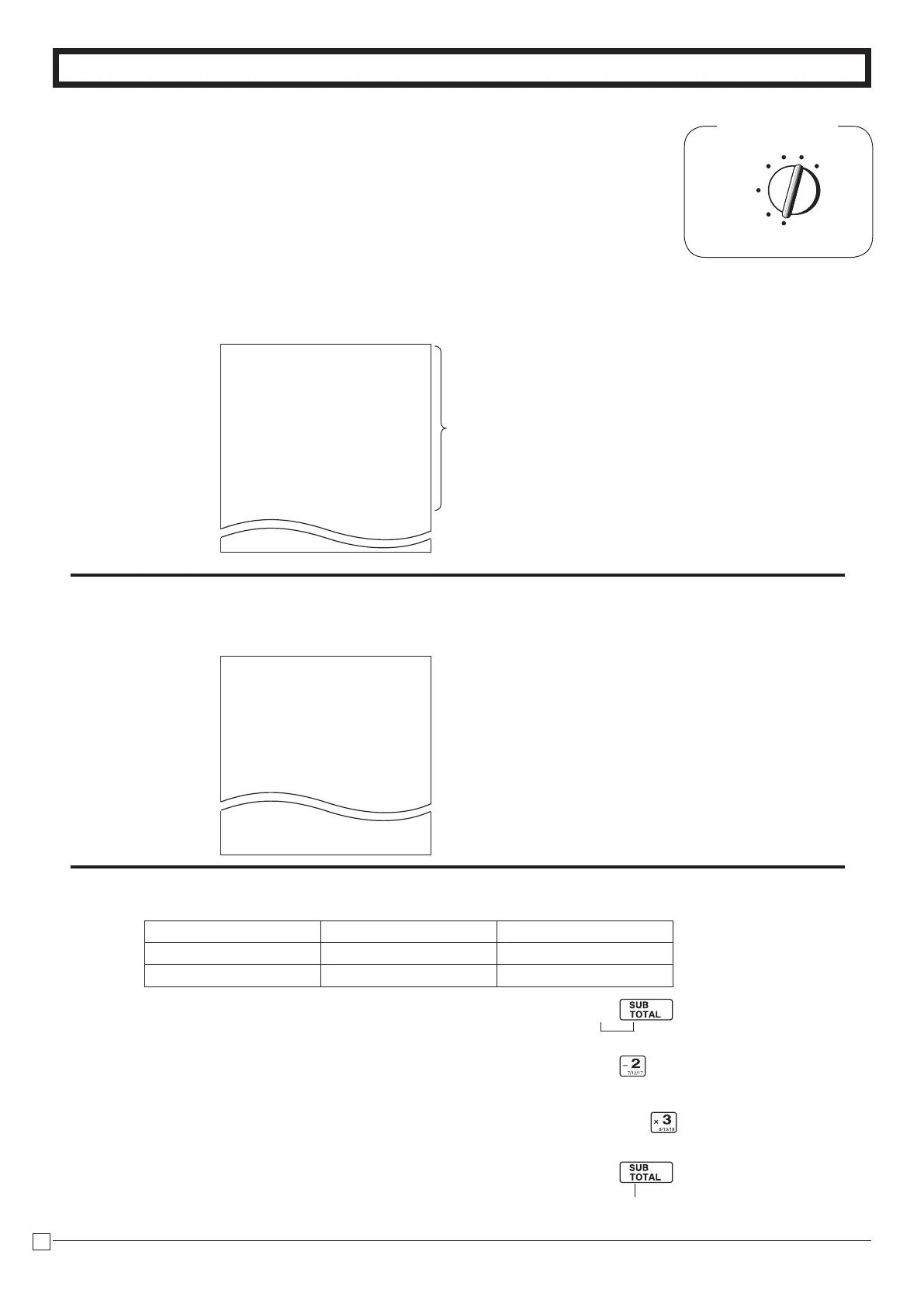
Mode Switch
REG
OFF
RF
PGM
CAL X
Z
ZX
/
VZX
/
Example
Categories
112:ARTICLE SALE
212:BOOK, STATIONARY
312:ELECTRONIC GOODS
412:DRESSING
512:SERVICE
612:PHARMACY
712:FOODSTUFFS
812:MEAL
912:OTHER
DRESSING
401:JEWELRY
402:CLOTHING
403:UMBRELLA
404:SHOES
: :
: :
428:SCARF
1-11-1 Simple character
list fror
/
YoucansetdepartmentandPLUnameby
usingasimplecharacterlistfror
/
1-1. Issue category list.
1-2. Issue simple character list.
2-1. Programming department name.
Department 2 8
Name JEWELRY SHOES
Charactercode 401 404
X
V?Z
V?V j
P2appearsinmodedisplay
(Toendthesetting)







 To Next Page