16
E
Part-1 QUICK START OPERATION
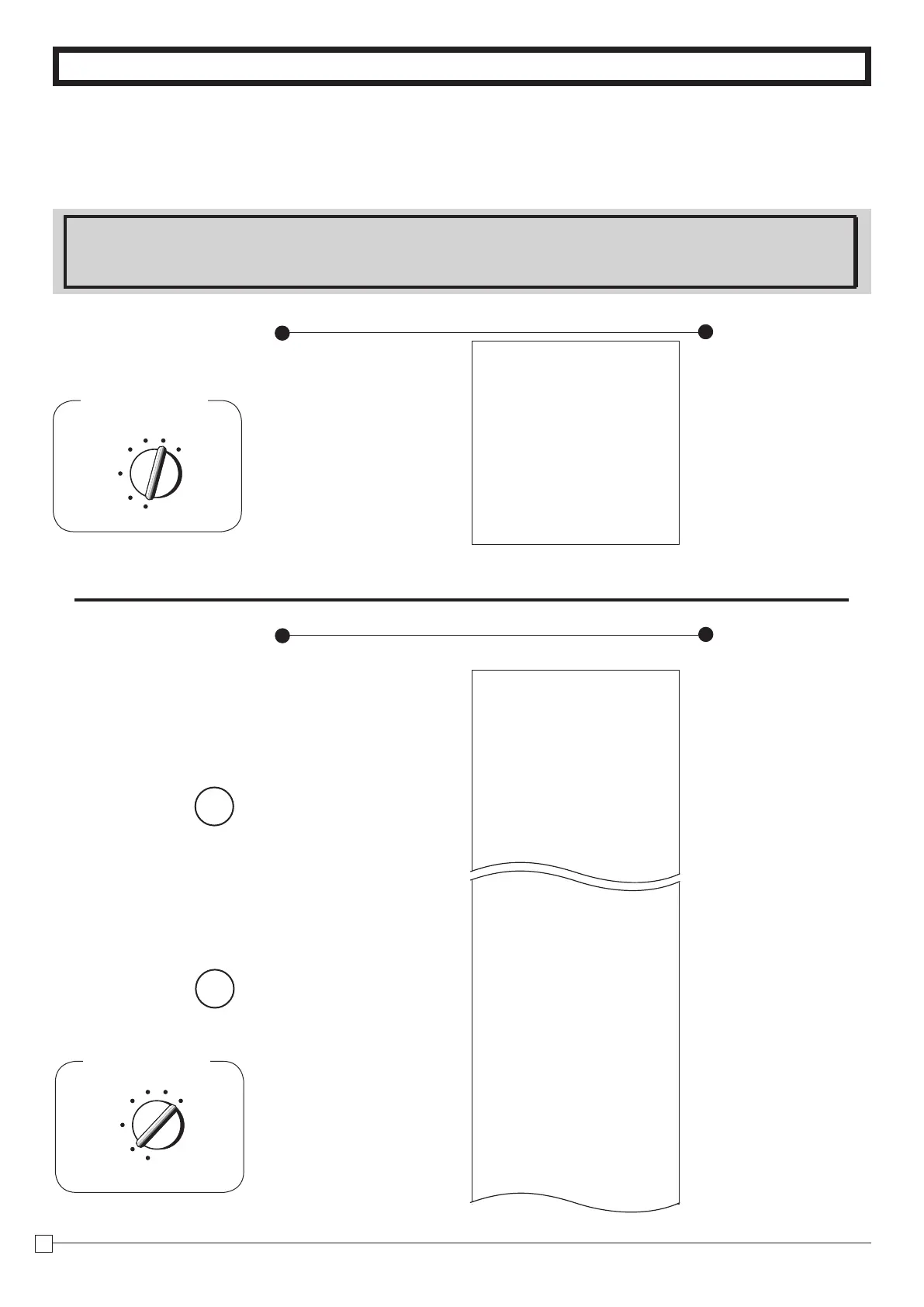
10. Daily Management Report
This section tells you the procedures to use to produce reports of the transac-
tion data stored in the cash register's memory.
Important
Remember that when you issue a reset (Z) report, the data that is reported is cleared from the applicable total-
izers. To view data without clearing totalizers, issue a read (X) report.
Printout
Operation
01-08-2010 16:50
X 0131
FLASH
X
GROSS TOTAL QT 67
$270.48
NET TOTAL No 36
$271.24
CASH-INDW $197.57
CHARGE-INDW $18.19
CKECK-INDW $45.18
h
p
p
— Read Symbol
— Gross Sales No. of Items
— Gross Sales Amount
— Net Sales No. of Customers
— Net Sales Amount
— Cash Total in Drawer
— Charge Total in Drawer
— Check Total in Drawer
10-2-1 Daily Read/Reset
Report
10-2 Read/Reset
Report
Z (Reset) report
01-08-2010 19:35
Z 0173
0000
DAILY
Z 0012
DEPT01 QT 48
$50.10
DEPT02 QT 28
$76.40
DEPT03 QT 17
$39.23
DEPT20 QT 29
$3.00
------------------------
GROSS TOTAL QT 108
$316.80
NET TOTAL No 46
$325.13
CASH-INDW $199.91
CHAREG-INDW 16.22
CHECK-INDW $105.00
TA1 $105.10
TAX1 $4.20
TA2 $75.60
TAX2 $3.97
RF-MODE TTL No 2
$0.50
Printout
Operation
— Date/
Time
—
Consecutive No.
—
Non-resettable Sales No.
of Resets*
1
/RESET Symbol*
1
— Dept. Name/No. of items
— Amount
— Gross Sales No. of Items
— Gross Sales Amount
—
Net Sales No. of Customers
— Net Sales Amount
— Cash in Drawer
— Charge in Drawer
— Check in Drawer
— Taxable Amount 1
— Tax Amount 1
— Taxable Amount 2
— Tax Amount 2
— RF Mode Count
— RF Mode Amount
Mode Switch
REG
OFF
RF
PGM
CAL
Z
X
Mode Switch to
X
(Read)
Mode Switch to
Z
(Reset)
Mode Switch
REG
OFF
RF
Z
CAL X
PGM
10-1 Financial Re
port







 To Next Page