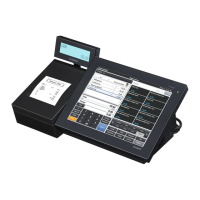
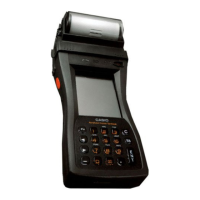
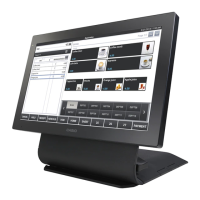
The Casio QT-6000 is a touch screen smart terminal designed for retail and hospitality environments, offering a comprehensive suite of features for sales, operations, and management. This user-friendly device is built to streamline daily tasks, enhance customer service, and provide detailed reporting capabilities.
Function Description
The QT-6000 serves as a central point for all sales transactions, allowing for efficient item registration, payment processing, and customer management. It supports various types of registrations, including flat-PLU keys for quick item entry, discounts, reductions, and mixed tender payments. The terminal can handle both Euro and local currency transactions, making it suitable for diverse markets.
Key operational functions include:
- Basic Sales Registration: Users can register items using flat-PLU keys, input quantities, and apply preset prices and tax statuses.
- Discounts and Reductions: The system allows for programming and applying various discount rates and reduction amounts, either for individual items or subtotals.
- Payment Processing: Supports multiple payment methods, including cash, credit, and check, with the ability to handle mixed tender transactions. It also facilitates registering money received on account and money paid out.
- Refunds and Corrections: The terminal provides robust features for handling normal refund transactions, reductions on refunds, and making corrections to registered or unregistered items within a transaction. Users can correct individual items, cancel all items, or adjust previously registered items.
- Daily Sales Reset Report: Generates a daily sales reset report, which can be printed locally or via an optional remote printer, providing an overview of daily sales activities.
Advanced operational features extend its utility:
- Post-Finalization Receipt: Allows for printing receipts even after a transaction has been finalized.
- Customer Count Input: Enables tracking the number of customers per transaction.
- Clerk Interrupt Function: Supports interrupting a clerk's transaction to allow another clerk to use the terminal, enhancing efficiency in busy environments.
- Slip Printing: Offers auto batch printing for slips, with options for different batch sizes, and manages the maximum number of slip lines.
- Check Tracking Systems: A critical feature for hospitality, allowing for opening, adding to, issuing guest receipts, and closing checks. It supports new/old check key operations, adding checks, separating checks, and transferring checks between clerks or tables.
- Condiment/Preparation PLUs: Facilitates the management of condiments and preparations, crucial for food service.
- Text Recall: Allows for recalling predefined text, useful for special instructions or messages.
- Deposit Registrations: Manages deposits from customers, including those made during sales transactions.
- List-# Registrations: Supports specific list-based registrations.
- Bill Copy: Enables printing copies of bills.
- Tray Total: Provides a total for items on a tray, useful in cafeterias or quick-service settings.
- Multiple Item Totalling: Streamlines the process of totaling multiple items.
- Set Menu Functionality: Manages set menu orders efficiently.
- Tips Management: Allows for recording and managing tips.
- Stock Check: Provides actual stock quantity inquiry, aiding in inventory management.
- Single Item Cash Sales: Simplifies quick cash sales for single items.
- Addition (Plus) and Premium (%): Offers functions for adding amounts or applying percentage premiums.
- Coupon Transactions: Supports registration of coupons using dedicated coupon keys.
- Second Unit Price Registration: Allows for registering items with a second unit price.
- Preset Tender Amount: Facilitates quick tender processing with preset amounts.
- Arrangement Key Registrations: Provides flexibility for various arrangement-specific registrations.
- Currency Exchange Function: Handles foreign currency registration and full or partial tender in foreign currency.
- Temporarily Releasing Compulsion: Offers flexibility in overriding compulsory settings.
- VAT Breakdown Printing: Provides detailed VAT breakdown on receipts.
- Loan and Pick-Up Amounts: Registers loan and pick-up amounts, useful for cash management.
- Changing Media in Drawer: Manages changes in payment media within the cash drawer.
- Scanning PLU: Supports item registration via scanning PLUs, including unit price inquiry.
Usage Features
The QT-6000 is designed with ease of use in mind, featuring a touch screen panel and a keyboard part, often with pop-up windows for various functions.
- Intuitive Interface: The touch screen panel provides a graphical interface for quick navigation and selection of functions.
- Clerk Management: Supports clerk sign-on/off, assigning clerks, and using clerk keys, clerk number keys, or i-Button keys for identification.
- Mode Change: Allows users to switch between different operational modes using a mode pop-up window.
- Time and Date Management: Users can display, clear, and adjust the terminal's time and date.
- Programming Flexibility: The terminal allows for extensive programming of flat-PLU keys, including unit price, department link, tax status, and listing capacity. It also supports programming discount rates, reduction amounts, and various descriptors and messages for items, function keys, and receipts/slips.
- Character Entry and Editing: Provides a mechanism for entering and editing characters, including correcting newly entered characters or modifying existing item descriptors.
- Comprehensive Reporting: The system generates a wide array of reports, including individual key reports (department, subdepartment, PLU/flat-PLU, function), financial reports, individual clerk read/reset reports, daily sales read/reset reports, periodic sales reports, PLU read/reset reports, hourly sales reports, and monthly sales reports. These reports can be printed locally or via an optional remote printer.
- Program Read Function: Allows users to read the terminal's program, including unit price, quantity, item descriptors, characters, messages, clerk settings, and key features, providing a detailed overview of the terminal's configuration.
Maintenance Features
The QT-6000 includes features to assist with troubleshooting and ensure continuous operation.
- Error Handling: Provides guidance on what to do when an error occurs, helping users resolve common issues.
- Troubleshooting Guide: Offers solutions for situations where the terminal does not operate at all, guiding users through diagnostic steps.
- Power Failure Management: Addresses procedures and considerations in case of a power failure, helping to protect data and ensure a smooth recovery.
- Options Management: Allows for configuring various options to tailor the terminal's functionality to specific business needs.
Overall, the Casio QT-6000 is a robust and versatile touch screen smart terminal, designed to meet the demanding needs of modern retail and hospitality operations through its extensive functional capabilities, user-friendly interface, and comprehensive management and maintenance features.

 Need help?
 General
 Weight and Dimensions

 To Next Page