
 Need help?
Do you have a question about the Casio TONEBANK CT-636 and is the answer not in the manual?
Details using dry batteries and car battery adaptors for power.
Explains connecting the AC adaptor for household power.
Lists important precautions for battery usage to prevent damage.
Explains how to choose from the available preset tones using selectors.
Guides on creating layered sounds by mixing primary and secondary tones.
Outlines the steps for powering on, adjusting volume, and selecting sounds.
Explains how to select and start auto-rhythm patterns.
Explains the simplified chord playing system for accompaniment.
Provides solutions for common problems like low volume and connection issues.
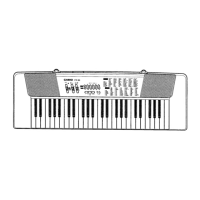
The Casio CT-636 is a state-of-the-art electronic musical instrument designed to offer a wide range of features and functions for an enjoyable playing experience. This keyboard incorporates the latest electronics technology to ensure ease of operation and exceptional sound quality.
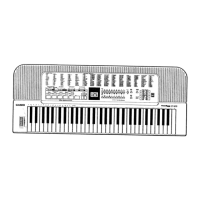
The CT-636 features a 61-key keyboard, providing a comfortable range for playing. It offers a 10-note polyphony, allowing multiple notes to be played simultaneously. The instrument comes with 30 preset tones, including Piano, Harpsichord, Vibraphone, Jazz organ, Pipe organ, Brass-ens, Strings 1, Flute, Chorus, Jazz guitar, Bells, Funky clavi, Metallic sound, Synth-ens, Percussion, Honky-tonk piano, Elec piano, Marimba, Organ, Accordion, Trumpet, Strings 2, Oboe, Synth-reed, Harp, Synth-celesta, Synth-clavi, Fantasy, Miracle, and Bass (Wood bass/Slap bass).
A standout feature is the innovative "Tone Bank" function, which allows users to combine preset tones to create an astonishing total of 465 different sound combinations. This layering capability integrates the characteristics of two selected preset tones—a "Primary" sound and a "Secondary" sound—to produce rich, complex timbres. When the Tone Bank function is active, the keyboard's polyphony changes to 5 notes.
The CT-636 also includes 20 auto-rhythms, such as Rock 1-2, 8 beat 1-2, 16 beat 1-2, Disco 1-2, Pops 1-2, Slow rock, Bluegrass, Swing, Samba, Bossa nova, Waltz, Reggae, Tango, Beguine, and March. These rhythms provide a dynamic backing for practice and performance.
For accompaniment, the instrument offers an auto-accompaniment function with three modes: Casio Chord, Fingered 1, and Fingered 2. The Casio Chord system simplifies chord playing, allowing users to produce major, minor, seventh, and minor seventh chords with a single finger or a combination of a few keys. The Fingered 1 mode provides a single bass line and two backing chord patterns, while Fingered 2 offers a single bass line and a single backing chord pattern, with the added ability to manually add notes in two-note polyphony on the accompaniment keyboard without affecting the pattern. Fingered 2 also allows for rhythmic variation in chord playing.
An "Auto Harmonize" effect can be applied to melodies, adding automatic harmony when using the Casio Chord or fingered chord functions. When the Tone Bank function is also active, the automatic harmony is generated using the "Secondary" sound, and the melody keyboard performance becomes monophonic.
The keyboard is equipped with built-in stereo speakers for direct sound output. It also includes an output jack for headphones or external amplification and an AC adaptor jack for power.
The CT-636 is designed for intuitive use with clearly labeled controls. The "POWER/CHORD" switch not only turns the unit on and off but also selects between normal play, auto-accompaniment with standard chord fingering, and auto-accompaniment using the Casio Chord system.
Volume control is managed by the "MAIN VOLUME" slider for overall output and the "ACCOMP VOLUME" slider for adjusting the auto-accompaniment volume independently.
Preset tones are selected using the "TONE selectors" and the "Tone SELECT" button, which toggles between upper (1-15) and lower (16-30) tone assignments for each selector. The PIANO tone is automatically selected upon power-on. When "PERCUSSION" sound is chosen, the keyboard keys transform into a drum machine, offering 61 different built-in percussion sounds. For bass sounds, selecting "BASS" allows for dual bass tones—Wood Bass on the lower half and Slap Bass on the upper half of the keyboard.
The "TONE BANK" button activates the Tone Bank function, enabling the creation of layered sounds. Users first select a "Primary" sound, then press the TONE BANK button, and finally select a "Secondary" sound to combine them. The indicator above the TONE BANK button lights up when the function is active.
Auto-rhythms are selected using the "RHYTHM selectors" and the "Rhythm SELECT" button, which toggles between upper and lower rhythm assignments. The "START/STOP" button initiates and halts rhythm playback. The "TEMPO Control buttons" allow for precise adjustment of the rhythm's speed, with a range of 40 to 256 beats per minute. Pressing both tempo buttons simultaneously resets the tempo to 132 BPM.
The "SYNCHRO/FILL-IN" button serves multiple purposes: it puts the rhythm into synchro start standby, where the rhythm begins when an accompaniment keyboard key is pressed. During rhythm or accompaniment performance, pressing this button inserts a fill-in pattern. Holding it down repeats the fill-in until released.
The "INTRO/ENDING" button starts an auto-rhythm with a one-measure intro pattern when pressed instead of START/STOP. During performance, pressing it will stop the rhythm after an appropriate ending pattern. For a synchro start with an intro, users can press SYNCHRO/FILL-IN, then INTRO/ENDING, and the rhythm will start with an intro when an accompaniment key is pressed.
A "DEMO" button is included to play a preset demonstration tune, showcasing the instrument's features. The demo plays in an endless loop and can be stopped by pressing the button again. The keyboard is inoperable during the demonstration tune.
The CT-636 also features an "Auto power off" function, which automatically cuts off power approximately 6 minutes after the last operation to conserve energy. Power can be restored by cycling the power switch off and then on again.
To ensure the longevity and optimal performance of the Casio CT-636, several maintenance guidelines are provided:
 General
| Brand | Casio |
|---|---|
| Built-in Speakers | Yes |
| Demo Songs | Yes |
| Type | Keyboard |
| Model | CT-636 |




 To Next Page