EasyManua.ls Logo

Casio Privia PX-870 - User Manual

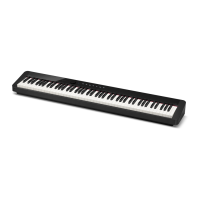
Casio Privia PX-870
63 pages
Print Icon
To Next Page IconTo Next Page
Loading...
PX870/770-E-3A
EN
USER’S GUIDE (Full)
Before using this Digital Piano for the first time,
be sure to read the separate USER’S GUIDE to
familiarize yourself with basic operations.
PX
-
870
PX-770
Illustrations in this User’s Guide show the PX-870.

Table of Contents

Questions and Answers

  • T
    Tyler HuntJul 27, 2025
    How to fix no sound when pressing keys on Casio Privia PX-870 Musical Instrument?
    • S
      Sarah PerezJul 27, 2025
      If no sound comes out when you press a key on your Casio Musical Instrument, first, increase the volume using the VOLUME controller. Then, make sure nothing is plugged into the PHONES/OUTPUT jacks. Finally, ensure that the Local control setting is turned on.
  • B
    browntravisAug 1, 2025
    Why is the pitch off on my Casio Privia PX-870?
    • A
      Andrew MartinezAug 1, 2025
      If the pitch of your Casio Digital Piano is off, you can try the following: * Set the transpose setting to “0”, or turn the power off and on again. * Adjust the tuning setting to 440.0 Hz, or power cycle the instrument. * Ensure the octave shift setting is set to 0. * Verify that the temperament setting is set to “0: Equal”, which is the standard modern tuning.
  • J
    Jermaine MartinAug 5, 2025
    Why does my Casio Privia PX-870 take so long to turn on?
    • R
      Rhonda KennedyAug 5, 2025
      If your Casio Digital Piano takes a long time to start, it's because it performs a memory format operation that takes about 20 seconds. Please wait until this operation is complete. Avoid turning off the Digital Piano while transferring data with a computer.
  • K
    Krystal WigginsAug 11, 2025
    Why can't I transfer data from my Casio Musical Instrument to my computer?
    • B
      Brittany FisherAug 11, 2025
      If you cannot transfer data after connecting your Casio Digital Piano to a computer: 1. Ensure the USB cable is properly connected to both the Digital Piano and the computer, and that your computer’s music software has the correct device selected. 2. Turn off the Digital Piano, exit the music software, then turn the Digital Piano back on before restarting the music software.
  • T
    travis98Aug 16, 2025
    Why does the tone quality vary on my Casio Privia PX-870 keyboard?
    • B
      Bernard LewisAug 16, 2025
      This is normal for Casio Musical Instrument. The slight differences in tonal quality and volume between sample ranges is an unavoidable result of the digital sampling process.
  • A
    allisongonzalezAug 20, 2025
    Why do notes cut out when pressing buttons on my Casio Privia PX-870 Musical Instrument?
    • C
      craig62Aug 21, 2025
      This happens when multiple parts are sounding simultaneously (layer, Duet Mode, built-in tune playback, recording, etc.). Pressing a button changes the effect setting built into the tone, which causes notes to cut out or effects to change slightly. This is normal behavior for Casio Musical Instrument.

Summary

General Guide

FUNCTION Button

Explains the function and usage of the FUNCTION button in combination with other keys.

Auto Resume and Operation Lock

Details how the piano saves settings and prevents accidental button presses.

About Music Score Data

Information on downloading music score data from the CASIO website.

Power Outlet

Instructions for turning the piano on/off and managing Auto Power Off features.

Returning to Factory Default Settings

Procedure to reset the digital piano's stored data and settings to their original factory defaults.

Playing with Different Tones

Selecting and Playing a Tone

Guide to choosing and playing the 19 built-in tones available on the digital piano.

Bass Tone (BASS)

How to select and use the bass tone for splitting the keyboard into two different sound ranges.

Adjusting Acoustic Piano Sound Characteristics (PX-870)

Details on adjusting built-in acoustic piano sound elements like Hammer Response and String Resonance.

Layering Two Tones

Instructions for combining two tones to play simultaneously, adjusting their balance.

Using Effects

Explains how to apply Hall Simulator (PX-870) and Reverb (PX-770) effects to enhance sound.

Using the Digital Pianos Pedals

Describes the function of the damper, soft, and sostenuto pedals for expressive playing.

Disabling Damper Noise Output

How to disable damper noise, a sound generated by acoustic piano dampers.

Using the Metronome

Guide on activating and setting the metronome's beat and tempo for practice.

Adjusting the Metronome Volume

How to set the volume level for the metronome sound.

Splitting the Keyboard for Duet Play

Instructions on dividing the keyboard for two players, with left/right pedal functions.

Changing Octaves of Duet Keyboards

Adjusting the octave range of the left and right keyboards for duet play.

Using Built-in Songs (Concert Play, Music Library, Demo Tunes)

Performing Demo Play

How to play back all Concert Play and Music Library songs sequentially.

Concert Play Overview

Explains Concert Play for playing along with orchestral accompaniments and its practice modes.

Practicing a Concert Play Song

Guide on listening to and practicing the piano part of Concert Play songs.

Practicing the Piano Part (Lesson)

Details on using the Lesson Mode to practice the piano part of Concert Play songs.

Playing Along with Orchestra (Play)

How to play the piano part while the orchestra accompaniment plays.

Music Library Overview

Introduction to the Music Library, featuring 60 songs for listening or practice.

Playing Back a Specific Music Library Song

Instructions for selecting and playing individual songs from the Music Library.

Practicing with a Music Library Song

How to turn off parts of a song to practice along with the Music Library.

Playing Back Audio Data from USB Flash Drive (PX-870)

Guide to playing back audio files (.WAV) stored on a USB flash drive.

Recording and Playback

Recording to Built-in MIDI Recorder

Explains how to record keyboard performances using the internal MIDI recorder.

Recording Data Storage

Information on memory capacity and conditions for recording data.

Using the MIDI REC Button

Details the different modes and functions of the MIDI REC button.

Recording to a Specific Song Track

How to record to one track while listening to playback of another track.

Recording to One Track while Listening to Playback of Other

Detailed procedure for multi-track recording with playback monitoring.

Playing Back from Digital Piano Memory

How to play back recorded songs stored in the Digital Piano's memory.

Deleting Recorded Data

Procedure for deleting specific tracks or songs from the Digital Piano's memory.

Recording to USB Flash Drive (Audio Recorder) (PX-870)

Guide to recording performances as audio files (.WAV) onto a USB flash drive.

Recording Digital Piano Play as MIDI;Audio

Explains how to record MIDI or audio from the piano onto a USB drive, potentially combining playback.

Adjusting Audio Recorder Volume Level

How to adjust the playback volume for audio data recorded to a USB flash drive.

Deleting Audio File from USB Flash Drive

Steps to delete audio files (.WAV) stored on a USB flash drive.

Configuring Settings with the Keyboard

Configuring Settings with the Keyboard

Overview of using the FUNCTION button and keyboard keys to adjust various piano settings.

Keyboard Setting Operation Types

Explains the four types of input methods (A, B, C, D) for configuring settings.

Keyboard Keys Used for Configuring Settings

Visual guide showing which keyboard keys correspond to specific settings.

Parameter List

Comprehensive list of all configurable parameters, their settings, and descriptions.

MIDI and Other Settings

Configuration options related to MIDI connectivity and other miscellaneous settings.

Linking with an Application (APP Function)

Downloading the Special App

Instructions on how to download and install the dedicated CASIO app for smart devices.

USB Flash Drive (PX-870)

Data Types Supported

Lists the types of data files (.MID, .CM2, .CSR, .WAV) supported by the piano.

Save and Load Data Formats

Details supported operations and file formats for saving and loading user songs.

Supported USB Flash Drives

Information on recommended USB flash drive specifications and compatibility.

Storing Standard Audio Data (WAV Files)

How to record and store audio files onto a USB flash drive.

USB Flash Drive Port Handling Precautions

Important warnings and advice for safely connecting and using USB flash drives.

Connecting;Detaching USB Flash Drive

Step-by-step guide on how to properly insert and remove USB flash drives.

Formatting a USB Flash Drive

Instructions on how to format a USB flash drive for use with the digital piano.

Saving Recorded Song to USB Flash Drive

Procedure to save recorded MIDI songs from the piano to a USB flash drive.

USB Flash Drive Data Storage Locations

Explains the folder structure and file naming conventions for data on the USB drive.

Loading Song Data from USB Flash Drive into Memory

How to load user songs from a USB flash drive into the piano's Music Library.

Deleting Data from USB Flash Drive

Steps to delete song data files from the "MUSICLIB" folder on the USB drive.

Simple Play Back of Song on USB Flash Drive

How to play songs directly from a USB flash drive without loading them into memory.

Error Indicators

A guide to understanding error messages indicated by the piano's lamps.

Connecting to a Computer

Minimum Computer System Requirements

Lists the necessary operating systems and hardware for computer connectivity.

Connecting the Digital Piano to Your Computer

Step-by-step instructions for establishing a physical connection between the piano and a computer.

Using MIDI

Explains what MIDI is and its role in digital music communication.

Transferring Song Data with a Computer

Procedures for transferring recorded songs between the piano and a computer.

To load song into user song memory

How to copy song files (.MID or .CM2) from a computer to the piano's Music Library.

To transfer Recorder memory data

Guide for moving recorded data between the piano's memory and computer storage.

Getting Ready

Assembling the Stand

Detailed instructions and diagrams for assembling the piano stand.

To Connect the Cable

Steps for connecting the pedal unit cable and the AC adaptor to the piano.

To Install the Music Stand

Instructions for attaching the music stand to the piano.

Removing Protective Tape from Keyboard

How to safely remove protective tape from the piano keys before first use.

Connecting Headphones

Guide for connecting headphones to the piano for private practice.

Connecting Audio Equipment or Amplifier

Instructions for connecting external audio devices or amplifiers for enhanced sound.

Bundled and Optional Accessories

Information on accessories included with the piano and those sold separately.

Reference

Troubleshooting

Common problems and their solutions for the digital piano.

Product Specifications

Technical details and features of the PX-870/PX-770 digital pianos.

Appendix

Tone List

A list of all available tones, their program change numbers, and bank select MSB.

Concert Play List

A list of songs available in the Concert Play feature with their song numbers.

Music Library List

A list of songs included in the Music Library, with their song numbers.

MIDI Implementation Chart

Casio Privia PX-870 Specifications

General IconGeneral
Keyboard88 keys, Tri-sensor Scaled Hammer Action Keyboard II
Touch Sensitivity3 sensitivity levels, Off
Polyphony256 notes
Tones19 built-in tones
Speakers12cm x 2, 4cm x 2
Amplifiers20W + 20W
USBType B
Power Consumption18W
Sound SourceAiR Sound Source
Acoustic SimulatorDamper Resonance, String Resonance
EffectsReverb (4 types), Chorus (4 types), Brilliance, DSP
Lesson FunctionYes
Recorder2 tracks, 5, 000 notes total
Metronome0 to 9 beats; tempo range: 20 to 255
Transpose25 steps (-12 semitones to +12 semitones)
TuningA4 = 415.5Hz to 440.0Hz to 465.9Hz
Pedals3 pedals (damper, soft, sostenuto)
Connectors2 x Headphones
Line OutYes
Power SourceAC adaptor: AD-E24250LW
Included AccessoriesAC adaptor, Music Stand
HeadphonesStereo mini jack (3.5mm) x 2

Related product manuals